Location Tagging With ZoomSphere MCP: 5 Ways Agencies Can Use It (2026)

Updated October 2026.
Can an AI assistant set the location on your social media posts? Yes. ZoomSphere MCP now lets Claude, ChatGPT and other AI assistants find a place and tag it on Facebook, Instagram and Threads posts. That sounds like a small checkbox. It isn't: once the AI can find, set and read locations, the tag becomes a way to steer the whole calendar by city, branch or venue. We tested it end to end on 19 October 2026 in our DEMO workspace, a fictional coffee chain called Demo Coffee Co., using nothing but plain prompts in Claude. Every screenshot below comes from that session.
Key facts
- Where it works: location tags on Facebook, Instagram and Threads, on every post type except stories, set by your AI assistant through ZoomSphere MCP.
- Photos to places: the AI identifies the place from the photo itself, so it works even when the file has no GPS data left.
- One post, many branches: one prompt turns a master post into a variant per branch, each with its own location.
- Crisis control by place: pause everything tied to one city or venue, and let every other market keep running.
- People stay in charge: everything in this article ran on drafts. Your approval workflow does not change.
1. From photos to places, even without GPS data
A production agency shoots in five locations, drops 200 photos into the calendar and moves on. Somebody then has to work out where each photo was taken. With ZoomSphere MCP, that somebody is your AI assistant.
The obvious plan is to read GPS coordinates from the photo's EXIF data. We tried it on the photos already sitting in the DEMO calendar, and none of them had any EXIF left. That is normal: messaging apps, Slack, social networks and many export tools strip metadata. A workflow that depends on EXIF alone quietly fails on most real files.
So Claude used what was left, the picture itself and the caption:
- Dresden. The photo shows a baroque church with a green copper spire and a yellow tram in front. Claude recognised Dresden Cathedral (Katholische Hofkirche) on its own. The cathedral is not in Meta's place database under any name we tried, so Claude tagged the city of Dresden instead of picking a wrong landmark nearby.
- Santorini. Three carousel photos of blue domes over the caldera. Claude matched them to Oia and tagged "Oia Santorini".
- A dog on a hilltop. Bare trees, a picnic table, hills on the horizon. No landmark, no clue in the caption. Claude left the location empty and flagged the post for a human. That is the behaviour you want: no tag beats a wrong tag.


Photos to places
Go through all draft posts in my Scheduler for the next 30 days that have no location. For each one, look at the photo and the caption and work out where it was taken. If the photo has GPS data, use it. Otherwise identify the landmark or city from the image. Find the matching place and set it on Facebook and Instagram. If you are not sure, do not guess: list those posts for me instead.
2. One master post, four branches, four countries
This is the use case franchise brands, retail chains, hotel groups and banks will love. You write the post once. The AI turns it into one variant per branch, each with the right location and local details.
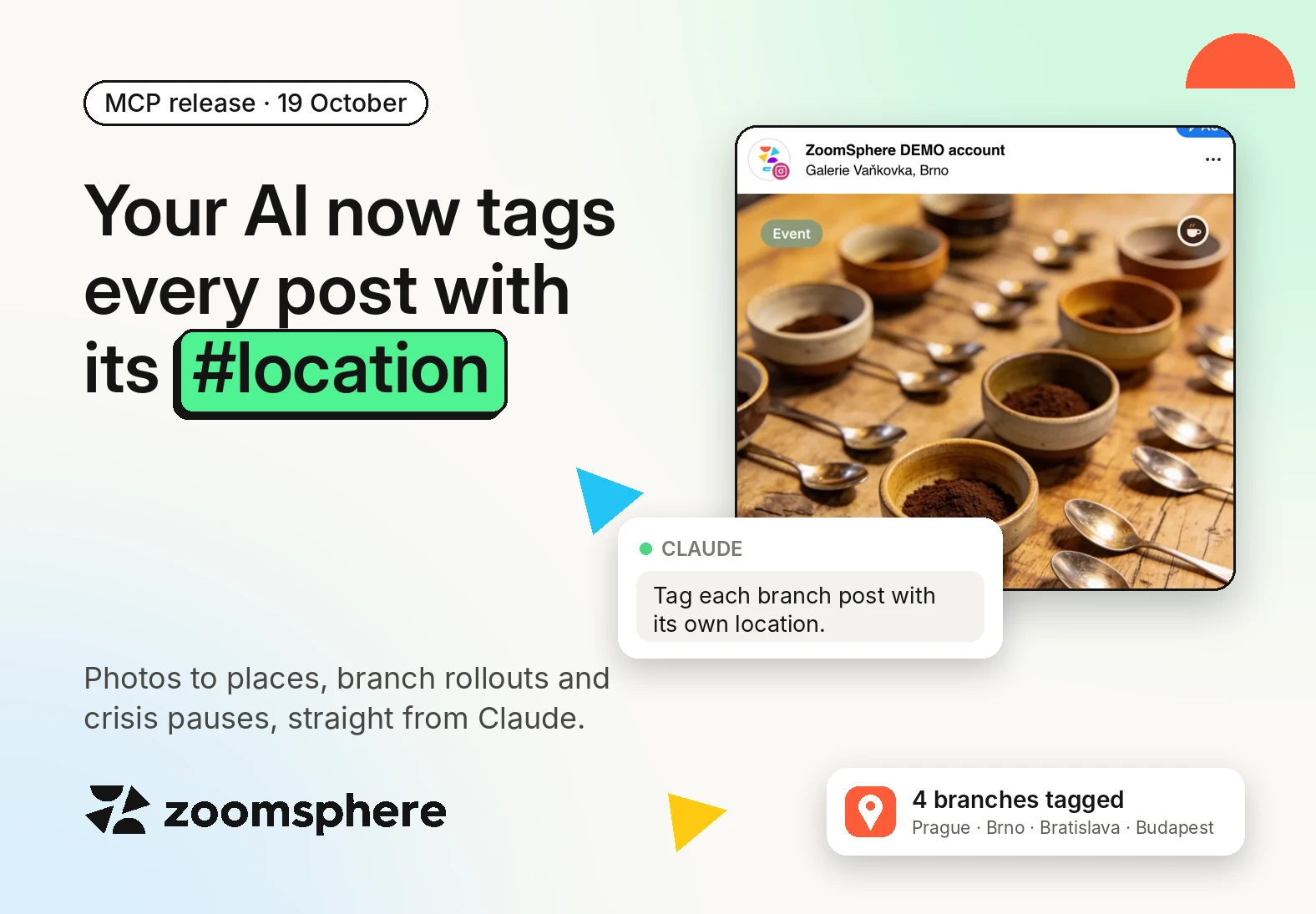
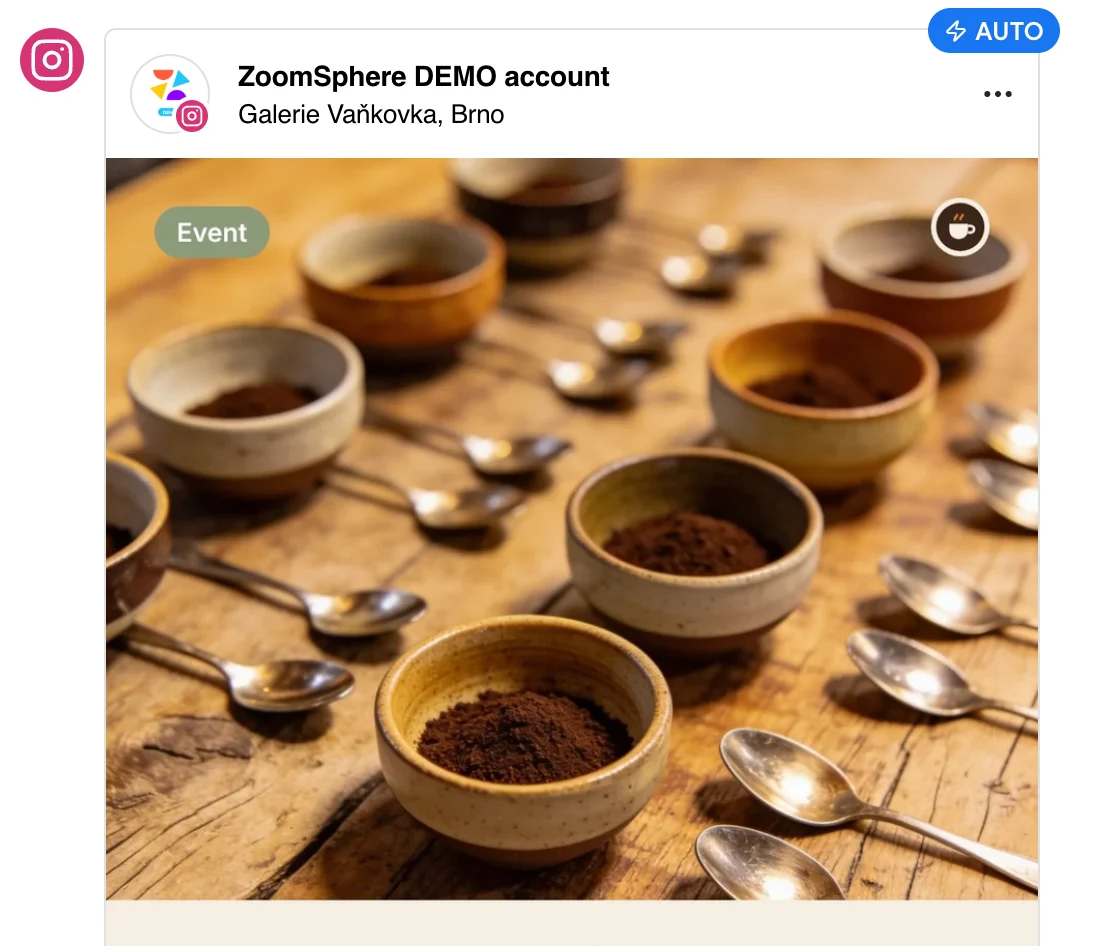
We gave Demo Coffee Co. four branches: Old Town Square in Prague, Galerie Vaňkovka in Brno, Eurovea in Bratislava and Westend in Budapest. Then we asked for the public cupping night announcement to go out for every branch on 12 November, 15 minutes apart. One prompt produced four ready drafts on Facebook and Instagram, each with its own branch name in the copy and its own location tag. Image, alt text and status were set in the same pass.

Open any of them and the network previews already show the place, exactly as followers will see it:

Branch rollout
Take this post: "Public cupping night at Demo Coffee Co. [branch]. Tonight at 18:00, four new origins side by side with our roaster." Create one draft per branch on Facebook and Instagram for 12 November, starting at 10:00 and 15 minutes apart: Old Town Square Prague, Galerie Vaňkovka Brno, Eurovea Bratislava, Westend Budapest. Put the branch name in the copy and tag the branch as the location. Keep them as private drafts.
For an agency this changes the maths. A 30-branch client used to mean 30 copy-pastes and 30 location searches per campaign. Now it is one brief and one approval round.
3. Audit the calendar for missing tags
The cheapest win is the posts you already have. The copy mentions a city, the location field is empty, the post goes out untagged and never shows up on that place's page.
We asked Claude to scan the DEMO calendar for exactly that. In seconds it found two Demo Coffee Co. posts that talk about Prague ("grey Prague mornings" and "Happy 28 October, Prague") with no location, and tagged both with Prague Old Town on Facebook and Instagram. Status, schedule and publishing settings stayed untouched. Only the place changed.
Location audit
Check every scheduled post for the next 4 weeks. Find posts whose copy or hashtags mention a city, venue or landmark but have no location set. Show me the list, then tag each one with the best matching place.
The same audit catches the opposite mistake: a post tagged with one branch while the copy talks about another. That is easy to miss when 40 posts go through approval in a week, and very visible to the customer who walks into the wrong store.
4. Pause by location when something happens in one place
A flood, a closed shopping centre, a power cut, a local tragedy. When something happens in one city, the worst thing a brand can do is publish a cheerful post tagged right there. The second worst is to freeze the whole calendar for every market.
Location tags let you do the precise thing. In our test scenario Galerie Vaňkovka in Brno was temporarily closed. Claude went through the scheduled posts, found the one tagged Galerie Vaňkovka, moved it to To Rework so it cannot publish, and wrote the reason into the post brief for the team. The Prague, Bratislava and Budapest posts kept running as planned.
Pause by location
Galerie Vaňkovka in Brno is closed until further notice. Find every scheduled post tagged with that location or mentioning it in the copy. Move them to To Rework and add a note to the brief explaining why. Leave every other branch untouched and give me a summary.
Nobody does this task well at 7 a.m. on a Saturday. With the tag in place, it is one message from your phone.
5. Report performance by location
Once posts carry consistent tags, location becomes a reporting dimension. Claude reads the place of every published post and pulls its reach and engagement through the same ZoomSphere MCP connection, so you can ask questions no standard report answers:
- Which branch gets the most engagement per post?
- Do posts tagged at a landmark outperform posts tagged with just the city?
- Which locations have we not posted about in the last 90 days?
Report by location
For all posts published in the last 90 days, group them by location tag and show reach and engagement per location side by side. Then list the branches with no tagged post in that period.
The last question is the one destination marketers and multi-location brands care about most. It turns the calendar into a coverage map and shows where content is missing, not only where it performs. We will publish real numbers from the Demo Coffee Co. branches once their posts have run.
Why an AI picks places better than a dropdown
The biggest surprise of the test: Meta's place search is a minefield. Places are Facebook pages, and anyone can create a page called "Brno". We ran more than 20 searches, and the results were full of traps like these:
| What we searched | What the search offered | Where that place actually is |
|---|---|---|
| Old Town Square Prague | Bell Tower At Old Town Square | Wilsonville, United States |
| Dresden, Germany | Dresden A city in Germany | Kropyvnytskyi, Ukraine |
| Brno, Czech Republic | Brno City in the Czech Republic | Kremenchuk, Ukraine |
| Budapest, Hungary | New York City, Budapest Hungary | Brooklyn, United States |
| WestEnd City Center | WestEnd City Center | Cupertino, Venezuela |
A tired social media manager clicking the first plausible result will tag a Hungarian shopping centre in Venezuela sooner or later. Claude checks the city and country that come back with every result and discards anything that doesn't match. When nothing matches well, as with Dresden Cathedral, it falls back to the city or asks.
Two practical tips came out of the test:
- Search for specific venues, not cities. "Galerie Vaňkovka" or "Eurovea Bratislava" returned the right place immediately. A bare "Brno" returned a blog and a football club first.
- Search on the Instagram channel when you post to both networks. Instagram only accepts places with coordinates, so a place found there works on Facebook too.
Which networks and post types support location tags
Location tags work on Facebook, Instagram and Threads. Stories are the one post type without a location, on every network. The tag is set separately for each network, so one post can carry a different place on Facebook than on Instagram.
| Network | Location tag | Post types |
|---|---|---|
| Yes | All post types except stories: image, carousel, photo album, video, reel and text post | |
| Yes | All post types except stories: image, carousel and reel. Only places with GPS coordinates | |
| Threads | Yes | Posts of every type |
| LinkedIn, X, YouTube, TikTok | No | The networks have no location field ZoomSphere MCP can set |
Places always come from Meta's place database, for all three networks.
What you need
- A ZoomSphere account with the Scheduler module and your Facebook and Instagram profiles connected.
- ZoomSphere MCP connected to Claude, ChatGPT or another MCP client. Setup for each one is on the ZoomSphere MCP page.
- Places that exist in Meta's database. A brand-new branch may need its own Facebook page first.
The AI works with your permissions, and the location is just one more field on the post, so the client still sees and approves the final post in ZoomSphere.
Start with the audit prompt from use case 3. It touches only posts you already have, and you will see the result in your calendar in minutes. Once it runs clean, save it as a weekly scheduled task in Claude, and the empty location field becomes somebody else's problem. Specifically, your AI's. Connect ZoomSphere MCP and try it on your calendar.
Looking for more? All 60 prompts, from approvals to PowerPoint reports and scheduled agents, are in the ZoomSphere MCP Prompt Library.
Frequently asked questions
Can AI add a location to Instagram and Facebook posts?
Yes. Through ZoomSphere MCP, Claude, ChatGPT or another AI assistant can search Meta's place database and set the location on Facebook, Instagram and Threads posts in your ZoomSphere calendar, for one post or hundreds at once.
Can AI find the location of a photo without GPS data?
Often, yes. When a photo has no EXIF data, which is common after messaging apps and exports, the AI can recognise landmarks and cities from the image and the caption. If it is not sure, it should leave the location empty and ask you.
Can I post the same content for several branches with different locations?
Yes. One prompt can turn a master post into a draft per branch, with the branch name in the copy and the branch tagged as the location. Each variant then goes through your normal approval.
Can I pause all posts for one city or venue?
Yes. Ask the AI to find every scheduled post tagged with that place or mentioning it, and move them to a status that does not publish. Posts for other locations keep running.
Which networks and post types support location tags?
Location tags through ZoomSphere MCP work on Facebook, Instagram and Threads, on every post type except stories. LinkedIn, X, YouTube and TikTok posts have no location to set.










Recommended for you
%20(1).webp)