A scheduling grid shows you when posts go out. A working calendar runs the whole content operation: notes, tasks, ideas, approvals, KPIs and a full audit trail in one view. Here is every part, labeled on real product screenshots.
Last verified: September 27, 2026
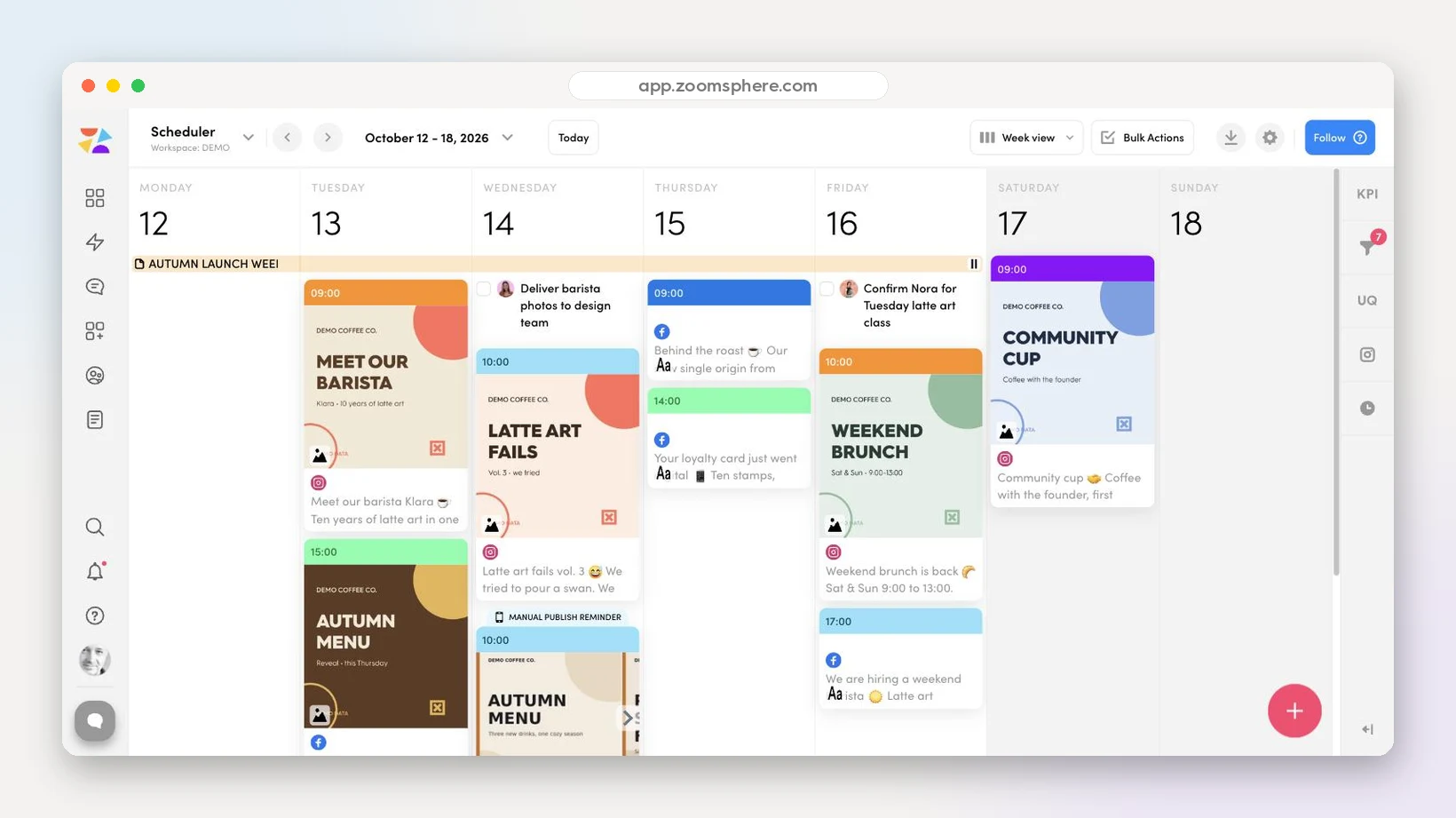
Hover or tap the numbered pins. This is a live demo workspace, not a design file.
Every screenshot below comes from a live ZoomSphere workspace: the demo coffee brand you saw above, plus our own company calendar for the performance and KPI panels. One tool doing the work of four.
Campaign banners live on the calendar itself. The orange strip carries a product launch across four days, the blue one covers a two‑day UGC shoot, and the pink one with a lock is an internal‑only budget note the client never sees. Every note takes an emoji, a color and a date range, and state holidays load automatically with a country flag, so nobody plans a hard sell on a national day off.

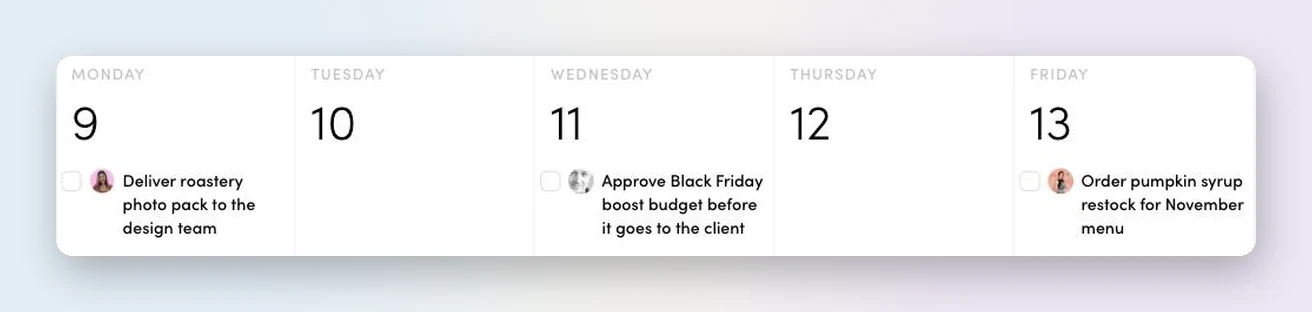
Deadlines that are not posts still belong in the plan: deliver the photo pack, approve the Black Friday budget, order the syrup restock. Each task sits on its date with an assignee avatar and a checkbox, three tasks, three different owners, which means the calendar answers who is doing what without a single standup.
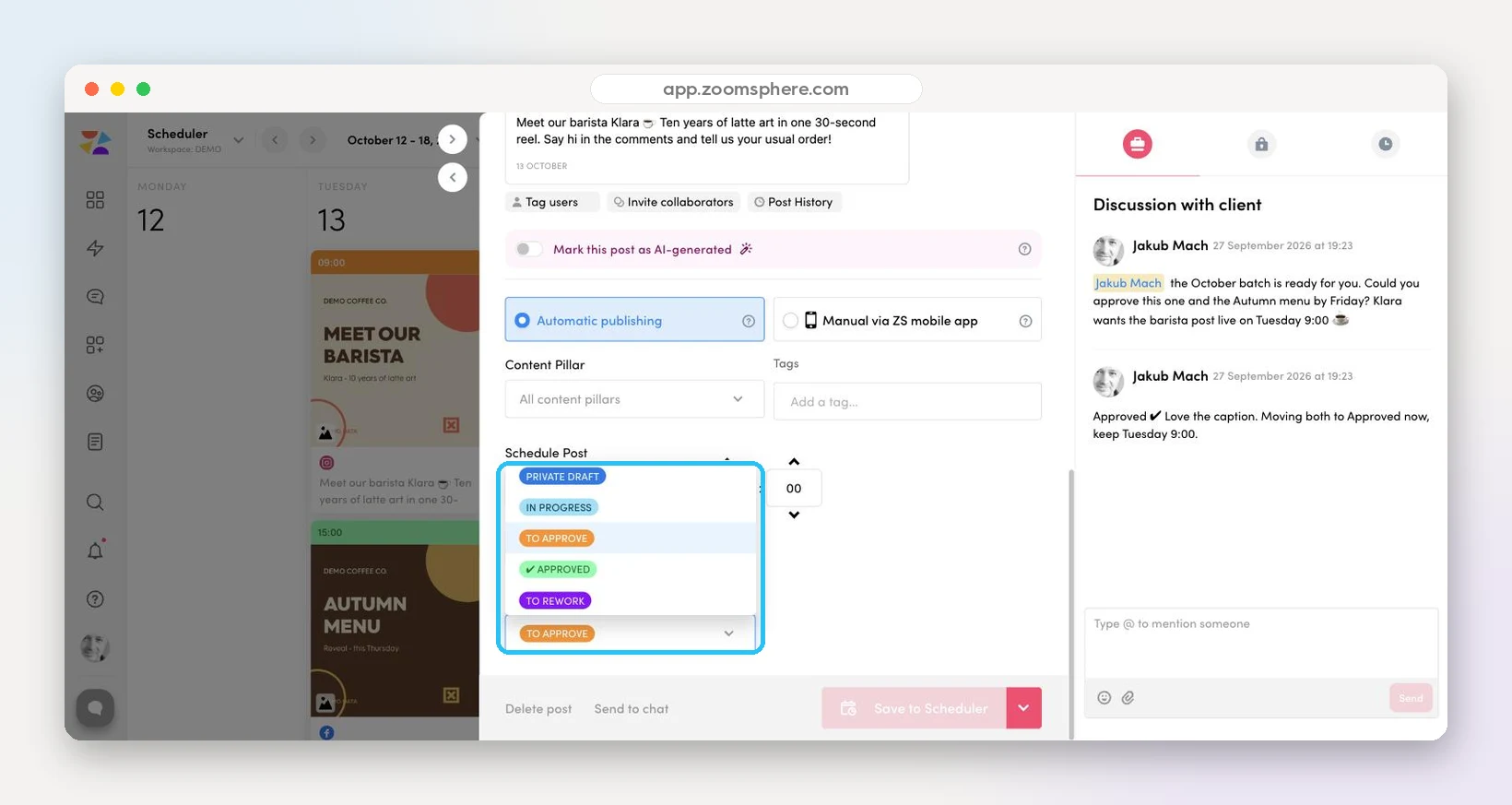
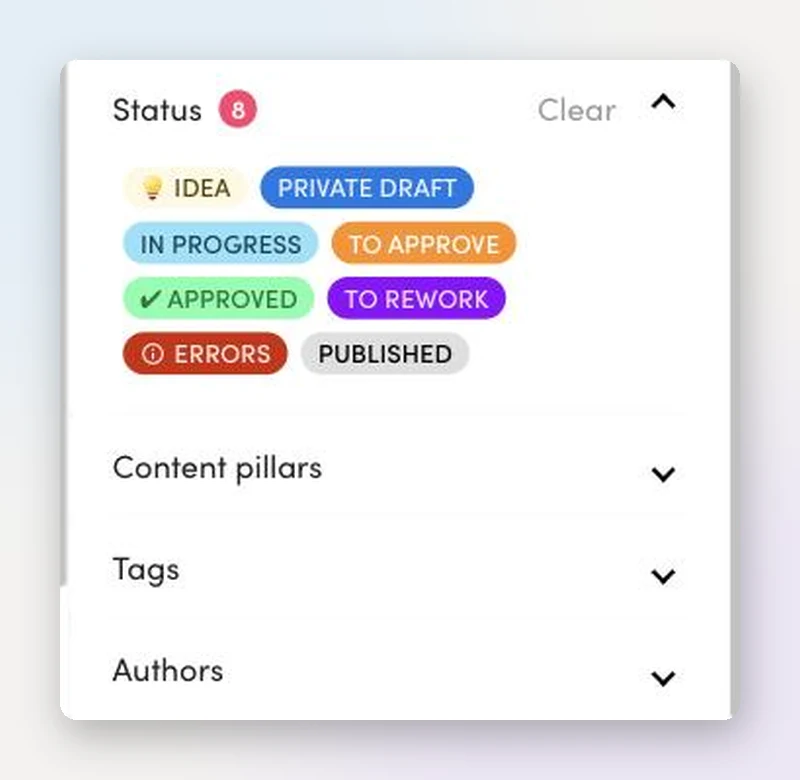
Idea, Private Draft, In Progress, To Approve, Approved, To Rework, Errors, Published. Every card header carries its status color, so the week reads like a heat map of your workflow.
Statuses are fully customizable per workspace, and only content flipped to an approved status ever auto‑publishes. Drafts can sit on the calendar for weeks without any risk of going live. The whole approval flow built on top of them has its own page.
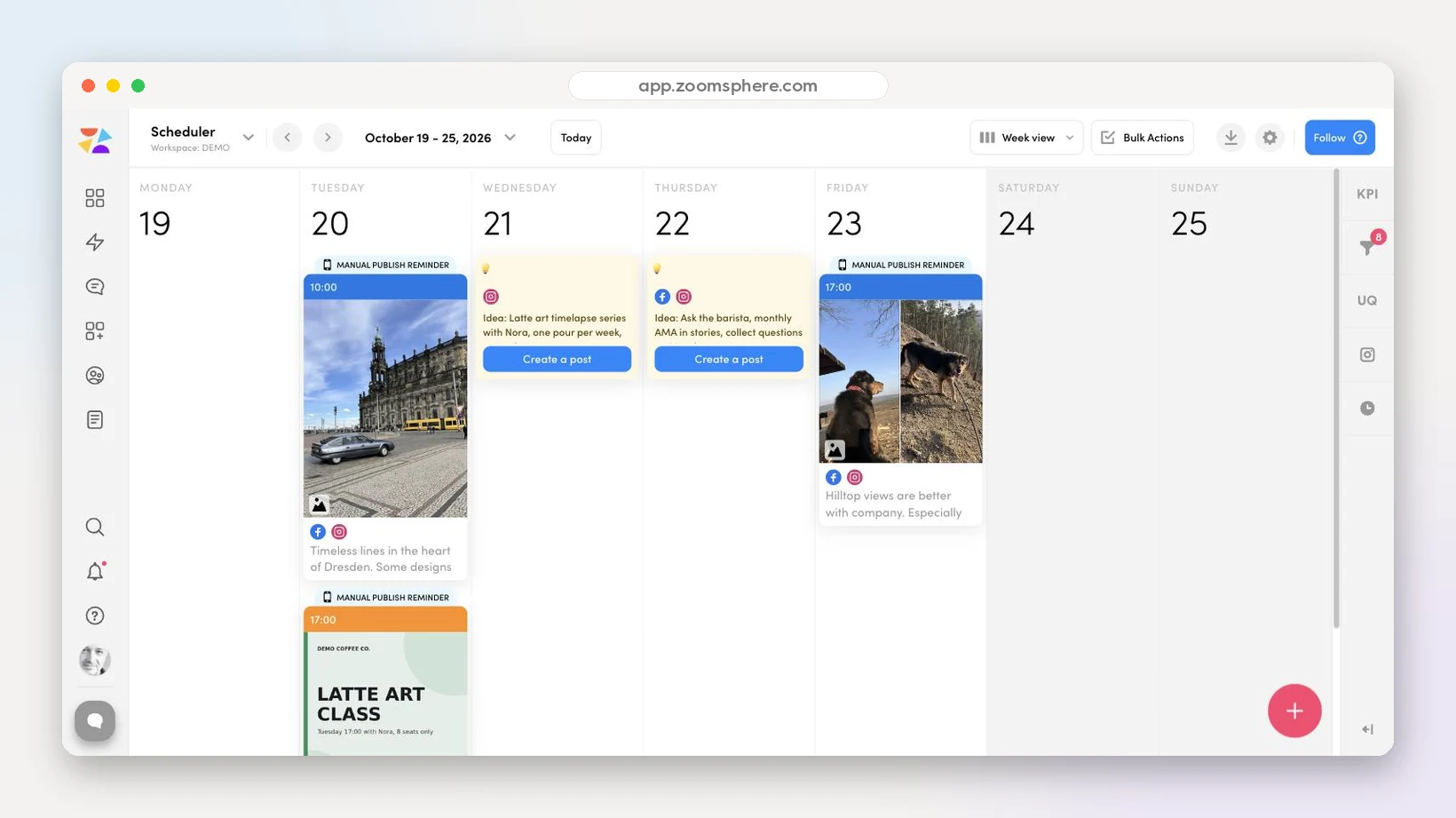
Half‑baked concepts get their own yellow cards with a bulb icon, parked on the date they might happen. One click on Create a post turns an idea into a scheduled draft with the channels already set.
No more idea graveyard in a separate doc. The backlog sits in the same view as the plan, which is exactly why it gets used.
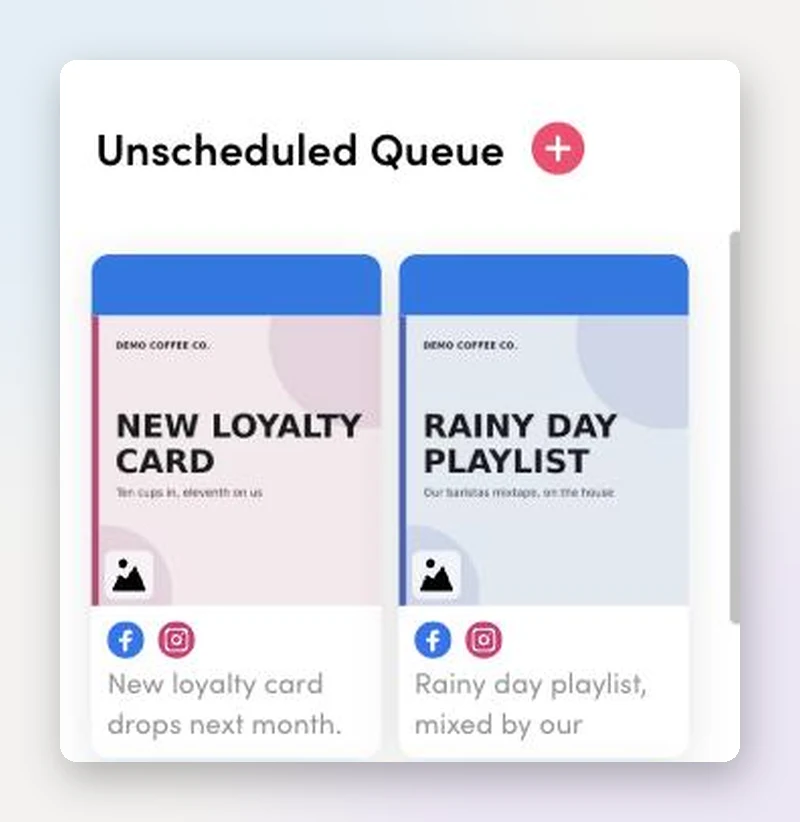
Finished content without a date yet: evergreen posts, embargoed announcements, rainy‑day fillers. The queue keeps them ready at the calendar's edge, one drag away from any empty slot.
When a post gets cancelled last minute, you do not scramble. You reach into the queue.
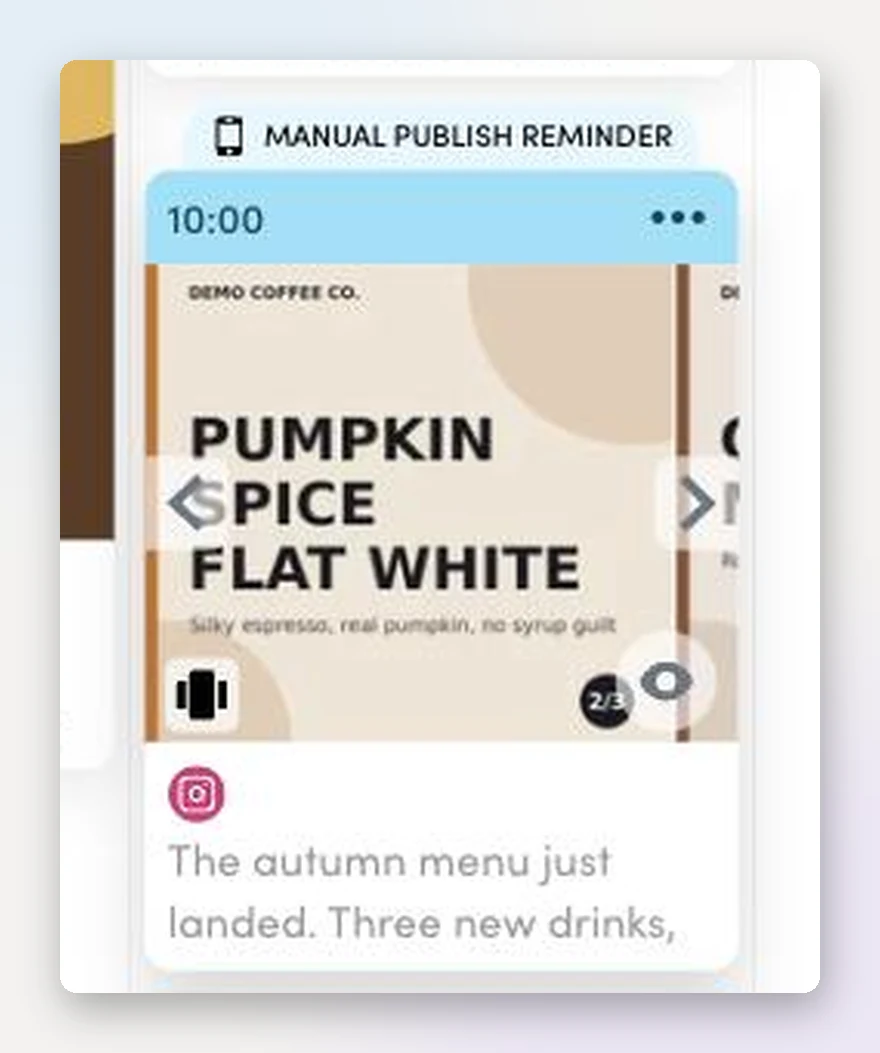
Multi‑slide content shows arrows and a slide counter directly in the calendar. Flip through all three slides of a carousel, or every page of a PDF document post, without opening a single editor.
Reviewing a week of content takes minutes because nothing hides behind a click.
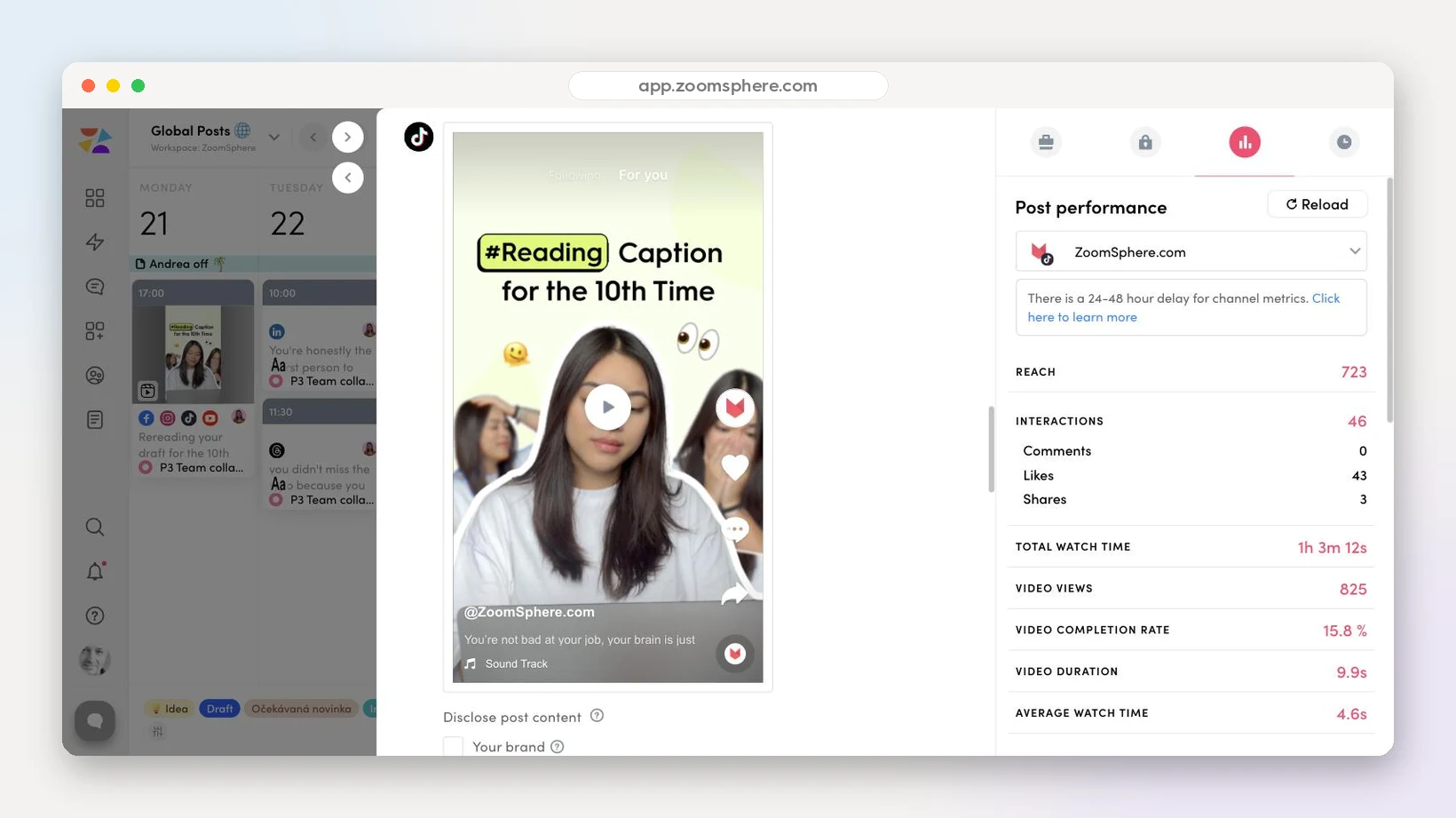
Hover any published post and an eye appears. One click opens the live network preview next to a full performance panel, and a channel switcher flips the same post between networks. The numbers below are the real ones from a reel on our own TikTok: 825 video views, 723 reach and over an hour of total watch time, refreshed on demand with the Reload button.
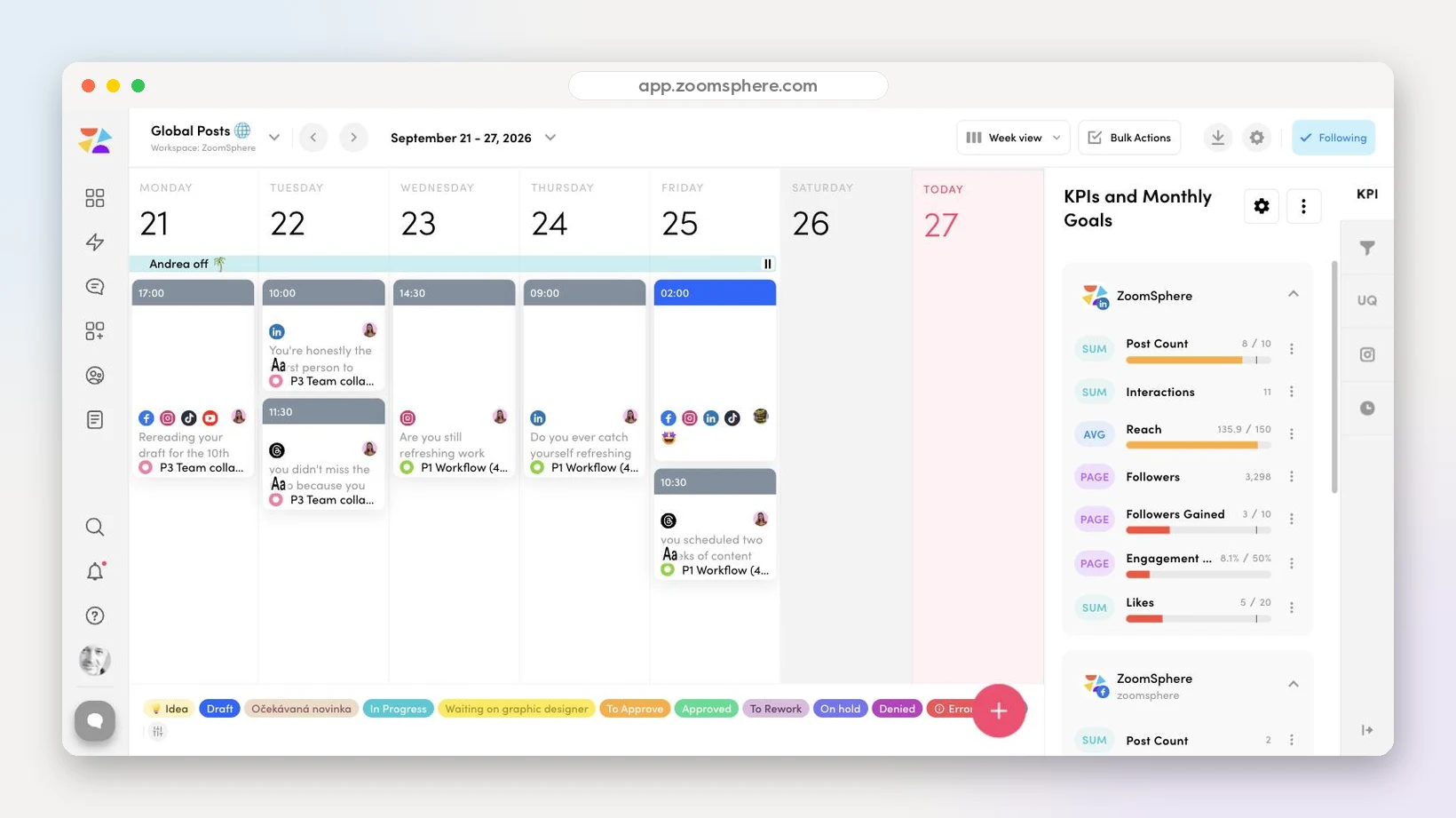
Set a monthly goal per channel and per metric, then watch the progress bar fill as the month unfolds. The panel below is our own workspace this September: 8 of 10 posts out, reach at 135.9K of a 150K target, followers gained ticking toward goal, straight in the side rail where the plan is made. When the plan and the goal share a screen, the gap between them gets closed a lot faster.
Search full post text, then slice by platform, channel, nine content types, all eight statuses, content pillars, tags and authors. A packed agency calendar collapses to exactly the cards you need in two clicks.
Client asks what is waiting on them? Filter To Approve, done.
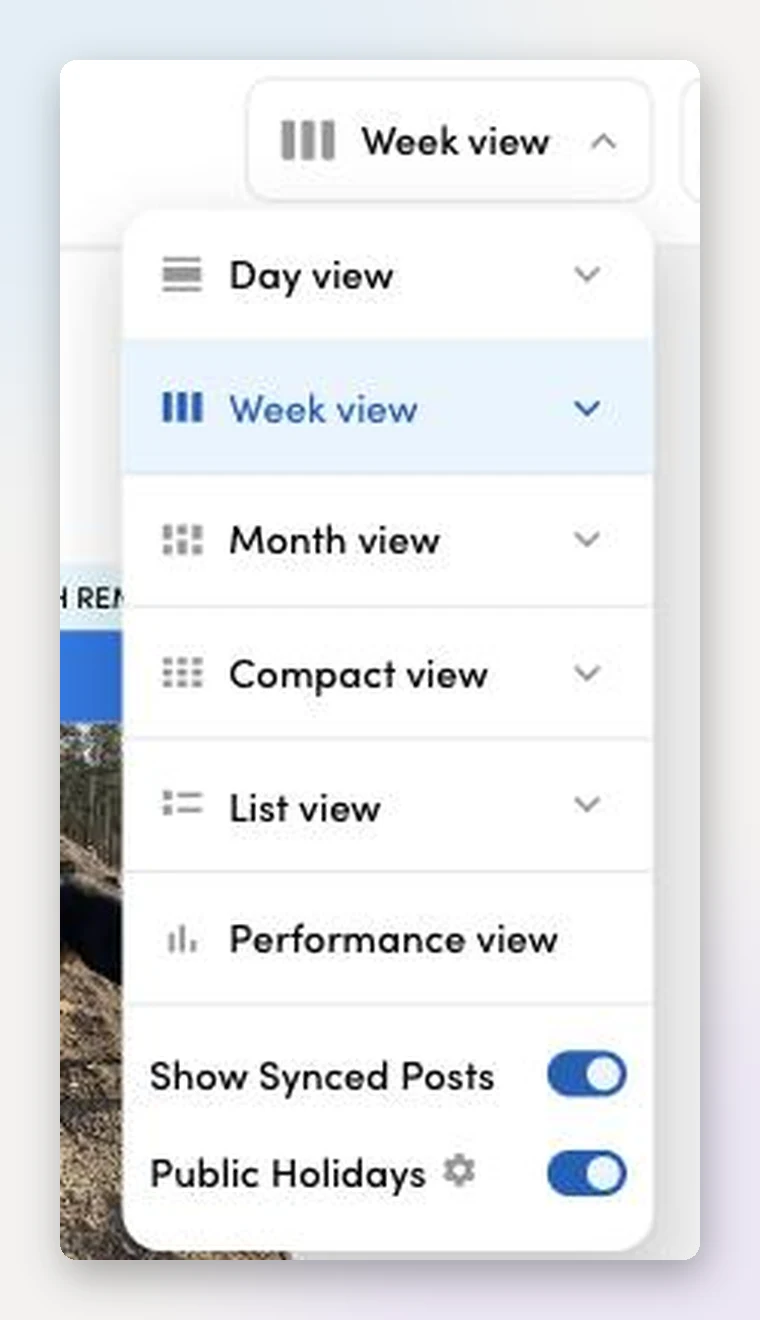
Day for the war room, Week for production, Month for planning, Compact for density, List for audits, Performance for results. Plus toggles for synced posts and public holidays.
One source of content, viewed at whatever altitude the meeting demands.
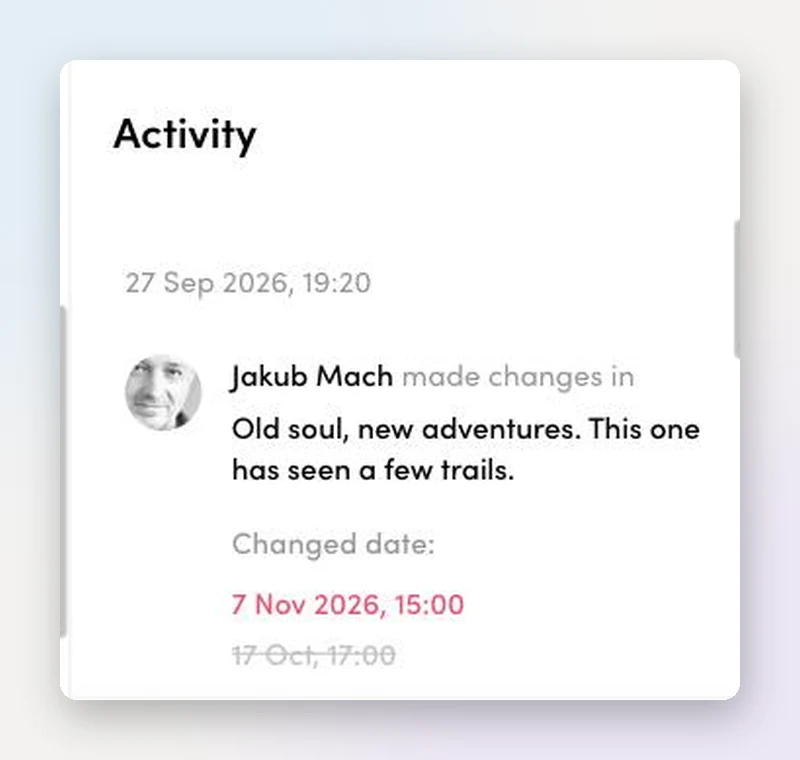
Who moved the post, who changed the date, who switched it from manual to automatic publishing, with the old value struck through next to the new one. Names, faces and timestamps.
When a client asks why something moved, you answer with a record instead of a memory.
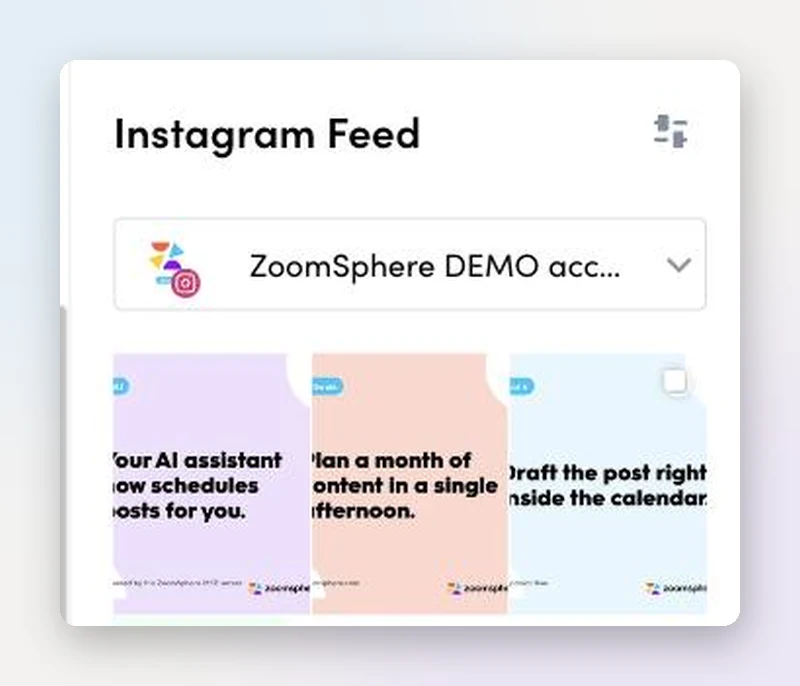
The side rail renders your upcoming Instagram feed as the grid your followers will actually see, scheduled posts included. Aesthetic disasters get caught before they publish, not after.
Twelve questions to ask the tool you are using today. A scheduling grid fails most of them. Copy the list and run the audit.
Beyond scheduled posts, an agency‑grade calendar includes campaign notes, dated tasks with owners, an idea backlog, customizable workflow statuses, an unscheduled queue, per‑post performance, KPI goals, filters, an activity log and automatic public holidays. This page shows all of them on real screenshots from the ZoomSphere Scheduler.
A scheduling tool answers when a post goes out. A content calendar also answers who is working on it, what state it is in, what is waiting for a date, how published content performs and whether the month is on track against its goals. The twelve‑point checklist above separates the two in about three minutes.
Yes. ZoomSphere workspaces support client roles with restricted permissions, internal‑only notes and tasks, and approval flows by email or chat, so clients review and approve without ever touching the schedule itself.
Yes, every image on this page is an unretouched screenshot of a live ZoomSphere workspace, taken on September 27, 2026. The performance and KPI panels go one step further: those numbers come from our own company workspace and a reel published on our TikTok account. And one more detail worth bragging about: the demo content itself was planned and scheduled by an AI agent through the ZoomSphere MCP server.
As many as your operation needs. Agencies typically run one workspace per client, each with its own Scheduler, statuses, KPIs and team access, and switch between them from a single account.
Connect your profiles and rebuild everything on this page with your content in an afternoon. Free trial, no card, statuses and KPIs included from day one.
Start free trialAll screenshots show a live ZoomSphere workspace as of September 27, 2026. Product evolves fast; if something looks different, tell us at podpora@zoomsphere.com and we will refresh the page.


