


#ZoomSphere or Sprout Social
Looking for a Sprout Social alternative that won't break the bank? We've outlined the key differences between ZoomSphere and Sprout Social to help you choose the right tool for your team.
#ZoomSphere or Sprout Social
Looking for a Sprout Social alternative that won't break the bank? We've outlined the key differences between ZoomSphere and Sprout Social to help you choose the right tool for your team.
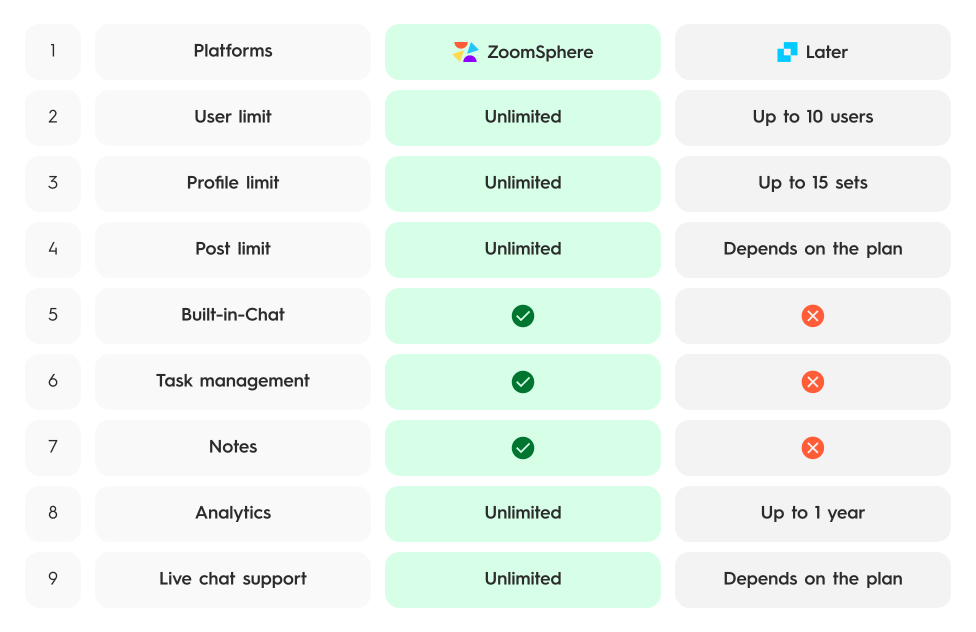


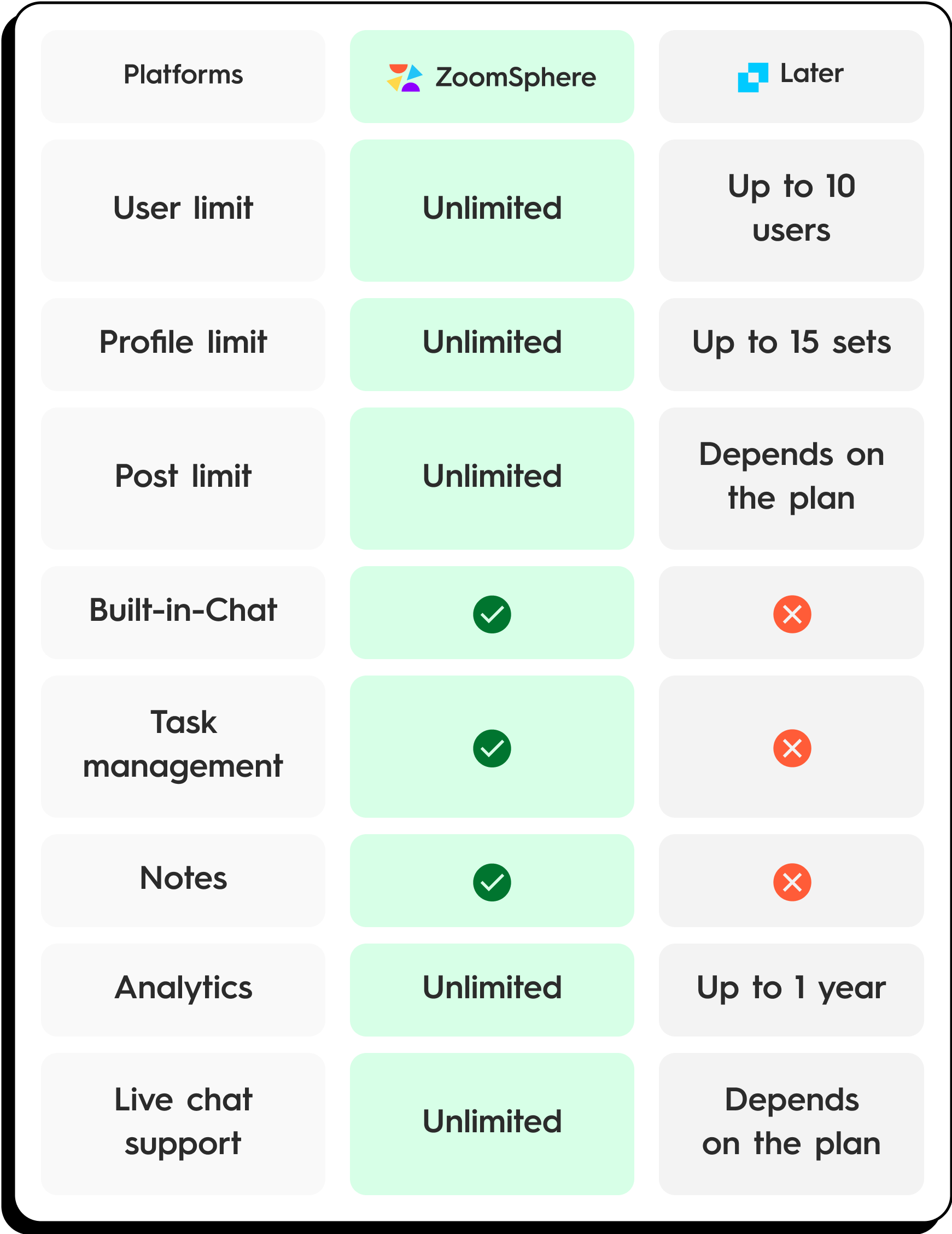
Common Pain Points with Sprout Social
- Sky-high per-seat pricing. Sprout Social starts at $199/seat/month on the Standard plan. For a team of 5, that's nearly $1,000/month before you even get advanced features like social listening or analytics exports.
- Features locked behind Enterprise. Custom workflows, chatbots, and advanced reporting require the $399/seat Advanced plan or a custom Enterprise quote. Many teams sign up only to realize the features they need cost 2–3x more.
- Limited social profiles on lower plans. The Standard plan only includes 5 social profiles. Growing agencies quickly hit this ceiling and face expensive upgrades.
- Steep learning curve. The interface is powerful but complex. New team members often need weeks of onboarding to become productive.
- No built-in task management. Sprout focuses on publishing and listening but lacks integrated project management. Teams end up juggling Sprout + Asana + Slack + email.
- Slow customer support for non-Enterprise. Multiple user reviews mention delayed support responses unless you're on the highest-tier plan.
Quick Verdict
| Category | Winner | Why |
|---|---|---|
| Best for agencies & teams | ZoomSphere ✅ | Flat pricing for up to 50 users with unlimited profiles |
| Best for enterprise social listening | Sprout Social ✅ | Most advanced listening and sentiment analysis tools on the market |
| Best approval workflow | ZoomSphere ✅ | Built-in status-based approvals with client Chat integration |
| Best analytics depth | Tie 🤝 | Sprout's competitive reports are more granular; ZoomSphere's are more accessible |
| Best value for money | ZoomSphere ✅ | $171/mo vs. $1,990–3,990/mo for a 10-person team |
| Best all-in-one platform | ZoomSphere ✅ | Notes, Workflow Manager, Chat, and Analytics in one workspace |
Feature Comparison
Team collaboration built into every workflow
ZoomSphere was built for teams from day one. Every post has a comment section, assignees, and approval statuses. Your team and clients collaborate directly inside the tool — no need for side chats, email chains, or external project management apps. Sprout Social offers collaboration features too, but many are locked behind their most expensive plans.
Unlimited social profiles at a flat rate
Connect as many social media profiles as you need — Facebook, Instagram, LinkedIn, TikTok, X, YouTube, Pinterest, and more — all included in one flat monthly price for up to 50 users. Sprout Social charges $199–$399 per seat, meaning a team of 10 could pay $2,000–$4,000/month. With ZoomSphere, that same team pays a fraction of the cost.
All-in-one workspace beyond scheduling
ZoomSphere is more than just a social media scheduler. You get Notes for content briefs and scripts, Workflow Manager for task tracking, Chat for real-time team communication, and Analytics for performance insights — all in a single platform. Sprout Social focuses heavily on publishing and listening, but lacks integrated project management and note-taking tools.
The fastest approval workflow on the market
Need client approval on a batch of posts? Switch their status to "To Approve" and share them via Chat. Your client reviews each post and changes the status to "Approved" (auto-schedules it) or "To Rework" with inline feedback. No emails, no spreadsheets, no confusion — just a clean, fast approval loop that agencies love.
Publishing & Scheduling
| Feature | ZoomSphere | Sprout Social |
|---|---|---|
| Visual content calendar | ✅ | ✅ |
| Bulk scheduling | ✅ | ✅ |
| Auto-publishing | ✅ | ✅ |
| Approval workflows | ✅ All plans | ✅ Advanced+ |
| Content categories & labels | ✅ | ✅ |
| Optimal send times | ✅ | ✅ |
| RSS auto-posting | ✅ | ❌ |
Analytics & Reporting
| Feature | ZoomSphere | Sprout Social |
|---|---|---|
| Cross-platform analytics | ✅ | ✅ |
| Custom report builder | ✅ | ✅ |
| Competitor analysis | ✅ Basic | ✅ |
| PDF/CSV export | ✅ | ✅ |
| Paid campaign reporting | ❌ | ✅ |
| Sentiment analysis | ❌ | ✅ |
Team Collaboration
| Feature | ZoomSphere | Sprout Social |
|---|---|---|
| In-app team chat | ✅ | ❌ |
| Post-level comments | ✅ | ✅ |
| Task assignment | ✅ | ✅ Limited |
| Client collaboration portal | ✅ | ❌ |
| Shared notes & briefs | ✅ | ❌ |
| Role-based permissions | ✅ | ✅ |
Social Listening & Engagement
| Feature | ZoomSphere | Sprout Social |
|---|---|---|
| Unified inbox | ✅ | ✅ |
| Social listening | ❌ | ✅ Advanced |
| Chatbot builder | ❌ | ✅ Enterprise |
| Review management | ❌ | ✅ |
| Saved replies | ✅ | ✅ |
Platform & Integrations
| Feature | ZoomSphere | Sprout Social |
|---|---|---|
| Social profiles included | Unlimited | 5–10 |
| Users included | Up to 50 | 1 per seat |
| API access | ✅ | ✅ |
| Canva integration | ✅ | ✅ |
| CRM integrations | ❌ | ✅ Salesforce, HubSpot |
Pricing Comparison
| Plan | Price | Profiles | Key limitations |
|---|---|---|---|
| ZoomSphere | $171/mo (annual) | Unlimited | All features included for up to 50 users |
| Sprout Standard | $199/seat/mo | 5 | No approval workflows |
| Sprout Professional | $299/seat/mo | Unlimited | Adds competitive reports & custom workflows |
| Sprout Advanced | $399/seat/mo | Unlimited | Adds chatbots, sentiment analysis |
Real cost for a 10-person team:
| Tool | Monthly cost | Annual cost |
|---|---|---|
| ZoomSphere | $171 | $2,052 |
| Sprout Standard | $1,990 | $23,880 |
| Sprout Professional | $2,990 | $35,880 |
| Sprout Advanced | $3,990 | $47,880 |
That's a 92–96% savings with ZoomSphere for the same team size.

Your team's reaction when they see Sprout Social's per-seat invoice.
What Real Users Say
ZoomSphere Reviews
★★★★★ "We switched from Sprout Social and saved over $2,000/month. The approval workflow is actually faster and our clients love the Chat feature." — Social media agency, 15 users · G2 Review
★★★★★ "Finally a tool where my whole team can collaborate without paying per seat. Notes and Workflow Manager replaced our Notion subscription too." — Marketing manager, e-commerce brand · Capterra
★★★★☆ "The content calendar is intuitive and the approval flow is genius. Our clients just click Approve and posts auto-schedule." — Digital agency owner, Czech Republic · G2 Review
★★★★★ "20 GB file storage built right in means we stopped paying for a separate asset management tool. Client briefs, brand kits, campaign assets — all in one place." — Account director, PR agency · Capterra
Sprout Social Reviews
★★★★☆ "Sprout's analytics are world-class. The competitive reports give us insights no other tool matches." — Enterprise social media director · G2 Review
★★☆☆☆ "Great tool but the price is brutal. We had to cut team access because $199/seat was unsustainable for our agency." — Agency account manager · Capterra
★★☆☆☆ "The listening features are amazing but locked behind the most expensive plan. Feels like everything useful costs extra." — Brand marketing lead · G2 Review
★★★☆☆ "Onboarding was slow and the per-seat pricing meant we could only give access to three people on a ten-person team. Half the team still uses spreadsheets." — Social media coordinator, SaaS startup · G2 Review
Which Tool Is Right For You?
Choose Sprout Social if:
- You're an enterprise brand with a large budget
- You need advanced social listening and sentiment analysis
- You require CRM integrations (Salesforce, HubSpot)
- You have a small, dedicated social media team where per-seat pricing isn't a dealbreaker
- You need competitive benchmarking reports at a granular level
Choose ZoomSphere if:
- You're an agency or growing team that needs multiple users without per-seat costs
- You want built-in collaboration tools (Chat, Notes, Workflow Manager) in one workspace
- You need a fast approval workflow for client content sign-off
- You manage many social profiles across multiple clients
- You want enterprise-level features without enterprise-level pricing
Frequently Asked Questions
Is ZoomSphere a good Sprout Social alternative?
Yes. ZoomSphere offers comparable publishing, scheduling, and analytics features at a fraction of the cost. It's especially strong for teams and agencies that need collaboration tools and approval workflows without per-seat pricing.
How much cheaper is ZoomSphere than Sprout Social?
For a 10-person team, ZoomSphere costs $171/month vs. Sprout Social's $1,990-3,990/month depending on the plan. That's a 92-96% cost reduction with comparable core features.
Can I migrate from Sprout Social to ZoomSphere?
Yes. ZoomSphere supports all major social platforms (Facebook, Instagram, LinkedIn, TikTok, X, YouTube, Pinterest). You can connect your profiles and start scheduling within minutes. Historical data stays with the social platforms themselves.
What does Sprout Social have that ZoomSphere doesn't?
Sprout Social excels in social listening, sentiment analysis, chatbot builders, and CRM integrations (Salesforce, HubSpot). If these are critical to your workflow, Sprout may be the better fit.
What does ZoomSphere have that Sprout Social doesn't?
ZoomSphere includes built-in team Chat, collaborative Notes, Workflow Manager for task tracking, unlimited social profiles, and support for up to 50 users — all in a single flat-rate subscription. Sprout Social lacks these integrated collaboration tools.
Does ZoomSphere offer a free trial?
Yes. ZoomSphere offers a 14-day free trial with full access to all features. No credit card required.