


Blog

Is it safe to paste client data into ChatGPT or Claude? Not into a personal, unmanaged account, and never passwords, API keys, ad account credentials, customer personal data, unpublished campaign results or anything covered by an NDA. That is the short answer. The longer answer is that your team is almost certainly doing it right now, that regulators started caring about it in August 2026, and that there is a way to get all the speed of AI without feeding it your clients' secrets. This article covers the numbers, the law and, most importantly, the fix: what never goes into a chat, how to anonymise what you do need to discuss, which type of AI account to use, what to do when something has already leaked, and a 30-day plan that takes a team from unmanaged AI to a setup you can defend in front of any client audit.
{{form-component}}
Social media teams were among the first to adopt AI at work and they had good reasons: captions, translations, content ideas, reports. But the same job also makes them one of the riskiest AI user groups in the whole company. A social media manager routinely holds login credentials for a dozen client accounts, exports of customer conversations, unpublished campaign data and access to ad accounts with real budgets. All of it is one careless paste away from an AI tool nobody in the company controls.
Key facts
- 89 percent of workers admit to entering company information into AI tools, and 79 percent of them have pasted sensitive data such as HR records, logins or customer details (Zapier AI survey, 2026).
- The share of sensitive data in what employees paste into AI chats grew from 10.7 percent to 34.8 percent in two years (Cyberhaven).
- 82 percent of risky pastes happen through personal AI accounts, not company ones (LayerX, 2025).
- One in five companies traced a breach to shadow AI, adding an average of 670,000 dollars to the cost of the incident (IBM Cost of a Data Breach Report, 2025).
- Since August 2026, national regulators enforce Article 4 of the EU AI Act: every company using AI must take measures to ensure its staff is AI literate. A written policy and a documented training count.
- The fix fits in 30 days: inventory, a managed account, a documented one-hour training and connector-based access. The full plan is at the end of this article.
The numbers nobody wants on a client call
Every survey on workplace AI use tells the same story from a different angle. Zapier's 2026 survey of over a thousand knowledge workers found that 89 percent had entered company information into an AI tool, and among those, 79 percent had shared data that clearly counts as sensitive: HR information, login credentials, API keys, customer personal data. LayerX's browser-level telemetry, which measures what people actually do rather than what they admit to, found employees paste content into generative AI tools about 14 times per working day, and that 82 percent of the risky pastes go through personal accounts that no IT department sees.
Cyberhaven, which tracks data flows in large companies, measured the share of sensitive material in AI-bound data more than tripling in two years, from 10.7 percent to 34.8 percent. And IBM's Cost of a Data Breach Report 2025 put a price on it: one in five breached organisations traced the incident to unsanctioned AI use, so called shadow AI, and those breaches cost on average 670,000 dollars more than the rest. The Samsung engineers who pasted proprietary source code into a public chatbot in 2023 were just the famous early example. The pattern has only grown since.
For an agency the stakes are doubled, because the data being pasted is usually not yours. It is your client's customer list, your client's unpublished launch date, your client's ad performance. The contract you signed almost certainly promises to protect it. And to be precise about the mechanics: the risk is not that a chatbot will recite your password to a stranger tomorrow. It is that the content of the chat now sits in systems outside your control, possibly in another jurisdiction, possibly retained for months, possibly eligible for model training, definitely outside the data processing agreement you signed with your client. Each of those on its own can be a contract breach; together they are also a growing pile of material for the day the AI vendor, or the personal account it sits in, gets breached.
What never belongs in an AI chat window
The rule is simple to state: an AI chat on a personal or unmanaged account should be treated like a public forum with a very good memory. Concretely, a social media team should never paste in:
- Passwords and login credentials for any account, yours or a client's. This is the single most damaging category and the most common shortcut: "here is the login, set it up for me".
- API keys and access tokens. A leaked ad account token is a budget someone else can spend.
- Customer personal data. Names, emails, phone numbers, DMs, support conversations. Under GDPR you are a processor of that data; pasting it into a consumer AI tool is a transfer you have no basis for.
- Unpublished client information. Launch dates, campaign budgets, embargoed announcements, unreleased creatives.
- Contracts, pricing and anything under NDA. Including your own agency's pricing sheets.
- Full data exports. The habit of dropping an entire CSV into the chat "so the AI has context" ships far more than the question needed.
Everything else, briefs, drafts, published posts, public information about the brand, general questions, is fine and is exactly what AI is brilliant at.
When you need AI's help with a sensitive client situation
Real life is not a policy document. The moment the rules above bite is when a client escalates at 9 pm, the DMs are on fire or a delicate negotiation email needs a careful answer, and the fastest colleague available is an AI chat. You do not have to choose between breaking the rules and going without help. You have to strip the message of everything that identifies people before it leaves your hands.
A workable anonymisation routine for a social media team:
- Keep the situation, drop the identity. Replace names with roles: "the client", "their marketing director", "Customer A". Delete company names, product names, cities and social handles. The AI needs the dynamics of the situation, not the cast list.
- Watch the quasi-identifiers. "The biggest dairy brand in Slovakia" identifies the client as surely as its name would. Generalise to industry and size: "a large FMCG brand in a small market".
- Blur the numbers. Exact budgets and results are often confidential on their own. Round aggressively, use ranges ("a five figure monthly budget") or index the values (January = 100), so the AI can reason about the trend without ever seeing the real figures.
- Describe, do not paste. Retelling the situation in your own words is the strongest anonymiser there is. A pasted email thread carries signatures, phone numbers and the entire history below the reply line; a three sentence summary carries none of it.
- Use a synthetic twin. For the trickiest cases, recreate the situation with invented names and invented numbers, let the AI solve the invented case, and apply the advice to the real one yourself.
One legal caveat, because agencies get this wrong constantly: under GDPR, pseudonymised data is still personal data if anyone could reasonably re-identify the person. Swapping "Jana from the client's support team" for "J." is not anonymisation. And if the situation genuinely cannot be described without identifying detail, or you need the exact thread and the exact numbers to get a useful answer, that is your signal that a public chat is the wrong tool for this job. Use the company-managed account covered by your data processing agreements, or better, an AI assistant connected directly to the tool where the data already lives, so the data never travels through a chat window at all.
Personal accounts are the real leak
The LayerX number worth rereading is not the volume of pasting, it is the 82 percent share going through personal accounts. Teams do not leak data because they are careless people; they leak it because the company never gave them a sanctioned way to use AI, so they signed up with a private email and got on with their work. A consumer account has no admin controls, no audit trail, and depending on settings, the pasted content may be used to train future models.
The fix is organisational, not moral. Give the team a managed workspace on a business plan, where training on your data is off by default and an admin can see what is connected. Ban the personal accounts for work in writing. In a managed setup you can also decide centrally which tools the AI can touch, which is where connectors come in.
Not all AI accounts are equal
"We use ChatGPT" or "we use Claude" can describe four very different situations, and the difference is exactly where the risk lives:
- Free consumer accounts. No contract, no admin, and depending on settings your conversations may be used for model training. Fine for asking how to boil an egg. Not for client work, full stop.
- Paid personal accounts. Better models and usually a training opt-out, but the same governance gap: the company cannot see them, manage them or take them over when someone leaves. This is where most of the 82 percent lives.
- Team and Enterprise plans. Training on your data off by default, an admin console, centrally managed connectors, SSO and the ability to control which tools are enabled. For an agency handling client data, this is the minimum viable setup, not a luxury.
- API access under a data processing agreement. For automated workflows and anything built into your own products, the API with a signed DPA gives you contractual terms a consumer chat never will.
Whichever tier you pick, verify rather than assume. Six questions to put in writing to any AI vendor, or to check in the settings yourself:
- Is our data used for model training by default, and where exactly do we turn it off?
- How long are prompts and outputs retained, and can we set or shorten that retention?
- Will you sign a data processing agreement, and where geographically is the data processed?
- Which security certifications do you hold (SOC 2, ISO 27001, and increasingly ISO 42001 for AI management systems)?
- Is there an admin console with visibility into who uses what, and audit logs we can export?
- Can we centrally control which connectors and tools the AI may use?
Keep the written answers in a vendor file. The same six answers are what your clients' procurement and security teams will ask you for, so collecting them once serves both directions.
{{cta-component}}
Since August 2026, this is also a legal requirement
Article 4 of the EU AI Act is one sentence long and easy to underestimate: providers and deployers of AI systems must take measures to ensure a sufficient level of AI literacy in their staff. "Deployer" means any company using AI in its operations, which in 2026 means practically every agency and every brand with a social media team. The obligation has formally applied since February 2025, and since 2 August 2026 national market surveillance authorities enforce it, with penalties set by each member state.
The good news is that the bar is reasonable. Nobody expects your community manager to pass an exam in machine learning. What a regulator, or a client running a vendor audit, will ask for is evidence that you took measures: a written AI usage policy, a record that the team was trained on it, and some sign that the policy matches what the team actually does. An internal document and an hour of training, documented, puts you ahead of most of the market.
A 10-point AI usage policy for a social media team
Steal this. Adjust the tool names and the approver, put a date on it, walk the team through it, and keep the attendance note. That is your Article 4 file.
- We use AI tools through company-managed accounts only. Personal AI accounts are not used for work.
- We never enter passwords, login credentials, API keys or access tokens into any AI chat.
- We never enter customer personal data (names, contacts, message content) into AI tools that are not covered by our data processing agreements.
- Unpublished client information, budgets, contracts and anything under NDA stay out of AI chats.
- Client situations may be discussed with AI only in anonymised form: roles instead of names, generalised details, blurred numbers, no pasted threads.
- AI assistants access our tools through authorised connectors with their own login and permissions, never by being given our credentials.
- Every AI-generated post is reviewed and approved by a person before it is published. AI write actions (publishing, sending, spending) are set to require approval.
- We check AI outputs for factual claims, names and numbers before they leave the team.
- New AI tools are approved by [name/role] before anyone connects them to company or client data.
- Suspected incidents (wrong data pasted, unexpected AI behaviour, leaked access) are reported the same day to [name/role], without blame.
If the data has already left: a five-step incident response
Given the statistics above, assume that at some point something sensitive has already gone into a chat on your team. The difference between a bad afternoon and a lost client is what happens next, so agree on the steps before you need them:
- Rotate first, investigate second. If a password, API key or token was pasted, change it and revoke it now, and turn on two-factor authentication where it was missing. A leaked credential is a live risk every minute it stays valid; the post-mortem can wait an hour.
- Contain the conversation. Delete the chat, switch off training and any memory features on the account involved, and check whether the content also reached shared projects or team spaces. Deletion is not a perfect eraser, retention windows exist, but it meaningfully shrinks the exposure.
- Assess what it actually was. Credentials, personal data, NDA material, or just an embarrassing draft? If personal data of EU residents was involved and there is a risk to the people concerned, GDPR breach duties come into play: the controller may face the 72-hour notification clock, and as a processor your DPA almost certainly obliges you to inform the client without undue delay.
- Tell the people your contracts name. The internal owner or DPO always; the client whenever their data was involved. It is an uncomfortable message, and it is still a far better one than the version where they find out from someone else.
- Document it and fix the root cause. Write a short incident record: what, when, scope, actions taken. Then change the workflow that made pasting the easy path, a sanctioned account, a connector, a template. And keep it blame-free; punished mistakes do not stop, they just stop being reported, which is why point 10 of the policy exists.
The 30-day fix plan
None of this requires a security department or a frozen content calendar. The point is not to scare your team away from AI; teams that ban it outright just push it underground, which is how the 82 percent number happened in the first place. The point is to replace the improvised path with a sanctioned one that is genuinely faster. One month is enough:
- Week 1: find out what is true. Run a short, explicitly no-blame survey: which AI tools does each person use, on which accounts, and what do they typically put in. Announce an amnesty for everything disclosed this week. In parallel, list the client credentials and accesses the team currently holds and where they are stored.
- Week 2: give them the sanctioned path. Set up a managed workspace on a business plan, verify the six vendor answers above, turn training off, connect the shared tools, and put in writing that personal accounts are no longer used for work. The sanctioned path must exist before you can ask anyone to leave the improvised one.
- Week 3: policy and the one-hour training. Adapt the 10 points, then walk the team through them in one hour using anonymised real examples from the week 1 survey, which will be more convincing than any slide. Keep the attendance record. Congratulations, you now have an Article 4 file.
- Week 4: move the workflows. Reconnect the daily routines through connectors instead of copy-paste, set every write action to require approval, name one owner for AI tooling, add the AI and access questions to your client onboarding, and put a quarterly review of the policy in the calendar.
After 30 days you can answer a client security questionnaire honestly, show a regulator your Article 4 evidence, and, the part your team will actually notice, work faster than before, because a connector that reads the calendar and files drafts beats smuggling context through a chat window every single day.
How to get AI's speed without feeding it secrets
The uncomfortable truth behind all those pasted credentials is that people were trying to be productive. "Here is the login, write the report" is a security incident, but the underlying wish, an AI that can actually see the data and do the work, is completely legitimate. The answer is to give the AI its own supervised access instead of yours.
That is what MCP connectors are for. An AI assistant connected through an MCP server signs in with an authorised account, inherits its permissions, and every action is attributable. The assistant can read the calendar, draft the posts and pull the analytics without a single credential ever appearing in a chat window. Combined with an approval workflow, where the AI files drafts and a person presses publish, you get the productivity that made everyone paste things in the first place, minus the leak.
The same logic applies to the other classic leak in agency life: collecting client access at onboarding. Credentials mailed in a Word attachment or dropped into a chat thread live forever in inboxes and exports. A structured client intake form that tells clients how to grant access properly (invites and roles instead of shared passwords) removes the worst habit before it starts.
And if you want your team to see what safe prompting looks like in practice, we keep a public library of 30 real prompts we use with AI agents in social media work. None of them contains a credential. That is not an accident; it is the whole method.
How to set up a supervised AI assistant step by step is in our help centre guides for Claude and ChatGPT, and the community swaps working setups in the #mcp-builds channel of our Discord community, Zoomers.
{{form-component}}
Frequently asked questions
Is it safe to paste client data into ChatGPT or Claude?
Not on a personal or unmanaged account. On a company-managed business plan with training on your data disabled, general work content is acceptable, but credentials, customer personal data and NDA material should never be pasted into any chat. Give the AI supervised access through connectors instead.
How do I anonymise client data before using it in an AI chat?
Replace names with roles, remove company and product names, generalise identifying details (industry and size instead of "the biggest X in Y"), round or index the numbers, and summarise the situation in your own words instead of pasting threads. Under GDPR, data that can be re-identified is still personal data; if the case needs exact details, use a managed account or a connector instead of a public chat.
What should we do if someone already pasted sensitive data into an AI chat?
Rotate any exposed credentials immediately, delete the conversation and switch off training and memory on the account, assess whether personal data was involved (as a processor you typically must inform the client without undue delay, and the controller may face the 72-hour GDPR notification clock), tell the people your contracts name, and write a short incident record. Then fix the workflow that made pasting the easy path.
What is shadow AI?
AI tools used at work without the company's knowledge or approval, typically through personal accounts. IBM's 2025 breach report found one in five breached companies traced the incident to shadow AI, at an average extra cost of 670,000 dollars.
Does the EU AI Act require AI training for my team?
Yes. Article 4 requires every company deploying AI to take measures ensuring sufficient AI literacy in its staff. It has applied since February 2025 and is enforced by national authorities since 2 August 2026. A written AI policy plus a documented internal training is a solid baseline.
What should a social media agency's AI policy include?
Managed accounts only, a clear list of what never enters a chat (credentials, customer data, NDA material), an anonymisation rule for discussing client situations, AI access through authorised connectors rather than shared logins, human approval before publishing, a named owner for new tools, and a no-blame incident reporting rule. The 10-point template in this article covers all of it.
Can an AI agent work with our client accounts safely?
Yes, if it has its own supervised access instead of your passwords. Through an MCP connector the agent signs in with an authorised account, its permissions are scoped, its actions are attributable, and write actions can be set to require human approval.
Which MCP connectors should a social media team plug into Claude or ChatGPT? Nine, in this order: ZoomSphere for the calendar, Canva for design, Meta Ads for paid results, Slack and Intercom as content sources, Dropbox and Google Drive for files, Notion for the brief, Zapier for everything else and your CMS for blog-to-social. That is the short answer. The rest of this article is why, and the prompt we use with each one.
{{form-component}}
A year ago the question was "which AI should we use for social media". In 2026 it is a worse question than it looks. Claude, ChatGPT and their peers write comparable copy. What separates a team that gets real work out of an agent from a team that gets a text to copy-paste is not the model. It is the connectors.
Key facts
- In 2026 the model matters less than the connectors: what the agent can read and write decides what work it can actually do.
- MCP (Model Context Protocol) is the open standard behind those connectors. One server, any agent, your login and permissions.
- The nine connectors ranked here cover scheduling, design, ads, team chat, customer voice, files, briefs, glue and CMS. ZoomSphere MCP is where the drafts land; the rest feed it.
- One rule for all of them: the agent creates drafts, a person approves. Set write tools to "needs approval" until a workflow has proven itself.
MCP (Model Context Protocol) is the open standard that makes those connectors possible. An app exposes its functions once; any AI agent that speaks MCP can then use them, with your login and your permissions. For a social media team that means the agent can read your calendar, put a draft into it, pull a design from your templates, check how last week's posts performed and read what your customers were asking about, all in one conversation.
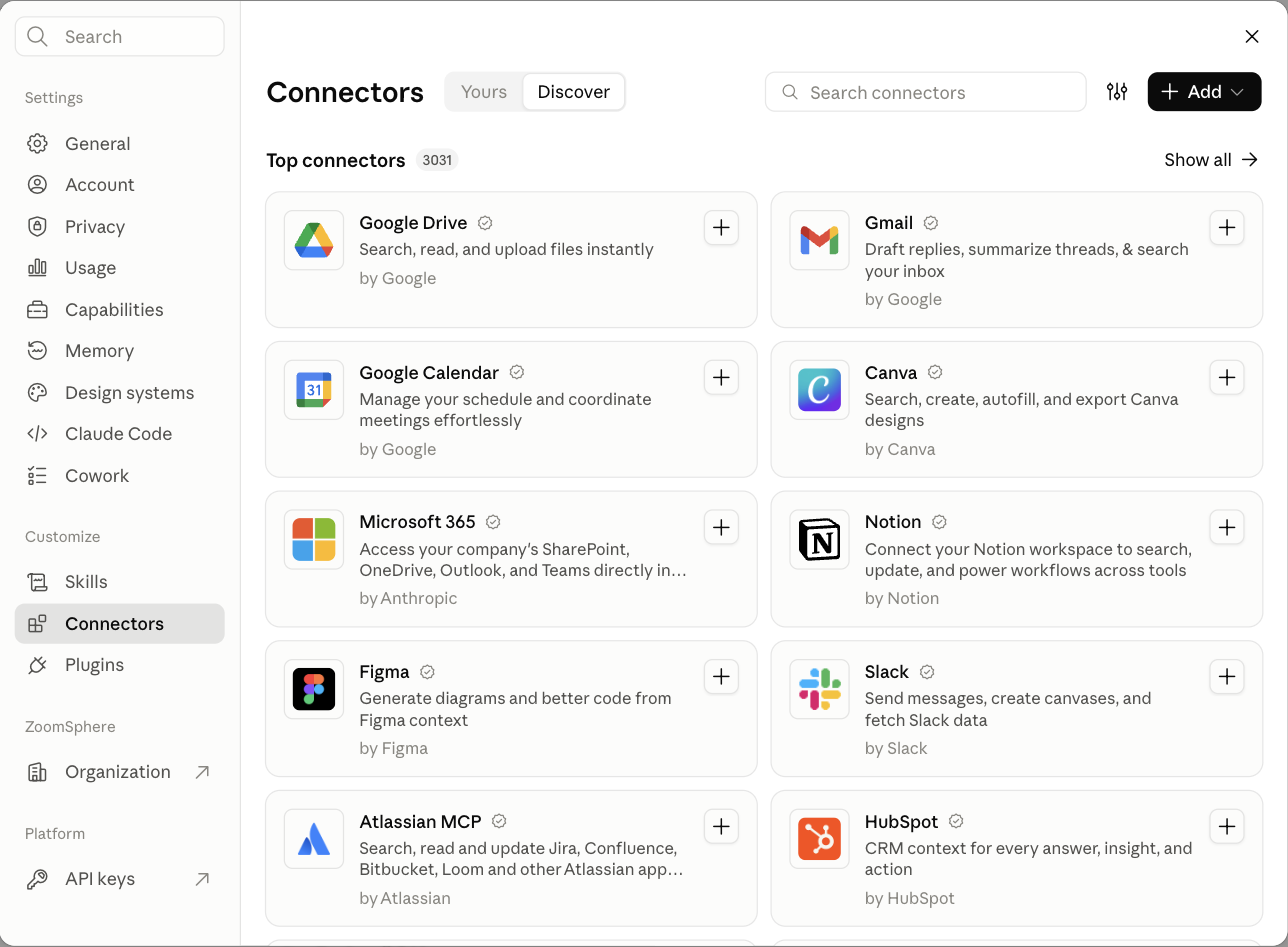
Below is the stack we run ourselves. Yes, our own connector is first; this is our blog and we would be lying if we ranked it lower. But every other entry is a tool we connect to it every day, and the ranking reflects how much each one changes the daily routine of a social media manager. Where a connector has an official server, we say so; where we only tested a community one, we say that too.
How we ranked the MCP connectors
Four criteria, in this order. Does it read and write, or only read? An agent that can read your analytics but cannot act on them is a dashboard with extra steps. Does it work in both Claude and ChatGPT with a standard OAuth login, so the whole team can use it without an engineer? Does it respect a human approval step, or does it only know how to publish? And how many of the daily jobs of a social media team does it touch: planning, writing, design, approval, publishing, reporting.
1. ZoomSphere MCP: the calendar the agent works in
What it connects: your ZoomSphere workspaces, channels, statuses, posts, comments, Ideas and analytics.
Reads and writes: both. Query, create, edit, change status, approve, publish and delete posts; read and write comments on posts and Ideas, internal or public, with mentions that notify people by bell and e-mail; file posts under content pillars, add tags and write a brief for the team; the same for Ideas; per-post and per-channel analytics with cross-network summaries.
Setup: in Claude, ZoomSphere is listed in the official connector directory: open claude.ai/customize/connectors/id/zoomsphere, click Connect and sign in with your ZoomSphere account, about two minutes. In ChatGPT, add it in Developer mode → Plugins with the address https://mcp.zoomsphere.com/mcp. Open to every ZoomSphere account at no extra cost.
The reason this sits at number one is not that it writes better posts. It is that the post ends up where the work already happens. The agent puts a draft into the calendar, on the right channel, with the right status, and your colleagues see it in "To approve" exactly as if a person had made it. Nothing about the approval side changes, which is what makes it usable in a team rather than by one enthusiast.
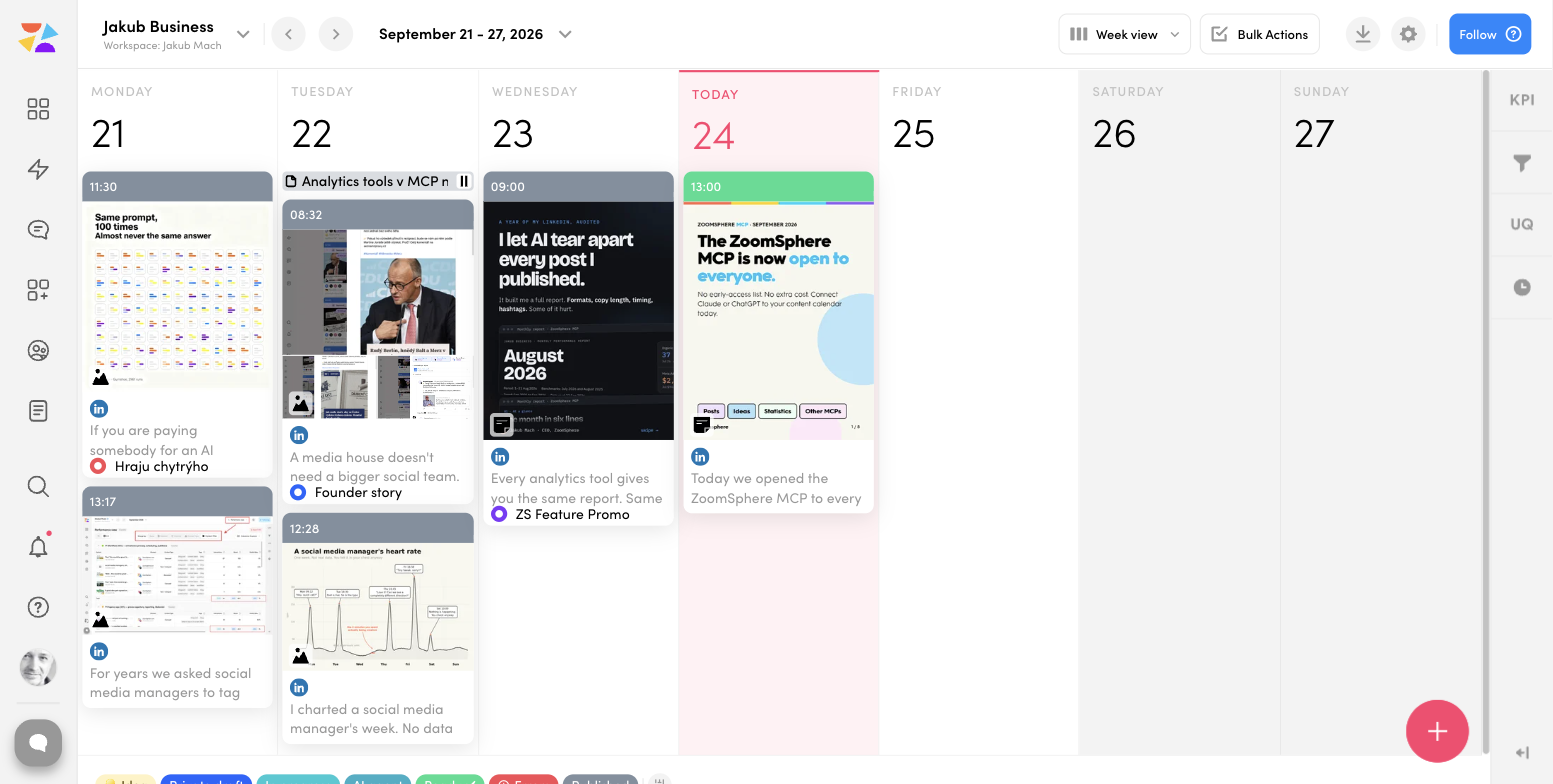
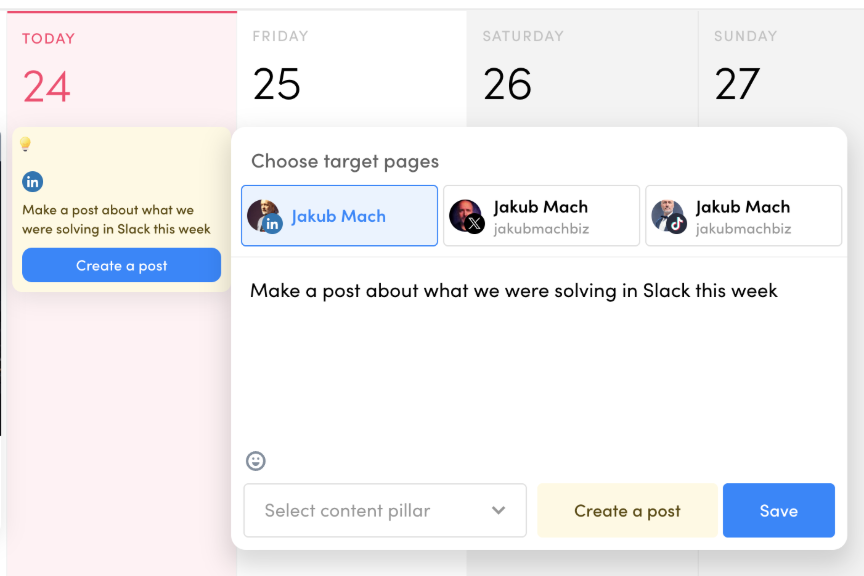
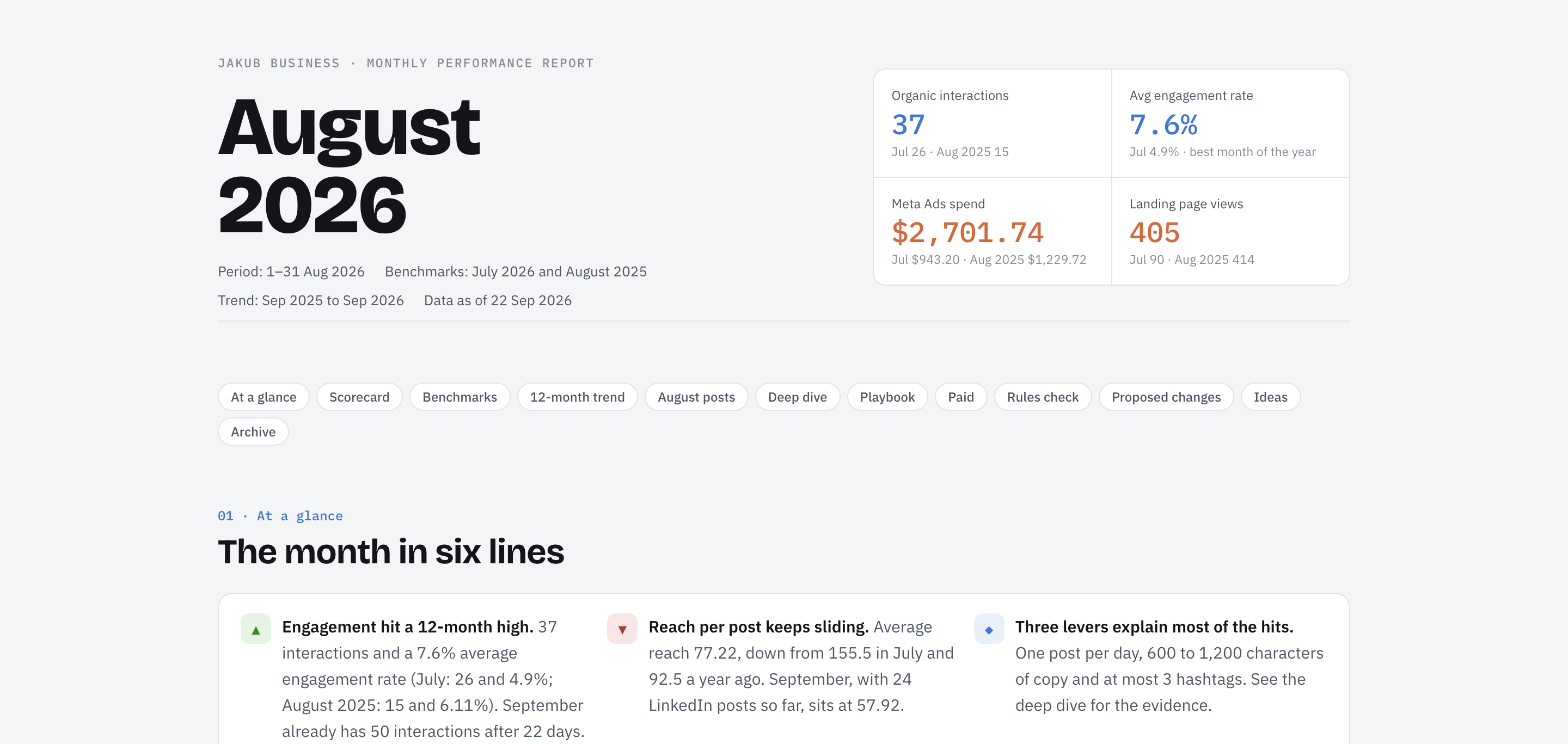
Four things it does that we have not seen elsewhere in this combination. Comments with mentions: since October 2026 the agent can ask a client for approval in a comment under the post, summarize what the client wrote back and brief a colleague in an internal comment the client never sees (10 ways to use it). Ideas as a trigger: you type one line into the Ideas section of the calendar, a scheduled task picks it up an hour later, writes the post, makes the visual and files the draft. Scheduled colleagues: a typo monitor that scans every post waiting for approval and pings Slack, a pre-publish check that tests links, hashtags and character limits against the rules the connector returns per network. And analytics the agent reads without doing arithmetic: totals and averages come from the sync, so the report says what ZoomSphere says.
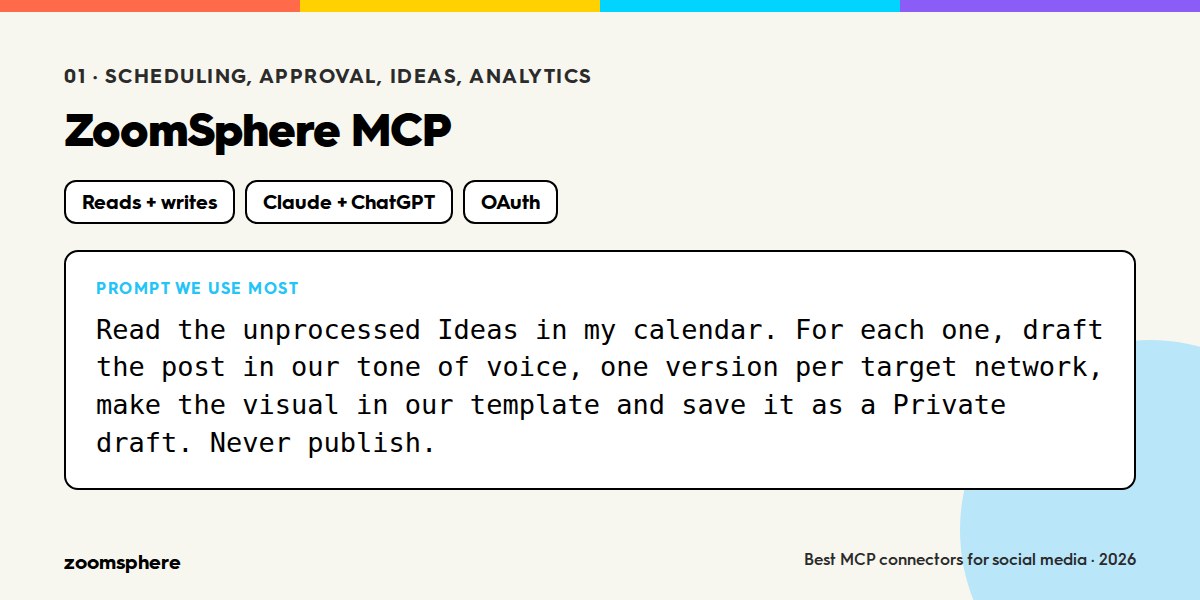
Honest limitation: it is a calendar connector, not a design tool or an ad platform. That is what the next entries are for.
2. Canva MCP: your templates, not the agent's imagination
What it connects: your Canva designs, brand templates, folders and exports.
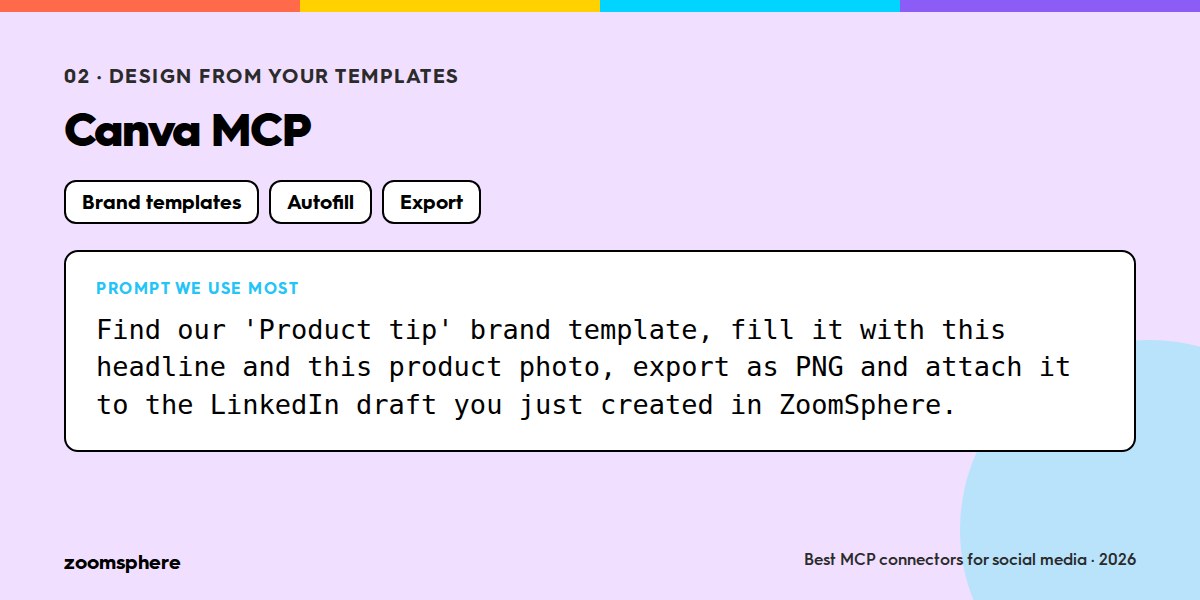
Reads and writes: both. Search brand templates, autofill a template with text and images, create and resize designs, export to a URL.
Setup: Canva's official AI Connector, available for Claude and ChatGPT from Canva's help centre.
The most common fear about AI in social media is off-brand visuals. Canva's connector solves it by subtraction: the agent does not invent a layout, it fills the template your designer already approved. Autofill a "quote card" template with a headline and a photo, export it, and hand the URL to ZoomSphere's uploadFromUrl. The design step of a post takes seconds and nobody has to explain the brand guide to the model.
3. Meta Ads MCP: paid results next to organic ones
What it connects: your Meta ad accounts, campaigns, ad sets, creatives and insights.
Reads and writes: both. Meta's official server covers reporting and campaign management; check the current tool list on Meta for Developers, it has grown fast.
Setup: the official server at mcp.facebook.com/ads, with a Meta login.
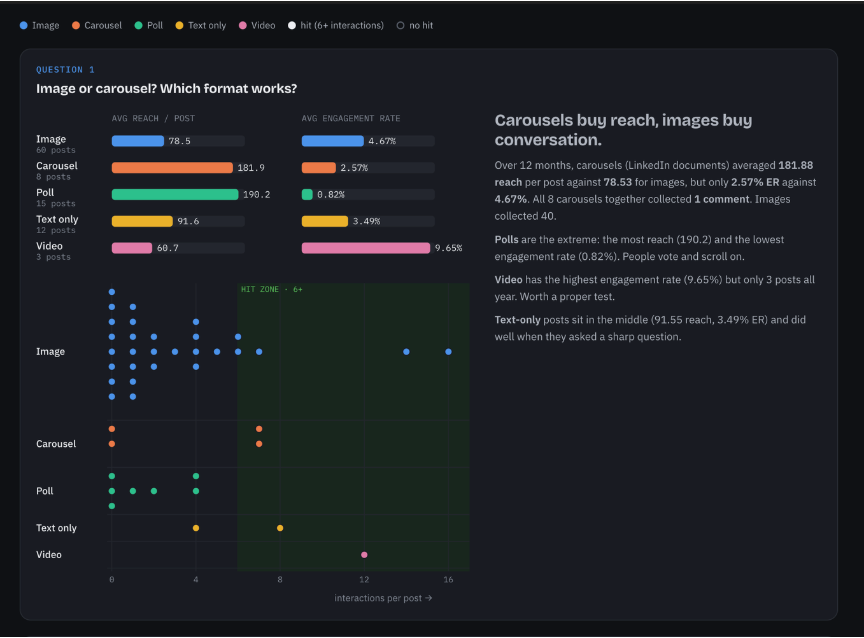
Social media managers live in two worlds, organic and paid, and the monthly report is where they collide. With both connectors in one conversation the agent can put last month's organic reach from ZoomSphere next to the ad spend and results from Meta, and answer the question every client asks: which posts deserve a boost. We use it read-mostly; write actions on an ad account are exactly the kind of thing to keep behind approval.
{{cta-component}}
4. Slack MCP: the team's memory as a content source
What it connects: channels, threads, messages, canvases.
Reads and writes: both. Read channels and threads, search, send messages.
Setup: the Slack connector in Claude's connector directory; ChatGPT has its own Slack integration.
Slack is not a social media tool, which is why it is on this list. The most authentic posts come from what the company was actually doing that week, and that lives in Slack. An Idea in ZoomSphere that says "make a post about what we were solving in Slack this week" is a complete brief when the agent can read the channel. The other direction matters too: the typo monitor and the pre-publish check above report into Slack, so nobody has to open another tool to find out something needs attention.
5. Intercom MCP: the customer's voice
What it connects: conversations, contacts, companies, help centre articles.
Reads and writes: reads conversations and articles; writes notes and articles.
Setup: Intercom's official MCP server, with an Intercom login.
If Slack is what the team talked about, Intercom is what the customers asked about. The questions that repeat in support chat are the content calendar you did not know you had. Once a week the agent reads the conversations, clusters the topics, and turns the top one into a post, a carousel or a help article. It is the cheapest form of audience research there is, because the research already happened.
6. Dropbox and Google Drive: the asset library
What it connects: folders, files, shared links, and for Dropbox the camera uploads from your phone.
Reads and writes: both, with Dropbox's connector limited to creating new files rather than editing existing ones.
Setup: both are in Claude's connector directory; Google Drive is also available in ChatGPT.
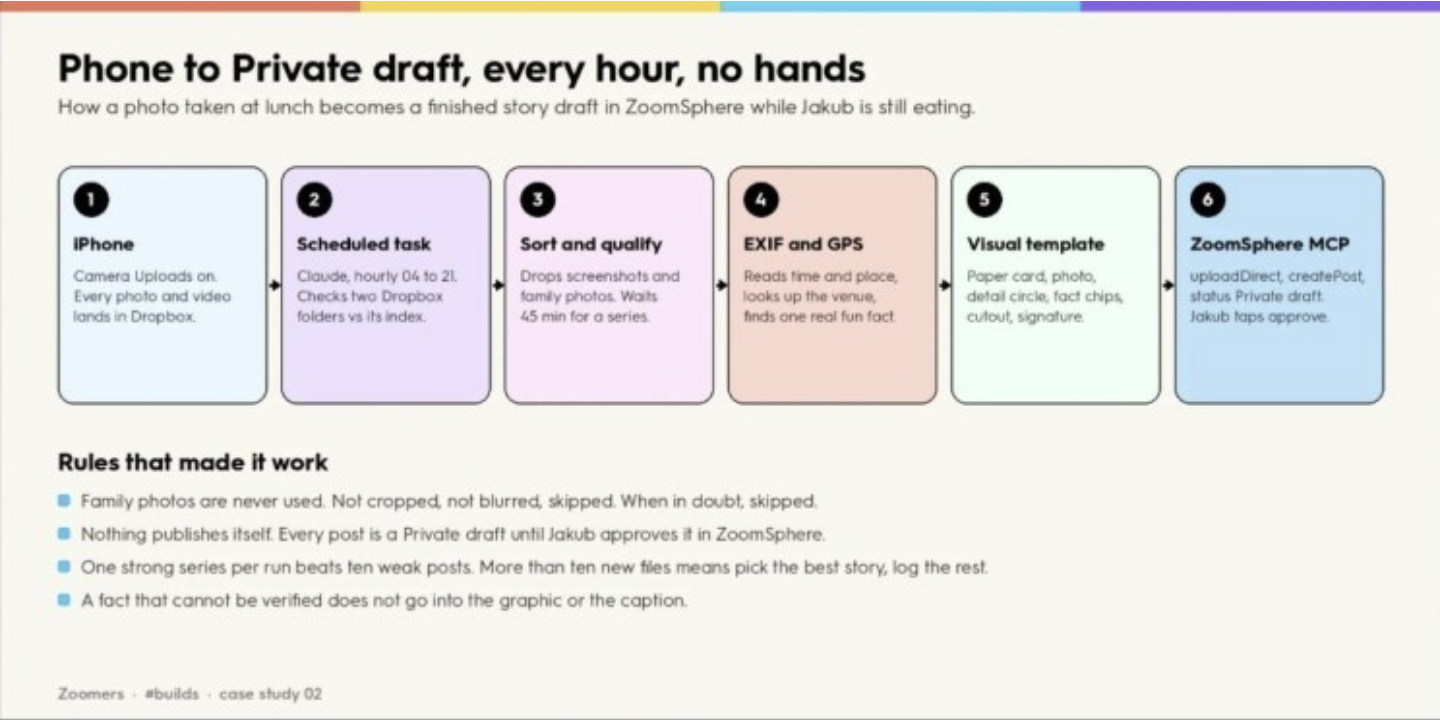
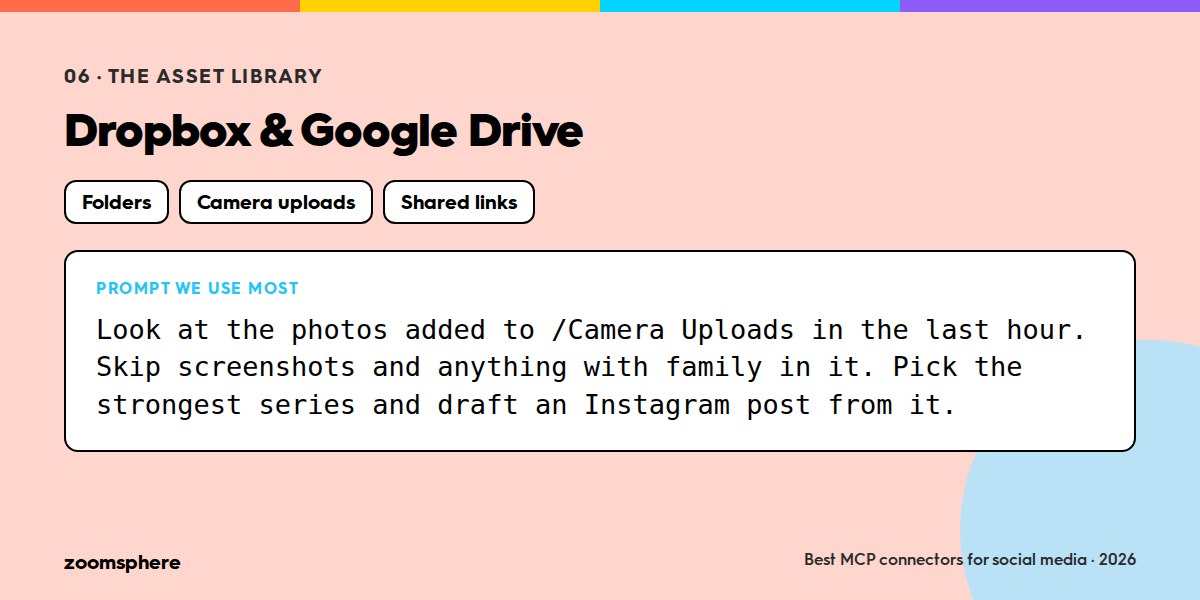
Every "AI makes the visual" workflow has a quiet prerequisite: the AI needs the photos. A file connector turns your existing library into the agent's source material, and it makes one of our favourite recipes possible. Phone to Private draft: Dropbox camera uploads on, a scheduled task every hour, the agent sorts the new photos, reads time and place from EXIF, drops the good ones into a visual template and files a draft. Twelve days, 97 files, 68 usable, 6 drafts. The owner of the business only taps approve.
7. Notion: the brief, the brand guide and the plan
What it connects: pages, databases, comments.
Reads and writes: both.
Setup: Notion's official MCP server, with a Notion login.
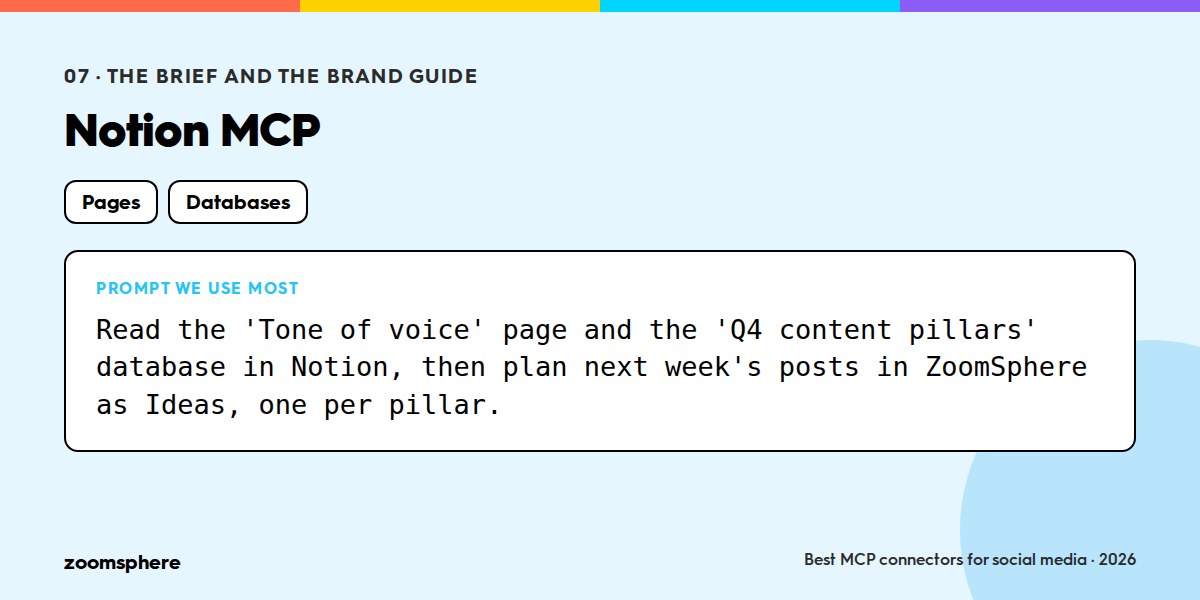
Somewhere there is a document that says what the brand sounds like, which pillars the content follows and what is planned for Q4. If it lives in Notion the agent can read it before it writes anything, which removes half of the instructions you would otherwise repeat in every prompt. We keep the tone-of-voice guide and the content pillars there and point the scheduled tasks at them.
8. Zapier MCP: the connector for everything else
What it connects: more than 9,000 apps through Zapier actions.
Reads and writes: both, per action.
Setup: Zapier's MCP server, with actions you enable one by one.
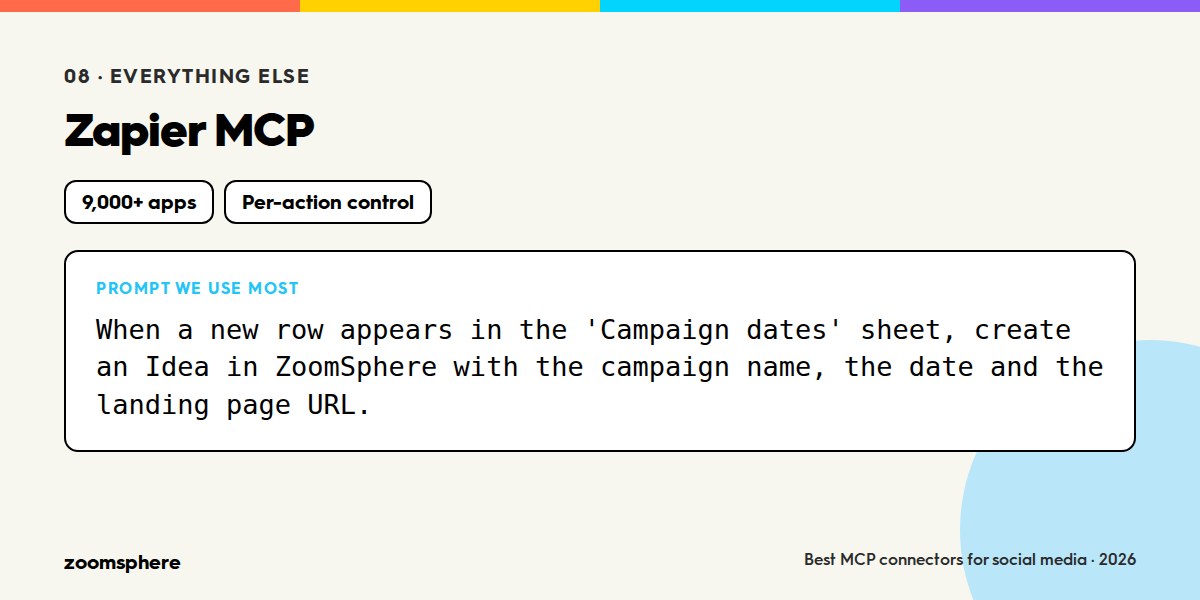
For the tool that has no MCP server yet, there is Zapier. Your CRM, your e-commerce platform, your email tool, your spreadsheet of campaign dates: if Zapier has an action for it, the agent can use it. The trade-off is that you decide action by action what to expose, which is more setup and also more control.
9. Webflow and your CMS: from blog to social, in one step
What it connects: sites, CMS collections, pages.
Reads and writes: both.
Setup: Webflow's official MCP server; other CMS platforms have community servers of varying quality.
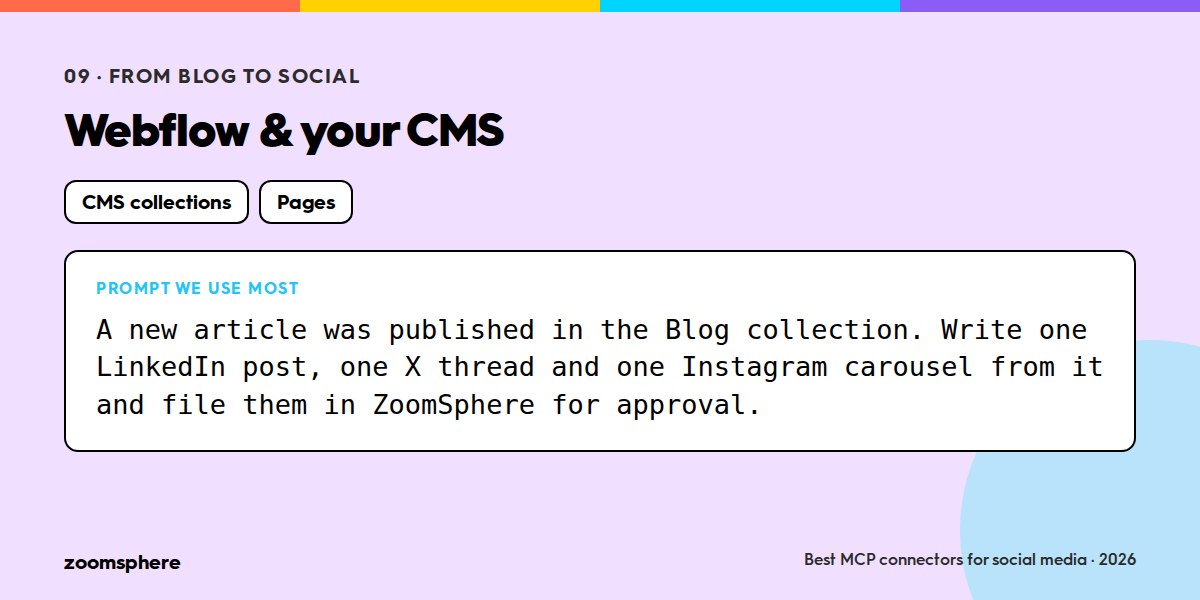
The oldest social media job is "we published a blog post, now make five posts about it". With a CMS connector the agent reads the article the moment it is published, writes the per-network versions and files them in ZoomSphere. Reverse it and the agent can turn a post that performed well into a draft article.
What about other MCP servers?
Two other social media platforms have shipped MCP servers, Metricool and Agorapulse. They cover the basics: draft or schedule a post, pull a chart, read an inbox. What they do not give the agent is the part an agency actually lives in: custom approval statuses per client, comment threads with mentions under every post, internal or public, Ideas that trigger a scheduled task, content pillars, tags and briefs, and analytics the agent is told never to recompute. An agent connected to them can draft a post. An agent connected to ZoomSphere runs the whole workflow, from the idea to the client's approval to the monthly report. For an agency that wants AI to do real work rather than fill a text box, that is not a close call.
Three MCP stacks that work
- Solo creator or small brand: ZoomSphere, Canva, Google Drive. Enough to plan a month, design from templates and use your own photos, with one scheduled task doing the routine.
- Agency: ZoomSphere, Canva, Slack, Meta Ads, Notion. Client brand guides in Notion, drafts filed per workspace, approval in ZoomSphere, paid and organic in one report.
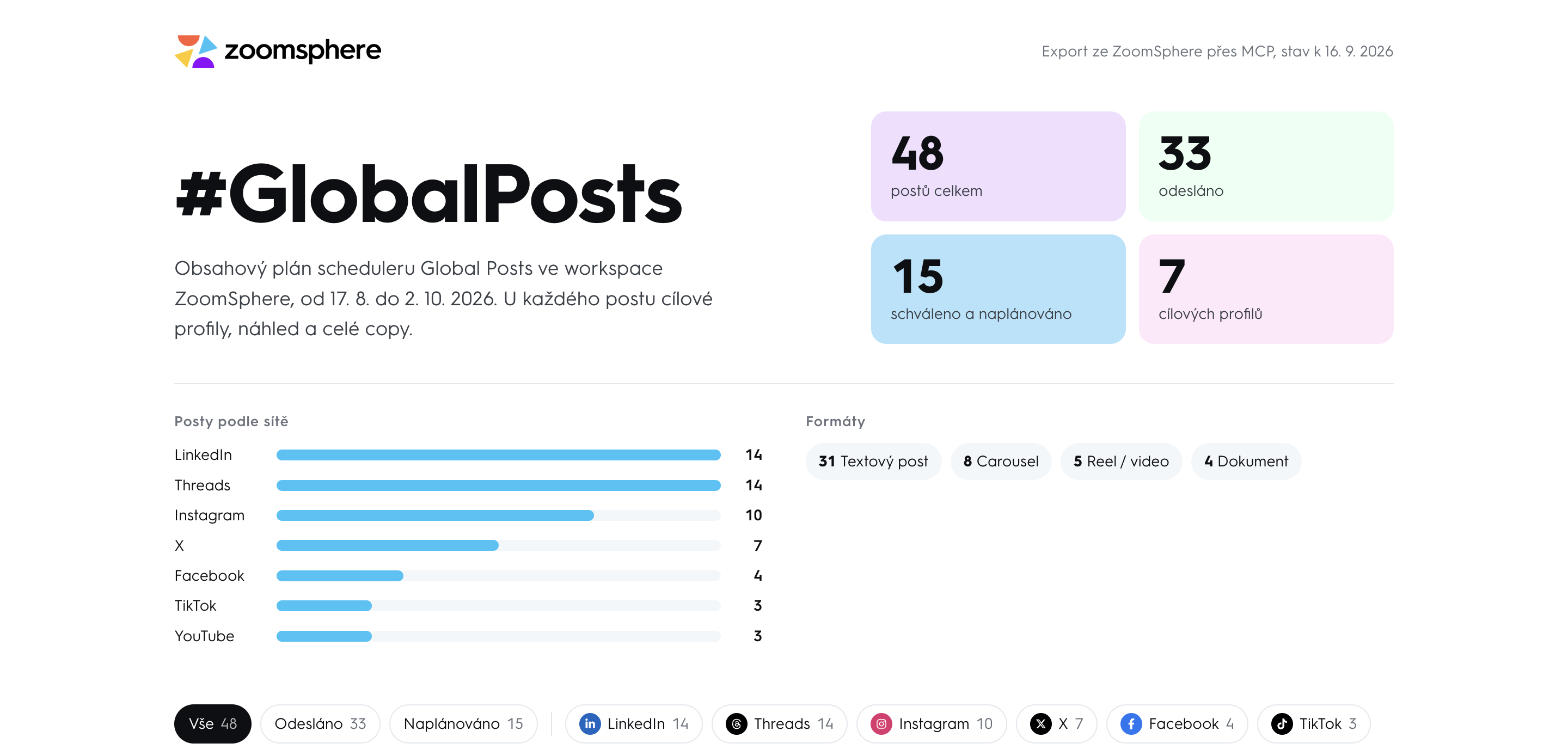
- Publisher or media house: ZoomSphere, Slack, your CMS or RSS. Every new article becomes a set of per-network drafts in the brand template; the editor keeps the last word.
Four rules before you connect anything
- Drafts by default. Point the agent at a working status and keep publishing for humans until a workflow has proven itself. Both Claude and ChatGPT let you set write tools to "needs approval"; do it.
- One agent, many connectors. The value is in the combination. A calendar connector alone is a faster way to type; a calendar plus files plus team chat is a colleague.
- Rules live in the scheduled task, not in the request. Tone, formats, hashtags, what never to do: write them once in the task that runs on a schedule, so a request can be one line.
- Read the "what broke" sections. Every recipe we publish in our Discord community, Zoomers, has one. A connector that never fails in a blog post will fail in your workspace; you want to know how.
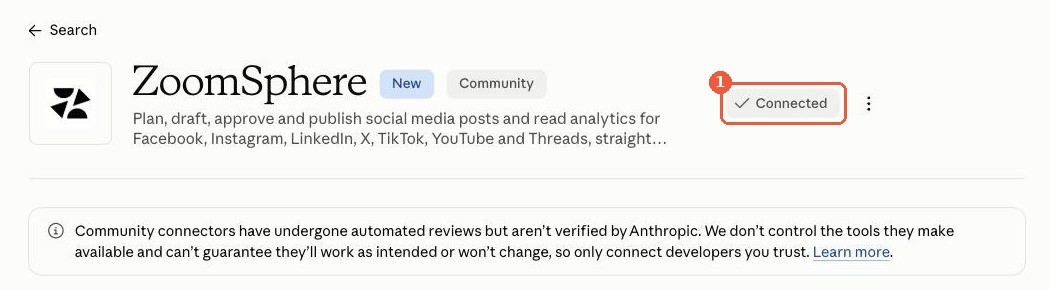
The ZoomSphere MCP is open to every ZoomSphere account. Setup guides for Claude, ChatGPT, Claude for Teams and ChatGPT for Workspaces are in our help centre; builds, prompts and recipes are in the #mcp-builds channel of our Discord community, Zoomers.
{{form-component}}
Frequently asked questions
What is an MCP connector?
A server that exposes an app's functions through the Model Context Protocol, so an AI agent such as Claude or ChatGPT can read and write in that app with your login and your permissions. Adding one usually takes a click in the connector directory and a sign-in.
Do I need a developer to use MCP connectors for social media?
No. Most of the connectors in this article, ZoomSphere included, are one click away in Claude's connector directory. In ChatGPT the only technical step is pasting an address such as https://mcp.zoomsphere.com/mcp. Team and Enterprise plans let an admin add a connector once for everyone.
Can an AI agent publish posts on its own through MCP?
It can, if you let it. We recommend the opposite: keep write tools on "needs approval" and point the agent at a draft status, so every post is checked by a person in ZoomSphere before it goes live.
Does the ZoomSphere MCP cost extra?
No. It is available to every ZoomSphere account at no extra cost.
Which AI assistants work with the ZoomSphere MCP?
Claude, where ZoomSphere is listed in the official connector directory, and ChatGPT are documented step by step in our help centre; any other client that supports remote MCP servers with OAuth can connect with the address https://mcp.zoomsphere.com/mcp.
.webp)
What Causes Social Media Burnout in Agencies?
Social media burnout in agencies is usually caused by context-switching, not workload. Context-switching means reloading a new brand voice, a new approver, and a new set of rules every time you move to a different client, sometimes every few minutes. That's a different problem than having too much work, and it needs a different fix.
Workload burnout comes from having genuinely too much to do: too many posts, too many platforms, not enough hours. Context-switching burnout comes from constantly reloading a new mental model, even when the total amount of work is entirely manageable. If you're burned out from volume, you need less work. If you're burned out from context-switching, you need fewer switches, and "just do less" won't touch that.
This is a documented, growing problem, not a personal one:
- In Metricool's 2026 Social Media Well-Being Report, 75% of over 1,000 surveyed freelancers, agency staff, and marketers said they feel overwhelmed by juggling multiple roles at once.
- In Rachel Karten's breakdown of the Link in Bio 2025 Social Media Salary and Career Survey (2,500 respondents, 40 countries), 77% of social media managers report active or recent burnout, and 67.2% feel like they're doing more than one job.
- In Creative Boom's 2026 State of the Creative Industry survey (882 creative professionals), burnout peaks at 77% among mid-career staff, the ones who "run projects, manage junior staff, and field client demands without the authority to say no." That's a structural description, not a workload one.
{{form-component}}
What Are the Signs Your Burnout Is From Context-Switching, Not Workload?
The three clearest signs are: you still enjoy the actual work, you feel mentally scattered rather than physically tired, and a short focused stretch helps more than a full day off. If most of that sounds familiar, you're likely dealing with context-switching fatigue, not workload burnout.
- You still like the actual work.
- Writing the caption, building the calendar, checking the numbers, none of that feels pointless. You just can't hold focus on any one task long enough to enjoy it.
- You end the day mentally scattered, not physically tired.
- It's "I can't remember what I did," not "I did so much." Savvy Sloth Strategies frames the test simply: ask yourself if you still enjoy the important work you do. If yes, it's more likely context-switching fatigue than clinical burnout.
- A focused hour helps, but a day off doesn't.
- Thirty uninterrupted minutes on one client genuinely resets you. A weekend off doesn't, because the problem isn't rest, it's structure.
If most of this sounds familiar, there's a good chance you've already told yourself the problem is discipline, that a more organized person wouldn't feel this drained by a "manageable" day. It isn't discipline. Attention doesn't reset for free between brand voices, and no amount of willpower changes how many times you have to reload it.
Why Does Context-Switching Feel Worse Than the Task List Suggests?
Context-switching feels worse than it looks on paper because your brain doesn't fully let go of the last task before starting the next one. Organizational psychologist Sophie Leroy named this effect "attention residue": part of your focus stays stuck on the previous, unfinished task, which lowers performance on the next one. Every mid-approval jump from Client A to Client B is exactly that kind of switch.
The cost is measurable outside social media too:
- Asana's research on context switching puts the refocus time at more than 20 minutes after a single interruption.
- A University of California, Irvine study, also covered in Asana's research, found that after just 20 minutes of repeated interruptions, people reported significantly higher stress and frustration.
- Sked Social reports that context switching can eat up to 40% of a person's productive time, citing the Asana Anatomy of Work Index, and that a single switch can temporarily cut cognitive performance by up to 10%, based on University of London research.
- Younger employees feel this too, not just senior roles. ZoomSphere's own reporting found that 58% of Gen Z employees already report digital fatigue from constant notifications and switching between tools, before client-switching is even added on top.
None of that requires anyone to be doing too much. It requires someone to be doing normal amounts of several different things, one right after another.
Why Does Agency Work Multiply Context-Switching More Than Other Social Media Jobs?
Agency work multiplies context-switching because each client switch means reloading a whole brand identity, not just a task. A social media manager at a single brand switches contexts too, between platforms, between content types. An agency manager switches identities: Client A's playful Gen Z tone, then Client B's formal B2B voice, then back to Client A because their approver just left a comment, then a message from Client C about an unrelated campaign.
Sked Social's reporting on the "quiet burnout" of social media managers makes an important point here: most burnout advice is aimed at the individual, meditate, take a walk, drink water, which ignores that burnout in social media management "isn't a personal failure to cope, it's a structural problem." That's correct as far as it goes, but it stops at naming the category. It doesn't name the mechanism.
The mechanism has a name: brand-context switching frequency = how many times per day one person has to fully reload a different client's voice, approver, and rules. That number is set by the agency's workflow, not by the manager's discipline, and unlike "structural problem" in general, it's a number a workflow can actually be redesigned to lower.
Why Doesn't "Just Set Better Boundaries" Fix Context-Switching Burnout?
Setting boundaries doesn't fix context-switching burnout because the switching happens during working hours, inside an otherwise reasonable workload, not outside them. Most general burnout advice, including Sprout Social's guidance, focuses on always-on culture, emotional labor from negative comments, and disconnecting after hours. That advice is real and worth following. It just doesn't touch the number of separate approval chains and brand voices someone has to hold in their head during the workday itself.
Telling someone to set boundaries when their actual problem is fifteen context switches a day treats a workflow problem as a willpower problem. That's exactly why those tips tend to have been already tried, and to have already failed, for experienced managers.
{{form-component}}
How Can Agencies Reduce Context-Switching Burnout?
Agencies can reduce context-switching burnout by lowering how often someone has to jump between separate client contexts, not by helping them cope better once they've jumped. If the mechanism is the number of switches, the fix has to be structural.
ZoomSphere's own reporting on multi-client agency workflows looks at one part of this: whether clients share one messy workspace or each get a clear, separated one changes how much friction a switch creates. This piece adds the human side of the same mechanism: it's not only workspace tidiness, it's how many separate approval decisions and brand identities one person carries through a single working day.
In practice, that means two things:
- A shared, visual calendar where every client's content lives in one place instead of scattered across separate tools or tabs.
- One consistent approval workflow across clients instead of a different back-and-forth process for each.
Barbora Štrbáková, former Social Media Manager at Effectix, describes managing 700+ monthly posts across 150+ clients with ZoomSphere: "Some clients love leaving feedback in comments, while others prefer emails. ZoomSphere handles both seamlessly." That's fewer separate systems to mentally reload for, not less work overall.
.webp)
Klára Faiglová, CPO at Effectix, points to the same need for flexibility across clients: "We needed a tool that could keep up with our dynamic workflows and client demands. Other tools just didn't offer the same level of flexibility."
.webp)
At a larger scale, the same fix shows up as clarity rather than speed. Positive Adamsky managing 330 social media channels across 200 teammates, describes it this way: "The color-coded statuses in Scheduler give us complete peace of mind. The moment all of our created posts turn green, we know everything is approved, and we can confidently move on to the next project." That's one less status to hold in memory per client, multiplied across hundreds of accounts.
.webp)
This is also why a clear, standard approval flow per client matters beyond the time it saves, and why it helps to settle who actually approves each post in the first place: one less context to hold separately in your head. It doesn't remove clients or cut workload. It removes the friction of switching between them.
{{cta-component}}
What Should Team Leads Do When a Whole Team Seems Burned Out?
Team leads should look at how many separate client contexts each person switches between per day, not just how many hours they're logging. A team can look fully staffed on paper, reasonable client counts per person, no one visibly overloaded, and still be running on fumes if account assignments were built around billing convenience rather than around how much brand-switching one person can absorb in a day.
The fix isn't a wellness stipend or a lighter meeting schedule. It's auditing account allocation the way you'd audit workload:
- Group a person's clients by similarity where you can (tone, industry, approval style).
- Keep one consistent approval process across accounts instead of a different one per client.
- Treat "how many contexts does this person carry" as a real planning input, not an afterthought.
Frequently Asked Questions
Is social media burnout always caused by too much work?
No. Volume is one cause, but a well-documented second cause is context-switching, moving between different clients, brand voices, and approval chains throughout the day, even when the total workload is manageable.
How is context-switching burnout different from regular burnout?
Context-switching fatigue tends to leave people mentally scattered but still engaged with the work itself, and it improves with focused, uninterrupted stretches. Clinical burnout tends to bring emotional exhaustion and a loss of interest in the work altogether, and doesn't resolve with a short focused session, per the distinction described by Savvy Sloth Strategies.
Can better tools reduce context-switching burnout?
Only if they reduce the number of separate systems and approval chains someone has to hold in their head, not just the time it takes to find information inside each one. A shared calendar and one consistent approval workflow across clients (like ZoomSphere) cuts the number of switches; a faster way to search old messages does not.
How many context switches per day are too many?
There's no single verified threshold specific to social media agencies yet. What's well established is that each switch carries a real cognitive cost, over 20 minutes to refocus per Asana's research, so the direction that matters is reducing the count, not finding an exact number to stay under.
.webp)
ZoomSphere is the best Kontentino alternative for agencies that need client approval on every plan: it costs €149 per month billed annually (€179 monthly) for up to 50 users and 50 social accounts. Kontentino includes client approval only from its Standard plan, at €109 per month billed annually (€149 monthly), and sells analytics as an add-on on Starter and Standard. Below are seven alternatives compared on approval, price, users and platforms, with all prices checked in September 2026.
ZoomSphere is our own product, so we say where it loses as well as where it wins. It is more expensive than Kontentino Standard, but it includes 50 users, chat, tasks and files in that price. If your need is narrower, other tools fit better: Planable if approvals and comments are the whole job, Metricool if analytics on a tight budget is the main driver, Agorapulse if the shared inbox is the main job.
{{form-component}}
Which Kontentino alternative should you choose?
- ZoomSphere is best for agencies that want client approval on every plan and one flat price for the whole team (€149 per month billed annually, up to 50 users).
- Planable is best for teams where approvals and comments are the whole job ($49 per workspace per month on Pro).
- Loomly is best for small teams that want approvals plus content ideas ($49 per month billed yearly, 3 users).
- Sendible is best for white-label client dashboards (white label from $349 per month on Elite).
- SocialPilot is best for agencies with up to 20 accounts that need white-label reports ($85 per month billed annually, 20 accounts).
- Agorapulse is best for inbox and community management ($119 per month billed annually on Professional).
- Metricool is best for analytics on a small budget (from €43 per month billed annually on Advanced).
Why Agencies Look for a Kontentino Alternative
Agencies leave Kontentino mainly for four reasons: client approval starts on the Standard plan, analytics is a paid add-on, the bill grows with each add-on, and some reviewers find mobile and bulk editing unfinished. Kontentino is still a well-built scheduler with a clean client approval flow, and its 388 reviews on G2 average 4.6 out of 5.
- Client approval is gated to the Standard plan. Starter (€49 per month billed annually) includes internal approvals only. Client approvals, bulk actions, tasks and activity logs start at Standard, €109 per month billed annually.
- Analytics is a paid add-on. Reporting costs an extra €54 per month on Starter and Standard when billed annually, and is bundled in only on Pro at €199 per month. G2 reviewers repeatedly mention a "lack of advanced analytics compared to larger enterprise tools".
- The bill adds up fast. G2 groups five reviews under "pricing too high compared to competitors". A 10-person agency that wants client approvals plus analytics pays €163 per month on Standard with the add-on, or €199 on Pro.
- Mobile and bulk editing feel unfinished. Veronika H., social media specialist (G2, August 27, 2026): "the mobile app can sometimes feel cluttered and less intuitive." Michal H., founder (G2, March 30, 2026): "Changing publish times across several posts isn't as smooth as I'd like."
There is also a structural reason. Kontentino is scheduling-first: tasks are tied to individual posts, and we found no team chat or shared file library in its plans. Agencies that want communication, files and task tracking in one tool often pair it with Slack and a separate project manager.
If none of this bothers you, Kontentino is a good tool and this article is not for you. If two or more of these points do, one of the seven alternatives below will fit better.
Kontentino Alternatives at a Glance (2026)
All prices are list prices from each vendor's pricing page, checked on September 4, 2026 and re-confirmed on September 30, 2026. Amounts are per month and billed annually unless stated otherwise. Kontentino is shown as the reference row.
Exact prices, billing terms and plan limits for each tool are in its own section below and in the FAQ. Prices are list prices from each vendor's pricing page, checked in September 2026. Kontentino for reference: Starter €49, Standard €109, Pro €199 per month.
1. ZoomSphere: Best Kontentino Alternative for Agencies With Client Approvals
.webp)
ZoomSphere is the best Kontentino alternative for agencies that want client approval on every plan and one price for the whole team. It costs €149 per month billed annually (€179 monthly) for up to 50 users and 50 social accounts, with a 14-day free trial and no credit card needed. ZoomSphere is our own product, so read this section with that in mind. It is built in Prague, used mostly by agencies in Central Europe, and it is the tool most often shortlisted against Kontentino by agencies in the Czech Republic, Slovakia, Poland and Hungary.
What Does ZoomSphere Do Better Than Kontentino?
- Approval is included on every plan. ZoomSphere has six default approval statuses plus custom ones, role-based read and write permissions per status, and a client review link that works without a login. Posts do not expire while a client is deciding.
- The whole team pays one price. €179 per month, or €149 billed annually, covers up to 50 users and 50 social accounts. The mobile app, bulk actions and export to PDF and Excel are part of the base price, with no per-feature upsells.
- Chat, tasks and files live next to the post. ZoomSphere has team chat with client and internal threads kept separate, a Workflow Manager for tasks and deadlines, Notes, and a Files app with 20 GB. Agencies such as Visibility SK (40 workspaces, 85 teammates) and Whites Agency (177 users, 36 brands) run their whole client portfolio this way.
- Data stays in the EU. ZoomSphere servers are in Germany, the Czech Republic and Ireland, and a DPA is available.
- ZoomSphere has an MCP server for AI agents. You can publish and schedule from Claude, ChatGPT or any MCP client directly into the approval flow, so AI-drafted posts still go through your statuses and client review.
- Platforms: ZoomSphere covers Facebook, Instagram, TikTok, X, LinkedIn, YouTube and Threads.
What Did Agencies Tell Us When They Switched From Kontentino to ZoomSphere?
Agencies that moved from Kontentino to ZoomSphere over the last few years gave our support team two reasons more than any other: publishing errors on Kontentino, and having more people working on content than they wanted to pay seats for. The most common first question after switching was how to change the status of many posts at once, which is a bulk action in ZoomSphere. Several of them were agency networks moving every client at once, not a single brand.
Where is Kontentino Better Than ZoomSphere?
Kontentino is better than ZoomSphere on entry price, platform coverage and review volume.
Kontentino supports Pinterest and Google Business Profile, which ZoomSphere does not. Kontentino Standard, its cheapest plan with client approval, costs €109 per month billed annually, €40 less than ZoomSphere. For a team of one to three people that does not need client approval, Kontentino Starter at €49 is cheaper still. Kontentino also has 388 reviews on G2 against ZoomSphere's 18 (rated 4.7 out of 5), so if review volume is how you judge risk, Kontentino wins that metric.
How Much Does ZoomSphere Cost?
ZoomSphere costs €179 per month, or €149 per month billed annually, for one plan that includes up to 50 users and 50 social accounts. A 14-day free trial is available and no credit card is needed. For a side-by-side view, see the ZoomSphere vs Kontentino comparison.
ZoomSphere vs. Kontentino
Takeaway: ZoomSphere is the stronger overall fit if approval gating or per-plan pricing tiers are why you are leaving Kontentino. It is not the cheapest fit: if you only need scheduling and client approvals for a small team, Kontentino Standard costs less.
{{cta-component}}
2. Planable: Best for Approval-First Teams
%20(1).webp)
Planable is the closest like-for-like replacement for Kontentino's approval experience specifically. Reviewers name Planable most often for that reason.
What Does Planable Do Better Than Kontentino?
Posts preview exactly as they'll look on each network, comments sit directly on the post, and approval state is visible at a glance. Required approvals, the gate that blocks publishing, start on Pro. Multi-level approvals (team lead, then client, then legal) are Enterprise only.
How Much Does Planable Cost?
Planable Basic costs $33 per workspace per month and Pro costs $49 per workspace per month, with unlimited users on both and two months free on annual billing. Add-ons are Analytics at $12 per workspace per month and Social Inbox at $7.50 per workspace per month.
Where Does Planable Fall Short?
Planable prices per workspace, so an agency with 15 clients on Pro pays $735 per month before analytics. It is excellent when approvals are the main job and expensive once you have many small retainers.
Planable vs. Kontentino
- Approval: Required approvals start on Pro ($49/workspace/month), a similar gating pattern to Kontentino's Standard tier, just a different price point.
- Interface: Posts preview exactly as they'll render per network, and comments sit directly on the post.
- Pricing model: Per workspace rather than per team, so cost scales directly with client count.
- Add-ons: Analytics and Social Inbox are separate paid add-ons, the same structure as Kontentino's analytics add-on, just cheaper per add-on.
Takeaway: Planable is the closest match if approvals and comments are your only requirement, but it doesn't solve Kontentino's pattern of charging extra for features beyond the base plan.
3. Loomly: Best for Small Teams That Want Approvals Plus Content Ideas
%20(1).webp)
Loomly is best for small teams that want approvals plus an idea-generation layer, at $49 per month billed yearly for 3 users.
What Does Loomly Do Better Than Kontentino?
Loomly has a step-based approval pipeline (draft, internal review, client review, scheduled) combined with content idea prompts and brand guideline storage, included from the entry tier rather than gated behind a higher plan.
How Much Does Loomly Cost?
Loomly Starter costs $49 per month billed yearly ($65 monthly) for 12 social accounts and 3 users, with approval workflows included. Beyond costs $249 per month billed yearly for 60 accounts, unlimited users, custom roles and workflows.
Where Does Loomly Fall Short?
The jump between tiers. Once you outgrow 3 users or 12 accounts, you go straight to $249/month. Reviewers also note the analytics are lighter than Sprout or Agorapulse.
Loomly vs. Kontentino
- Approval: Included from the Starter tier ($49/month), unlike Kontentino, which requires the higher Standard plan.
- Content ideas: Built-in idea prompts and brand guideline storage, which Kontentino doesn't offer.
- Scale: Jumps straight from 3 users and 12 accounts to 60 accounts and unlimited users at $249/month, no middle step.
- Analytics: Lighter than Kontentino Pro's benchmarking, per reviewers.
Takeaway: Loomly fits small teams that have outgrown internal-only approval but aren't ready for an agency-scale plan yet.
4. Sendible: Best for White-Label Client Dashboards
%20(1).webp)
Sendible is best for agencies whose main requirement is a branded client-facing portal, not just an approval flow.
What Does Sendible Do Better Than Kontentino?
Sendible offers client dashboards, automated branded reports and no-login client sign-off, with unlimited users on every plan. Assigning posts for approval starts on Plus, and custom approval workflows start on Premium.
How Much Does Sendible Cost?
Sendible is tiered by workspaces and profiles, with unlimited users on every plan. White label is available on Elite and Enterprise for an additional fee, with Elite starting at $349 per month.
Where Does Sendible Fall Short?
White label is where the real cost sits. If a branded portal is the reason you're switching, budget for the add-on, not the base plan.
Sendible vs. Kontentino
- Approval: Assigning posts for approval starts on Plus, custom workflows on Premium and up, a similar gating pattern to Kontentino.
- White label: Real client-branded portals, which Kontentino doesn't offer at any tier.
- Users: Unlimited on every plan, unlike Kontentino, which doesn't publish per-plan user caps.
- Cost: White label is a separate paid tier upgrade, from $349/month extra on Elite.
Takeaway: Sendible is the pick specifically for white-label client portals, not a fix for Kontentino's approval-gating problem.
5. SocialPilot: Best Value for Many Accounts
.webp)
SocialPilot is best for agencies with up to 20 client accounts that want client approval and white-label reports at $85 per month billed annually. It costs less than Kontentino Standard but includes fewer accounts.
What Does SocialPilot Do Better Than Kontentino?
SocialPilot includes client approval workflows and white-label reports on its Premium plan, at a lower price than Kontentino Standard. It is a good fit for agencies with many small client accounts and light approval needs.
How Much Does SocialPilot Cost?
SocialPilot Premium costs $85 per month billed annually ($100 monthly) for 20 accounts and 6 users, with client approval workflows and white-label reports included. Ultimate costs $170 per month billed annually for 40 accounts and unlimited users.
Where Does SocialPilot Fall Short?
Approvals and white label only start on Premium, and the approval flow is a fixed two-level stage rather than a customizable chain. Inbox and listening trail the premium platforms.
SocialPilot vs. Kontentino
- Approval: Included from Premium ($85/month annual), a similar price point to Kontentino Standard (€109/month).
- Accounts: 20 accounts on Premium versus Kontentino Standard's smaller allowance, better for volume.
- White label: Included on Premium, something Kontentino doesn't offer at any tier.
- Approval depth: A fixed two-level approval only, less flexible than Kontentino's or ZoomSphere's custom statuses.
Takeaway: SocialPilot is the volume play, more accounts per dollar, not a deeper approval workflow than Kontentino's.
6. Agorapulse: Best for Inbox and Community Management
.webp)
Agorapulse is best for agencies whose main work is answering comments, messages and reviews, not just scheduling and approving posts.fits agencies whose bulk of the work is answering comments, messages and reviews, not just scheduling and approving posts.
What Does Agorapulse Do Better Than Kontentino?
Agorapulse has a unified inbox, assignment rules and moderation, the strongest in this list. Simple approval workflows start on Professional.
How Much Does Agorapulse Cost?
Agorapulse Standard costs $79, Professional $119 and Advanced $149 per month on annual billing ($99, $149 and $199 billed monthly). Each plan includes 10 social profiles and a limited number of users, not unlimited seats. Multi-step approvals and unlimited shared calendars are Custom-plan only, and Advanced caps shared calendars at 5.
Where Does Agorapulse Fall Short?
You pay for the plan, not the seat count, and Agorapulse does not publish exact per-plan user limits on its pricing page, so confirm headcount fit before you commit. Multi-step client approval requires a custom quote.
Agorapulse vs. Kontentino
- Inbox: A unified inbox and moderation stronger than Kontentino's, which has no dedicated inbox.
- Approval: Simple approvals start on Professional ($119/month), a pricier entry point than Kontentino Standard.
- Multi-step approval: Custom-quote only, less accessible than Kontentino's included Standard-tier bulk actions.
- Seats: Priced per plan with a limited, unpublished number of included users.
Takeaway: Agorapulse wins if the inbox is your actual bottleneck, not the approval chain that pushes people off Kontentino.
7. Metricool: Best Analytics on a Budget
.webp)
Metricool is best for agencies whose main complaint about Kontentino is the analytics add-on, since analytics and reporting are the core of its product.
What Does Metricool Do Better Than Kontentino?
Metricool is a Spanish company where analytics and reporting are the core product, not a paid add-on. It also has a free plan for a single brand.
How Much Does Metricool Cost?
Metricool has a free plan for 1 brand. Starter is from €16 per month for up to 10 brands. Advanced is from €43 per month on annual billing for up to 50 brands, with team and client management, a post approval system and API access.
Where Does Metricool Fall Short?
The approval and collaboration layer is simpler than Kontentino, Planable or ZoomSphere. Metricool is a reporting and scheduling tool first. Agencies with a formal client sign-off process usually pair it with something else.
Metricool vs. Kontentino
- Analytics: The core product, not a €54/month add-on like Kontentino's.
- Free plan: Available for 1 brand. Kontentino has no free tier at all.
- Approval: A simpler system than Kontentino's, available only on the Advanced tier.
- Collaboration: No dedicated chat, tasks or files layer, the same gap Kontentino has.
Takeaway: Metricool solves Kontentino's analytics-pricing complaint specifically, not its approval-gating one.
{{cta-component}}
How Do You Choose Between These Kontentino Alternatives?
Choose by the reason you are leaving Kontentino:
- Client approval is gated, or features are locked behind pricing tiers: ZoomSphere, with approval on every plan, one flat team price, and chat, tasks and files included.
- Approvals and comments are the entire job: Planable Pro.
- Analytics on a tight budget is the main driver: Metricool.
- You need white-label client portals: Sendible.
- You manage fewer than 20 client accounts and want white-label reports cheaply: SocialPilot Premium.
- You manage up to 50 small brands on a tight budget: Metricool Advanced.
- Inbox and community management are the main service: Agorapulse.
- You are a team of one to three and Kontentino Starter already covers you: stay on Kontentino, it is good value at €49 per month billed annually.
{{cta-component}}
-
Frequently Asked Questions
What Is Better Than Kontentino?
ZoomSphere is the best Kontentino alternative for agencies leaving because of gated approvals or per-plan pricing tiers: it includes client approval on every plan, at €149 per month billed annually for up to 50 users. For narrower needs, Planable is the better pick if approvals and comments are the whole job, and Metricool if analytics on a budget is what drives the switch.
What is the closest alternative to Kontentino?
Planable is the closest like-for-like alternative for the approval experience. ZoomSphere is the closest match for agencies that want Kontentino's client approvals without plan gating and add-ons, on a single price with chat, tasks and files included alongside the scheduler.
Is there a cheaper alternative to Kontentino?
Yes, for scheduling alone: Metricool Starter (€16 per month) and SocialPilot Essentials ($17 per month billed annually) cost less. If you need client approvals, compare at that level: Kontentino Standard €109, Planable Pro $49 per workspace, SocialPilot Premium $85 and ZoomSphere €149 for up to 50 users, all per month and billed annually.
Is ZoomSphere Cheaper Than Kontentino?
No. ZoomSphere costs €149 per month billed annually, which is €40 more than Kontentino Standard (€109 billed annually), the cheapest Kontentino plan with client approval. ZoomSphere includes up to 50 users and 50 social accounts, team chat, tasks and files in that one price, without per-feature upsells.
Does ZoomSphere Have an MCP Server?
Yes. ZoomSphere has an MCP server, so you can publish and schedule posts from Claude, ChatGPT or any MCP client directly into the ZoomSphere approval flow.
Which Kontentino alternative has client approval without a login?
ZoomSphere, Planable and Sendible all let a client review and approve posts through a link, with no account required. Agorapulse and SocialPilot require the client to be a user or occupy a client seat on the relevant plan.
Which Kontentino alternatives are EU-based?
ZoomSphere (Czech Republic, data in Germany, Czech Republic and Ireland), Metricool (Spain) and Agorapulse (France) are EU companies. Planable was founded in Romania; Sendible is UK-based; SocialPilot and Loomly are based outside the EU.
How did we pick these seven?
We started from the tools that appear most often next to Kontentino in G2 and Capterra comparisons and in 2026 agency roundups, then checked each vendor's current pricing page in September 2026. ZoomSphere is included because it's our product and because it's a frequent shortlist companion to Kontentino in Central Europe. We've flagged where competitors are stronger.
Sources: kontentino.com/pricing, G2 Kontentino reviews, planable.io/pricing, loomly.com/pricing, sendible.com/pricing, socialpilot.co/pricing, agorapulse.com/pricing, metricool.com/pricing, zoomsphere.com/pricing.
.webp)
Social media coverage for a two-week vacation works when your content calendar stops needing you to make decisions, not when it just has more posts in it. Most "social media while you're on vacation" advice stops at "schedule ahead," which is true but incomplete: a queue of scheduled posts still assumes someone is available to react when a client asks for a change, a post underperforms, or something breaks. If you're the only person deciding what goes out across several client accounts, that assumption is the whole problem.
I'm writing this the week before I leave for two weeks off, still making content decisions for every channel I run at ZoomSphere. So this isn't a retrospective "here's what I learned" post. It's the actual system I built going in, including the parts I'm not fully sure about yet.
In short, social media coverage for a vacation holds up when three things are true:
- Everything routine is either fully produced or reduced to a template
- Low-stakes work is deliberately paused (not quietly dropped)
- The one or two decisions that could actually come up while you're away already have a pre-agreed answer, so nobody has to reach you to get one
Why does a full content calendar still break during a vacation?
A full calendar breaks because "full" only covers content, not decisions. Research from SkedSocial puts it plainly:
"No productivity hack is going to solve an exponentially expanding workload. What might, though, is reducing unnecessary friction in your workflow and building systems that protect your attention, creativity, and energy."
Scheduling two weeks of posts solves the production problem. It does nothing for the moment a client messages "can we pull this, our CEO just posted about layoffs" on day four, or a post needs a caption tweak nobody approved in advance. That's not a content gap, it's a missing decision, and if nobody made it ahead of time, it lands back on you regardless of how "ahead" your calendar looks.
This is also why so much vacation prep quietly fails. Metricool's 2026 Social Media Well-Being Report, based on over 1,000 freelancers, agency staff, and marketers, found that:
- 44% struggle to fully disconnect after work
- 73% work outside their designated hours
- 75% feel they're juggling too many responsibilities at once
A stacked calendar doesn't fix any of that if you're still the fallback answer to every "what do we do about this" question.
What should you fully pre-produce before you leave?
Fully pre-produce anything routine enough that it shouldn't need a real-time judgment call while you're gone. In practice, that means for every client or channel:
- Every post for the two weeks, fully drafted, not just outlined
- Every caption finished, not roughed out
- Every one of those posts already approved and marked ready, not pending
Freelance social media consultant Laura Moore, writing on TheTwoLauras, recommends batching aggressively about two weeks out and getting every approval finalized before departure, not during it. If a post still needs a client's yes when you leave, it's not actually prepped. It's just written, which is a different problem than the one covered in how to stop endless client revision rounds: an approval only counts as done if there's a record of who approved which version, otherwise a client can reopen it while you're gone precisely because nothing proves it was ever settled.
This is also where the AI Copywriter inside the Scheduler earns its place. Drafting caption variants for two weeks of posts across several clients in one sitting is a very different task from writing one caption a day. Having a starting draft to edit, rather than a blank box, is what makes batching two weeks of content in advance realistic instead of exhausting.
.webp)
What should you simplify instead of trying to fully prepare?
Simplify anything that's routine but not worth fully custom content for. Reduce it to a template, not a finished, client-specific post. Ardent Workshop's small-team vacation coverage framework calls this the "batch it" bucket: non-urgent work stacked into a lighter, repeatable format rather than produced in full. For a solo content person running multiple accounts, that usually looks like:
- Pre-written reply templates for the comment types that show up every week (thank-yous, common questions, complaints)
- A small set of evergreen posts per client that need no sign-off
- Reporting formats anyone can fill in without making a judgment call
The goal isn't less work. It's work that doesn't require you specifically.
What should you deliberately skip before a vacation?
Deliberately skip low-stakes, non-urgent work for the two weeks, and say so upfront rather than letting it quietly slip. Ardent Workshop's framework calls this the "pause it" bucket: work consciously stopped and named as intentional, not abandoned. In a content context, that's usually:
- New campaign ideation
- Reactive or trend-jacking content
- Anything that needs a strategic conversation, not just a post going out
Why skipping isn't the same as neglecting
That distinction matters more than it sounds. A client told in advance, "we're not running new campaign ideas while I'm out, we'll pick it back up on the 15th," experiences that as a plan. A client who just notices silence on the same thing experiences it as neglect. Same gap, completely different trust outcome, and the only difference is whether you named it before you left.
How do you handle an urgent client request without being there to decide?
You handle it by writing the decision down before you leave, not by hoping nothing urgent comes up. An interruption threshold is a short, written list of exactly which situations are worth contacting you for while you're away, and which your backup handles alone without asking. Ardent Workshop's small-team vacation framework is the clearest version of this concept, and it exists for the same reason nine hours to approve a single tweet happens in the first place: without a pre-agreed answer, every request becomes a live negotiation, threshold or not, in front of a client or on your own team. For a client-facing content calendar, that threshold might read:
- Legal or PR risk: contact me directly, no exceptions.
- A request for a brand-new campaign idea: waits until I'm back.
- A factual or timing correction to a post that's already scheduled: pre-approved for my backup, no need to ask first.
Write down three or four of these before you go, and the "urgent request while you're away" scenario stops being a live decision and becomes a lookup.
Where I actually am with this myself: I produce content for ZoomSphere's own channels, so my version of "urgent request" is more like "someone wants to change direction on a launch post while I'm out." I know in my head roughly what would need me and what wouldn't. I haven't (as of writing this) turned that into a written list someone else could act on without me. That's the honest gap, and it's the thing I'm closing this week, not something I can claim is already solved.
.webp)
How many weeks of content should you actually schedule before a two-week vacation?
Notify clients or stakeholders six weeks before departure, have all content fully approved two weeks out, and brief your backup one week out, a rough six-two-one structure:
That's the timeline Laura Moore lays out on TheTwoLauras: six weeks ahead to notify clients and confirm what a contract covers during an absence, roughly a fortnight of aggressive batching and approvals finished before departure, and a final week to hand a backup person real access, not just a heads-up. Two weeks of scheduled posts is the visible part. The six-week runway is what makes the two weeks actually holdable.
What role can AI and automation realistically play here?
AI and automation can absorb the repeatable parts of prep, drafting, formatting, first-pass replies, so the time you have before leaving goes to the decisions only you can make, not the busywork around them. That's the same argument we make in how AI can handle workflow management across global teams: the win isn't replacing judgment, it's cutting the status-checking and manual routing around it.
Beyond the AI Copywriter for drafting posts across clients faster, ZoomSphere is currently testing an MCP integration that would let a connected AI assistant pull scheduling status or draft responses directly from account data. It's still in internal testing, not a finished feature. What I can say is that the direction (less manual toggling between tools to get a status check) is the same principle behind every part of this system: reduce the number of things that need you specifically to happen.
Frequently Asked Questions
How many weeks before a vacation should I schedule social media content?
Aim for social media content fully batched and approved about two weeks before you leave, with client or stakeholder notifications going out around six weeks ahead, per TheTwoLauras' timeline.
What's the difference between a content calendar and a social media vacation coverage plan?
A content calendar covers what gets posted. A vacation coverage plan also covers who decides when something unplanned comes up while the social media manager is away, using pre-agreed rules instead of real-time judgment calls.
Should I try to prepare social media content for everything before I leave?
No. Ardent Workshop's three-bucket framework (fully produce, simplify, or consciously pause) exists specifically because trying to prep social media content for every scenario is what makes vacation prep exhausting instead of workable.
.webp)
When to Say No to a New Client? Say no to a new client when at least two of three measurable capacity signals (team utilization, approval friction, and financial coverage) are already red. That's the short answer. The rest of this article is how to check each one before you sign anything.
{{form-component}}
August and September bring a predictable wave of new client inquiries, right as agencies are locking Q4 budgets and everyone else is quietly evaluating vendors too. The instinctive answer to an inbound lead in that window is yes, because saying no feels like leaving money on the table before a competitor takes it instead. Agencies that consistently deliver on time aren't the ones with the most talent. They're the ones who check these three signals first, before the sales call turns into a signature.
What Does "At Capacity" Actually Mean for an Agency?
"At capacity" means at least two of three measurable signals are already flashing red: team utilization, approval friction, and financial coverage. It doesn't mean a feeling, and it doesn't mean one bad number in isolation.
Most agency owners make the yes/no call on a new client using a single gut check: can the team physically fit the work in. That question has no reliable answer, because it depends on what "fit" means, and nobody defines it the same way twice. As Supervisible documents in its agency capacity planning research, the result is a pattern that repeats across agency operations: teams accept work while already overloaded, then deliver it late or at reduced quality.
This framework replaces the gut check with three signals, each with its own threshold:
- Utilization: is the team's time already spoken for?
- Approval friction: is the workflow itself slowing down, even before anyone misses a deadline?
- Financial coverage: does the math behind this client actually work?
None of the three is sufficient alone. And that's the point: capacity is a multi-dimensional read, not a single magic number.
Signal #1: Is Your Team's Utilization Already Above 85%?
Utilization above 85%, sustained for two or more consecutive weeks, means the team is running on borrowed time, not spare capacity. This is the first signal to check, and the one most agencies already half-track without acting on it.
Agency capacity-planning platform Supervisible sets the reference line: utilization above 85% held for two-plus weeks running is a burnout flag, not a productivity win, while anything below 60% for the same stretch signals wasted capacity in the other direction. Accounting firm OneBridge, which works specifically with agencies, recommends targeting 70–85% billable hours and scheduling teams around a 20% buffer rather than 100% capacity.
The number that trips agencies up isn't utilization itself, it's what counts as "a client." As agency consultant Karl Sakas explains, the range runs 4–8 accounts per account manager for hands-on roles, though he stresses that the real unit is accounts, not client relationships. A client with three platforms counts as three accounts, not one.
Threshold to act on: this signal reads red if either of the following is true:
- Utilization has held above 85% for two straight weeks, or
- A single account manager's account count would jump past 8 once the new client is added.
Utilization is invisible for as long as it lives in someone's head instead of somewhere the whole team can see it. Assigning and tracking work at the task level, inside ZoomSphere's team collaboration tools (for example our Workflow Manager as can be seen below), is what turns "I think we're stretched thin" into "this account manager has eleven open tasks and that one has three."
.webp)
How Many Clients Can One Account Manager Actually Handle?
Most healthy agencies keep an account manager at 4–8 accounts (not clients, since a single client with multiple platforms counts as several accounts, not one). This is the number agency owners actually search for, and it directly feeds Signal #1 above, so it's worth answering on its own.
As agency consultant Karl Sakas puts it, the range runs 4–8 accounts per account manager for hands-on roles, with the real unit being accounts rather than client relationships.
SocialPilot's account-manager research adds the time math behind that range: a standard-scope client takes roughly 12–18 hours a month, and once a 40% productivity loss from context-switching between accounts is factored in, the sustainable ceiling lands around 6–7 standard-scope clients for a 35-hour work week.
Databox survey data adds one more data point: nearly 70% of agencies keep account managers under 10 clients.
ZoomSphere customer Positive Adamsky, a Budapest agency managing 330+ social channels and 100+ brands, shows exactly why the raw client count is close to meaningless on its own:
- Some of its digital account managers oversee three brands.
- Others focus on a single major account spanning up to 16 channels.
Two account managers, both "at one client" on paper, carrying entirely different loads, as the Positive Adamsky case study shows. The reason this pattern is so easy to overlook is structural: most agencies track headcount by client logo on a sales sheet, not by workspace. The mechanism scales down the same way it scales up: a client is a workspace, and each channel inside it is its own connected account, whether that's a 20-person team with a handful of workspaces or a much larger network running dozens of them, the way Havas Village Budapest structures 20 workspaces across 97 channels, as its case study details. Counting workspaces and channels, not client names, is what turns "how many clients" into an actual number, at any team size.
The short answer: count accounts, not client logos. If adding a new client would push any one account manager past 8 accounts, treat that as the same red flag as high utilization, because in practice, it's the same problem measured a different way.
What Capacity Signal Do Most Agencies (and Most Advice) Miss Completely?
Most agency capacity advice misses the approval and revision cycle entirely, because it measures capacity through only one lens:
- Either time (utilization, billable hours), or
- Money (revenue per headcount, labor efficiency)
Neither lens sees the thing that actually breaks first inside a real agency, which is the workflow between the team and the client.
That gap matters because of when each lens shows up. A utilization number or a financial ratio tells an agency owner the team is stretched only after the stretch has already happened. Neither one tells the owner the team is starting to stretch. The next signal fills exactly that blind spot, and it's the one part of this framework that no capacity-planning guide, financial benchmark, or "how many clients per AM" article currently covers: what happens inside the approval and revision cycle, days or weeks before a deadline is actually at risk.
Signal #2: Has Your Approval and Revision Cycle Been Quietly Getting Longer?
A lengthening approval and revision cycle is usually the earliest measurable warning sign of overload, showing up weeks before a deadline is actually missed. This is the signal most agencies don't track at all, because it looks like normal client back-and-forth until it isn't.
The cost is larger than it looks in isolation. At agency scale, coordination overhead shows up directly in approval friction:
- A single 90-second approval decision can cost a team 35 to 45 minutes once notification delays, Slack pings, and re-reviews are added in.
- At five clients running two posts through approval each week, that's over six hours a week spent tracking content, not producing it, as we break down in Why Client Approval Is Eating Your Agency's Time.
- One reopened revision decision per client per week is roughly an hour of unrecoverable context-reconstruction time once a team is already juggling a full roster, as we explain in How to Stop Endless Client Revision Rounds in Agency Content Workflows.
Agencies that fix visibility into this cycle see the time saving directly. Martina Vaculíková, Head of Social Media at ZoomSphere customer Fragile, describes the effect of giving clients full visibility into a post's status from draft to approval:
.webp)
Positive Adamsky frames the same signal as a visibility problem before it's a workload problem:
.webp)
Threshold to act on: this signal reads red, even if nobody has missed a deadline yet, if:
- Average time-to-approval per client has grown over the last four to six weeks, or
- Revision rounds per post have crept from one to two-plus as a pattern (not a one-off client).
.webp)
{{cta-component}}
Signal #3: Can Your Agency Actually Afford This New Client?
A new client only clears the financial capacity bar, sometimes called the delivery labor threshold, if two things are both true: delivery labor efficiency stays above roughly 3.5x once that client is added, and the account manager or team assigned to it already has 50–75% of a full workload under contract elsewhere. This is the signal owners skip most often, because it requires finance data, not gut feel, and small agencies rarely have it laid out clearly.
The reference point is what's sometimes called the labor efficiency ratio: annual revenue divided by all delivery labor costs (salaries, benefits, subcontractors, and delivery-focused owner time, excluding sales and admin).
(Source: Bennett Financials, Agency Capacity Planning: The 3.5x Headcount Rule)
As Bennett Financials explains in that same guide, below 3.5x, delivery labor is eating too much of revenue to leave room for anything else, including the client sitting in front of you right now.
There's a second, sharper diagnostic hiding inside this signal: proposal close rate. Bennett Financials breaks it down like this:
- Closing 60–80%+ of proposals sent → the real problem is underpricing, not capacity.
- Closing 30–40% → pricing is likely fine, and the constraint is genuinely capacity.
That distinction matters, because it stops owners from turning away good-fit clients when the actual fix is a rate increase, not a "no."
Threshold to act on: this signal reads red if adding this client would push delivery labor efficiency below 3.5x, or if the team meant to service it doesn't yet have 50%+ of a full workload contracted elsewhere, regardless of how attractive the account looks on paper.
What If Only One of the Three Capacity Signals (Utilization, Approval Friction, Financial Coverage) Is a Problem?
If only one of the three capacity signals, utilization, approval friction, or financial coverage, comes back red, the right move is to proceed with adjusted terms, not to issue an automatic no. If two or more of the three signals are red at once, the honest answer is no, or not yet, on the current terms.
This is the part most capacity advice skips entirely, and it's the actual thesis of this framework: a single number never tells the full story. Every source cited above gives one metric and stops. None of them tells an agency owner what to do when the metrics disagree with each other, which is what actually happens most weeks in a real agency.
- A team at 88% utilization with a clean approval process and strong financial coverage can often still take on a smaller, well-scoped client.
- A team at a comfortable 78% utilization but with revenue coverage below 2.5x should not, no matter how much spare time looks available on a calendar, because the money doesn't support the headcount that would eventually be needed to sustain it.
Reading all three signals together, instead of leaning on whichever one happens to look best in the moment, is what separates a measurable decision from a hopeful one.
How Does an Agency Owner Apply the 3-Signal Framework When a New Client Inquiry Actually Arrives?
An agency owner applies the 3-signal framework by checking utilization, approval friction, and financial coverage in the fifteen minutes after an inquiry arrives, not by scheduling a planning session. Here's what that looks like outside of a spreadsheet.
An ops lead at a 22-person agency gets a warm inbound lead at 4pm on a Friday, from a mid-sized retail brand wanting to start "as soon as possible." It's the kind of lead most agencies would say yes to on reflex. (The numbers below are an illustrative composite, not a real customer's reported figures, used to show how the framework runs in practice.)
Running the three signals takes fifteen minutes, not a planning offsite:
- Utilization: held at 89% for the past two weeks, driven by a Q4 planning push for three existing clients. Signal one, red.
- Approval friction: average time-to-approval across those same accounts has crept from under a day to nearly three, and revision rounds per post have gone from one to two as a pattern. Signal two, red.
- Financial coverage: delivery labor efficiency currently sits at 3.2x, just under the healthy line, and the account manager who'd take this client already has four accounts committed for Q4. Signal three, borderline red.
Two of three signals are red. The honest answer isn't a flat no. It's "yes, starting in three weeks, once the Q4 push clears," or a scoped-down version of the engagement that fits the account manager's actual remaining capacity. Either way, it's a decision made from three numbers checked in fifteen minutes, not from how the sales call felt.
What Does the Full 3-Signal Capacity Framework Look Like?
The full framework has three signals, each with one threshold, checked together before a decision, not in place of each other:
Decision rule: 0–1 signals red → proceed. 2–3 signals red → no, or renegotiate scope and timeline before signing.
Run This Check Right Now
Copy this into a note before the next new client call. It takes less time to answer than the call itself:
- Utilization has been above 85% for 2+ weeks
- Adding this client pushes an account manager past 8 accounts
- Average time-to-approval has grown over the last 4–6 weeks
- Revision rounds per post have grown from 1 to 2+ as a pattern
- Delivery labor efficiency would drop below 3.5x with this client added
- The team assigned to it doesn't have 50%+ of a full workload contracted elsewhere
0–1 checked: proceed. 2–3 checked: say no, or renegotiate scope and timeline. 4 or more checked: this isn't a capacity question anymore, it's a hiring question.
Where Does This Data Actually Come From, Week to Week?
This data comes from wherever the work already happens, not from a separate report run just for this decision. Utilization and financial coverage usually live in a spreadsheet someone updates when they remember to. Approval friction, the signal most agencies never track at all, only shows up if something is already recording how long each post sits in review and how many times it bounces back.
That pattern is exactly what a color-coded status board and a time-stamped approval trail produce on their own, as a side effect of how the work already gets done, not as a separate reporting exercise. Teams already running their content through ZoomSphere's Scheduler and Approval Workflows are, without extra effort, sitting on the exact time-to-approval and revision-round history this framework asks for. Positive Adamsky put it simply earlier in this piece: green statuses mean the queue is clear, and that's the same signal in one glance that would otherwise take a spreadsheet to reconstruct. The framework works with a notebook and a stopwatch too. It's just faster to read when the data was already being collected.
{{form-component}}
Frequently Asked Questions
How many clients can one account manager handle?
Most healthy agencies keep account managers at 4–8 accounts, not clients, since a single client with multiple platforms counts as several accounts, as Sakas & Company puts it. Survey data from Databox found nearly 70% of agencies keep account managers under 10 clients, clustering between 5 and 8.
What utilization rate is healthy for an agency?
70–85% is the commonly cited healthy range; above 85% sustained for two or more weeks is a burnout signal, and below 60% for the same stretch signals underused capacity, according to Supervisible and OneBridge Accounting.
Is it ever right to say yes even when a team is over capacity?
Yes. If only one of the three signals is red and the other two are healthy, a scoped or delayed yes is often the right call, not an automatic no. The risk is saying yes when two or more signals are already red at once.
How do I know if it's a capacity problem or a pricing problem?
Check proposal close rate. A close rate above 60% usually means prices are too low, not that the team is too small. A close rate around 30–40% with strong utilization usually means the constraint is real capacity, as Bennett Financials explains.
Don’t #miss out


