


One Sentence to Your AI, and the Whole Week Lands in Your Client's Inbox

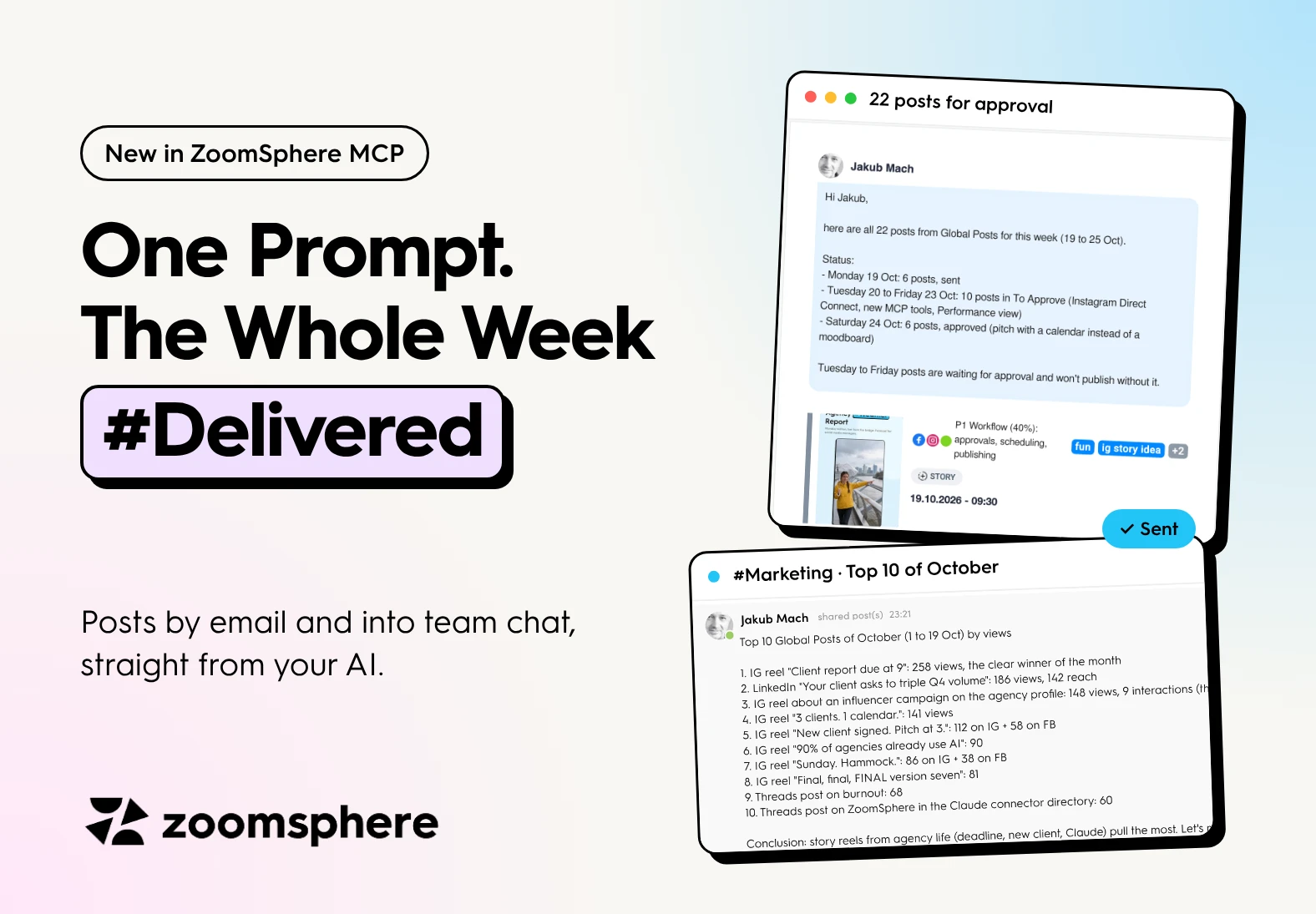
Can an AI send my social media posts to a client or to my team? Yes. With ZoomSphere connected to Claude or ChatGPT through the MCP, one sentence is enough. The AI finds the right posts, sorts them, writes a short summary and sends them as real post cards, either by email or into a ZoomSphere Chat room. Your client approves in ZoomSphere as always, and your team sees the results where it already talks.
Key facts
- Two new MCP tools: send posts by email and send posts to ZoomSphere Chat, straight from Claude or ChatGPT.
- Real post cards, not attachments. Preview, networks, content pillar, tags, status and publish time travel with every post.
- Safe by design. Email goes only to people with access to the Scheduler, chat only to rooms you are in, and the AI asks before posting into a room.
- Tested on our own accounts the evening the tools shipped: 22 posts emailed and a top 10 shared with the team in under five minutes.
- The rule stays the same: the AI moves the posts, people approve them.
The last mile of social media work just disappeared
Writing posts was never the slow part. The slow part is everything after: exporting the week, building the approval email, pasting the best posts into the team chat and chasing who saw what.
ZoomSphere MCP now does that last mile for you. Two new tools, send posts by email and send posts to chat, turn one sentence in your AI chat into a finished email in your client's inbox or a ready message in your team's room. Real post cards, real dates, real statuses. No export, no copy paste.
We tested it on our own ZoomSphere accounts the evening it shipped. Two prompts, under five minutes, and a whole stack of use cases we had not even planned for. Here are the two that hooked us.
Use case 1: the whole week in your client's inbox, from one sentence
Monday evening, the plan for the week is in the calendar. Normally that means opening the Scheduler, selecting posts and sending them for approval by hand. Now it is one line:
Prompt · Weekly email
Take this week's posts and send them to my email.
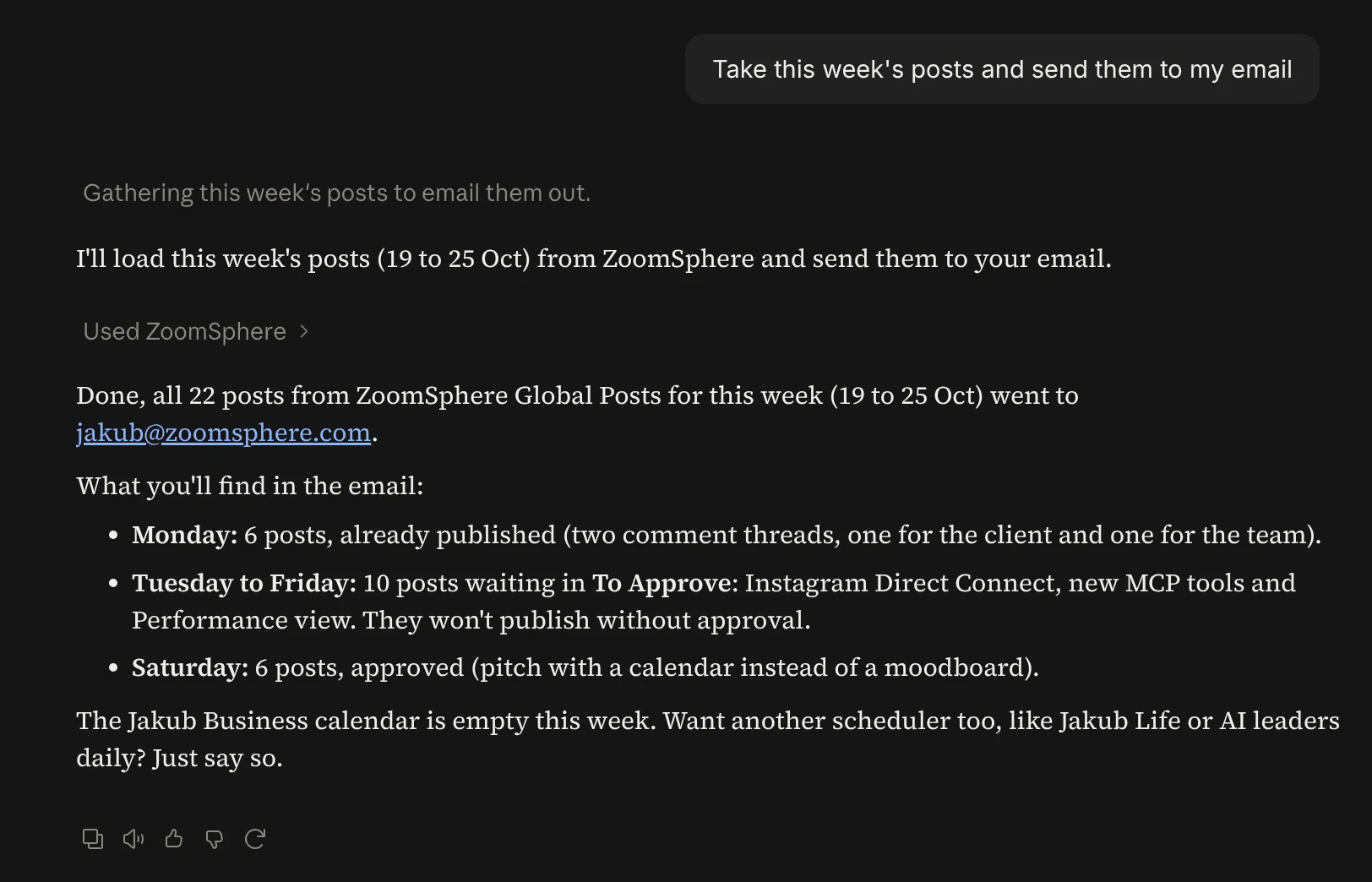
Here is what the AI did on its own, without a single follow-up question:
- Found the right Scheduler and the week (Monday 19 to Sunday 25 October).
- Loaded all 22 posts and sorted them by status: 6 already published, 10 waiting in To Approve, 6 approved.
- Wrote a short summary on top of the email, so the reader knows what needs action before scrolling.
- Sent it, with every post as a card: preview image, networks, content pillar, tags and publish time.
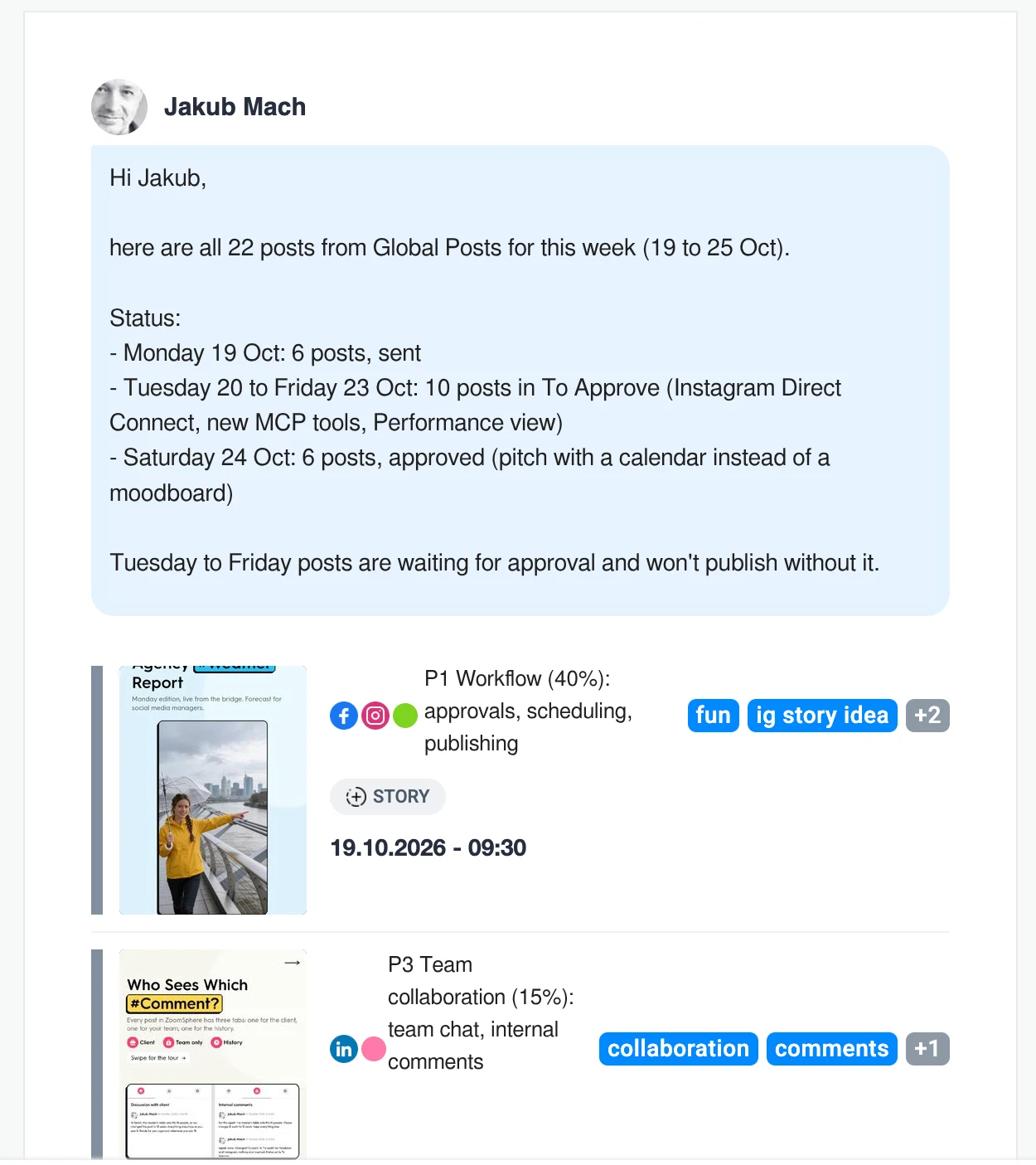
Swap "my email" for your client and this is your weekly approval email. The posts stay in ZoomSphere, so when the client approves, the status changes and the post publishes on time. Nothing gets lost in an attachment.
Worth knowing: the email can only go to people who have access to that Scheduler in ZoomSphere. Your AI cannot email a random address, which is exactly what you want from a tool that touches client content.
Use case 2: this month's top posts, straight into team chat
The second prompt is the one every team lead should steal:
Prompt · Top posts to chat
Send me this month's top posts to the ZoomSphere chat.
The AI pulled analytics for every post since 1 October across Instagram, Facebook, LinkedIn, Threads and the rest, ranked them by views and picked the top 10. Then it did something we liked even more: before sending, it asked which room to use. A chat message reaches the whole room and cannot be taken back, so a quick question beats a wrong guess.
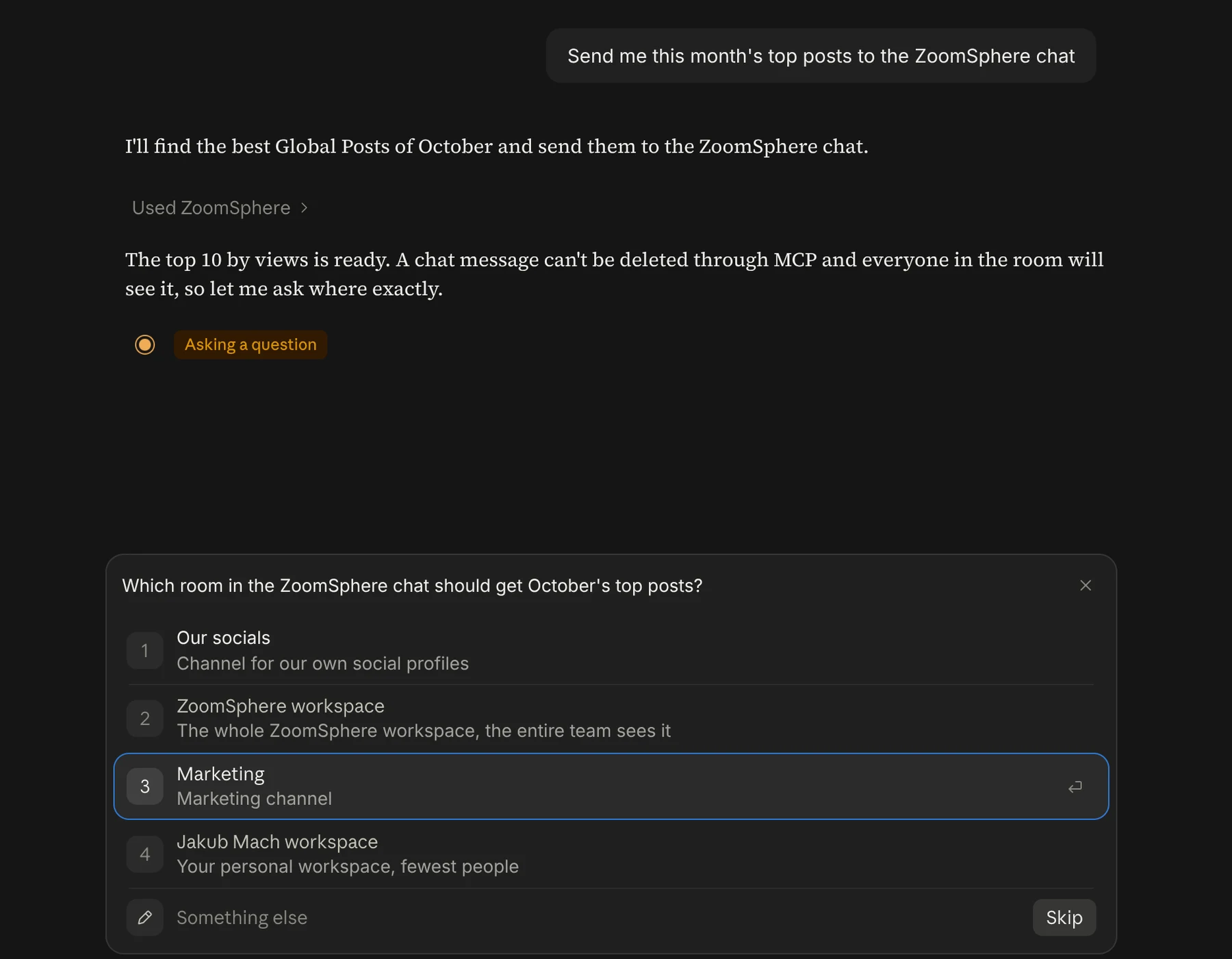
A few seconds later the Marketing room had a ranked list with the numbers and a one-line conclusion, and below it the actual posts as cards the team can open.
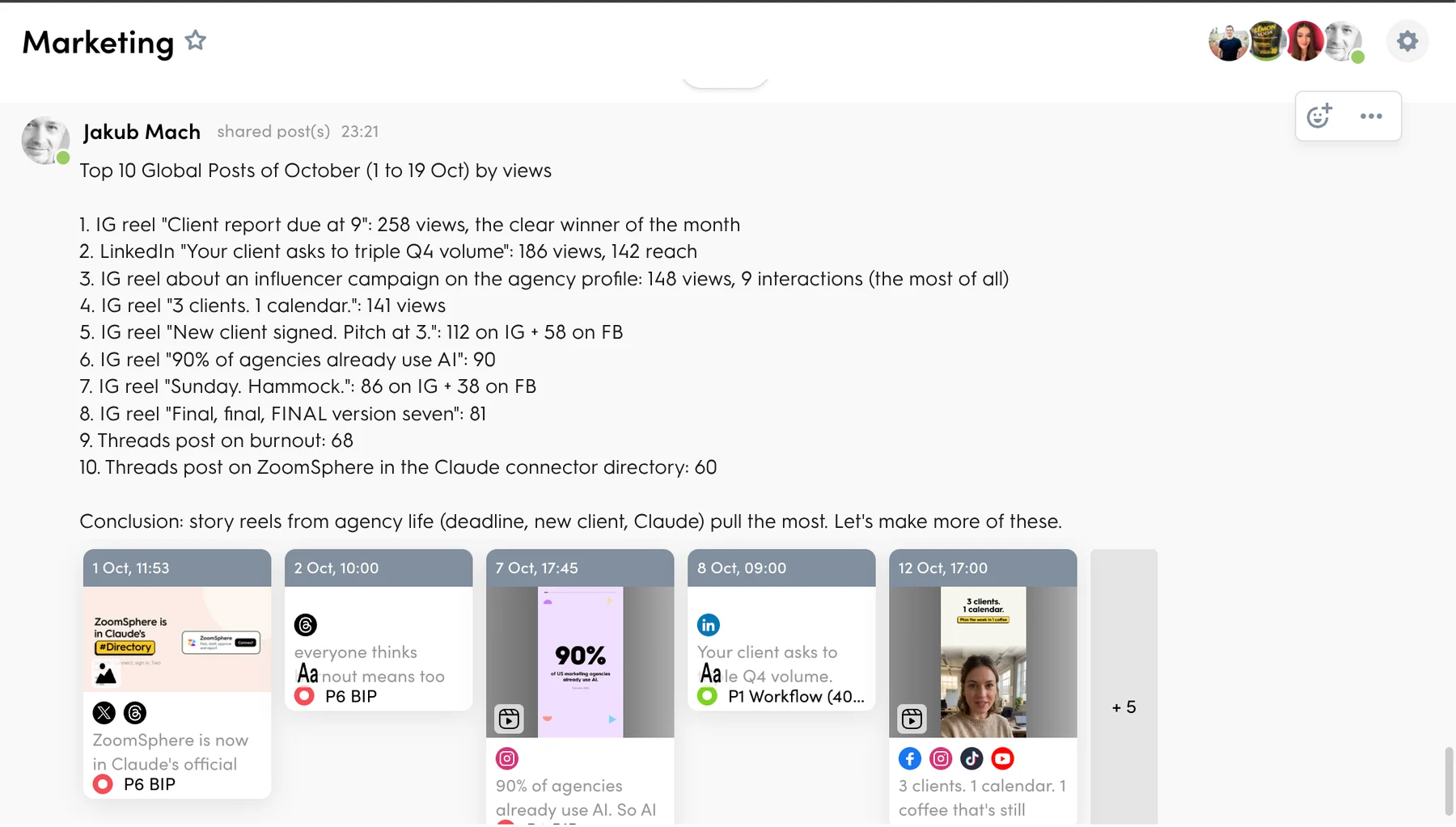
The conclusion was the useful part. Story reels from agency life (a report due at 9, a new client, a pitch at 3) beat everything else by a wide margin. The winner, a reel about a client report due at 9 am, got 258 views. Second place was a LinkedIn post with 186 views and 142 reach. That is a content decision for next month, delivered where the team already talks, without anyone opening a report.
Six more prompts to copy
Paste any of these into Claude or ChatGPT with ZoomSphere connected and change the names in brackets.
Weekly approval for a client
Take next week's posts in the [client] Scheduler that are in To Approve and email them to [client contact] with a short note asking for approval by Thursday.
Only what still needs work
Find all posts this week in To Rework and send them to the [content team] chat room, with one line per post on what the client asked to change.
Monthly report teaser
Pick the 5 best posts of last month by reach in the [client] Scheduler and email them to [client contact] with three sentences on what worked.
Best and worst by content pillar
Compare this month's posts by content pillar. Send the best and the worst post of each pillar to the Marketing chat room with the views next to them.
Monday kickoff for the team
Send this week's whole plan to the [team] chat room, grouped by day, and mention who owns each post.
Campaign wrap-up
Take all posts tagged [campaign tag] and email the top 3 by interactions to me and [account manager].
How to start
- Register in ZoomSphere and add a Scheduler with your channels.
- Connect ZoomSphere to the AI chat you already use, Claude or ChatGPT, on our MCP page.
- Type your first prompt. Start with the weekly email, it pays off on day one.
{{cta-component}}
Looking for more? All 60 prompts, from approvals to PowerPoint reports and scheduled agents, are in the ZoomSphere MCP Prompt Library.
Frequently asked questions
Who can receive the email?
Only people who have access to that Scheduler in ZoomSphere, you included. The email is sent in your name, with all recipients in BCC.
Can the AI post to any chat room?
Only to rooms you are a member of. If it is not sure which room you mean, it asks first.
Can I undo a chat message sent by the AI?
Not through the AI. That is why it asks before it sends.
Does my client need an AI tool?
No. The client gets a normal email and approves in ZoomSphere as always. Only you talk to the AI.
Does the AI approve or publish posts on its own?
No. Approval always stays with people. The AI moves the posts to where people decide.
{{form-component}}










Recommended for you
.webp)
.webp)
%20(1)%20(1).webp)