


Flexible #Approval Workflows
for Social Teams







6 Approval Methods in ZoomSphere

ZoomSphere Chat: The Fastest Way
Approval through ZoomSphere Chat is the quickest way for internal teams to review social media posts. Select one or multiple posts and send them directly to a teammate or group chat for instant feedback. With mobile push notifications and in-app commenting, teams approve content quickly and in context. Ideal for fast workflows and daily collaboration.
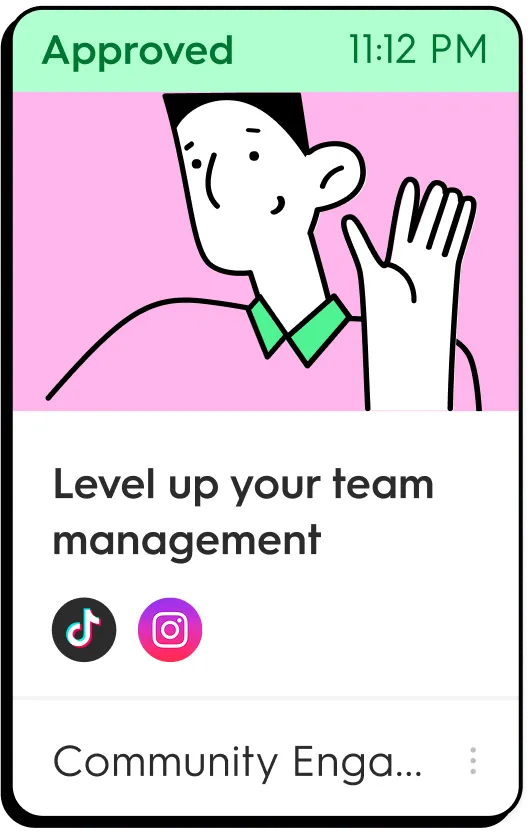
Post Statuses: Visual Workflow Control
Custom post statuses give your team a simple visual workflow. Mark posts as “To Approve” when they’re ready for review, and teammates will know exactly what requires their attention. Perfect for strucutred content processes and teams that need clear approval stages.

Email Approval: No Login Needed
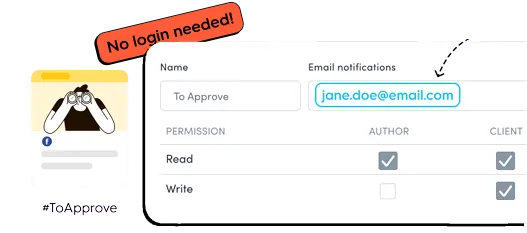
Email approvals are ideal for clients who don’t log into ZoomSphere regularly. Assign their email to the “To Approve” status, and they’ll automatically receive an email with a direct link to review the post without creating an account. Simple, accessible and perfect for agency clients and external stakeholders.
Bulk Approval via Email
Bulk Email Approval lets you send entire weekly or monthly content batches in one organized email. Clients can review and approve multiple posts at once, making large-scale approval fast and efficient. Great for monthly social media calendars, campaigns or when you need to update many post statuses in one step.
Post Comments & Mentions: Feedback Made Simple
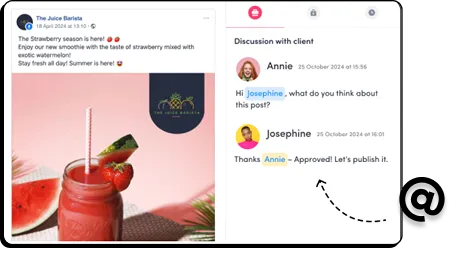
For fast, one-off approvals, simply tag teammates or clients in the post comments using the @ symbol to trigger instant notifications and get fast feedback or a simple confirmation. Perfect for last-minute checks, ad hoc approvals and rapid collaboration.
Export as PDF or Excel - Offline Reviews
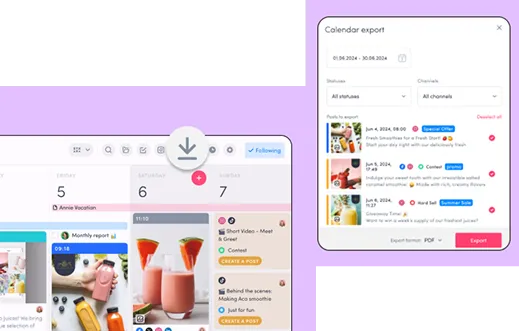
Exporting posts or full content calendars to PDF or Excel is ideal for clients who prefer offline review. Send them a weekly or monthly overview they can download, print or forward internally. Best for external stakeholders, legal teams and traditional approval workflows where no login is required.
What clients say about our
approval workflow
.webp)
.webp)



Approve posts anytime, anywhere


