6 powerful approval methods including bulk email approval for up to 100 posts at once. Stop drowning your clients in individual approval emails.
Start a 14-day free trial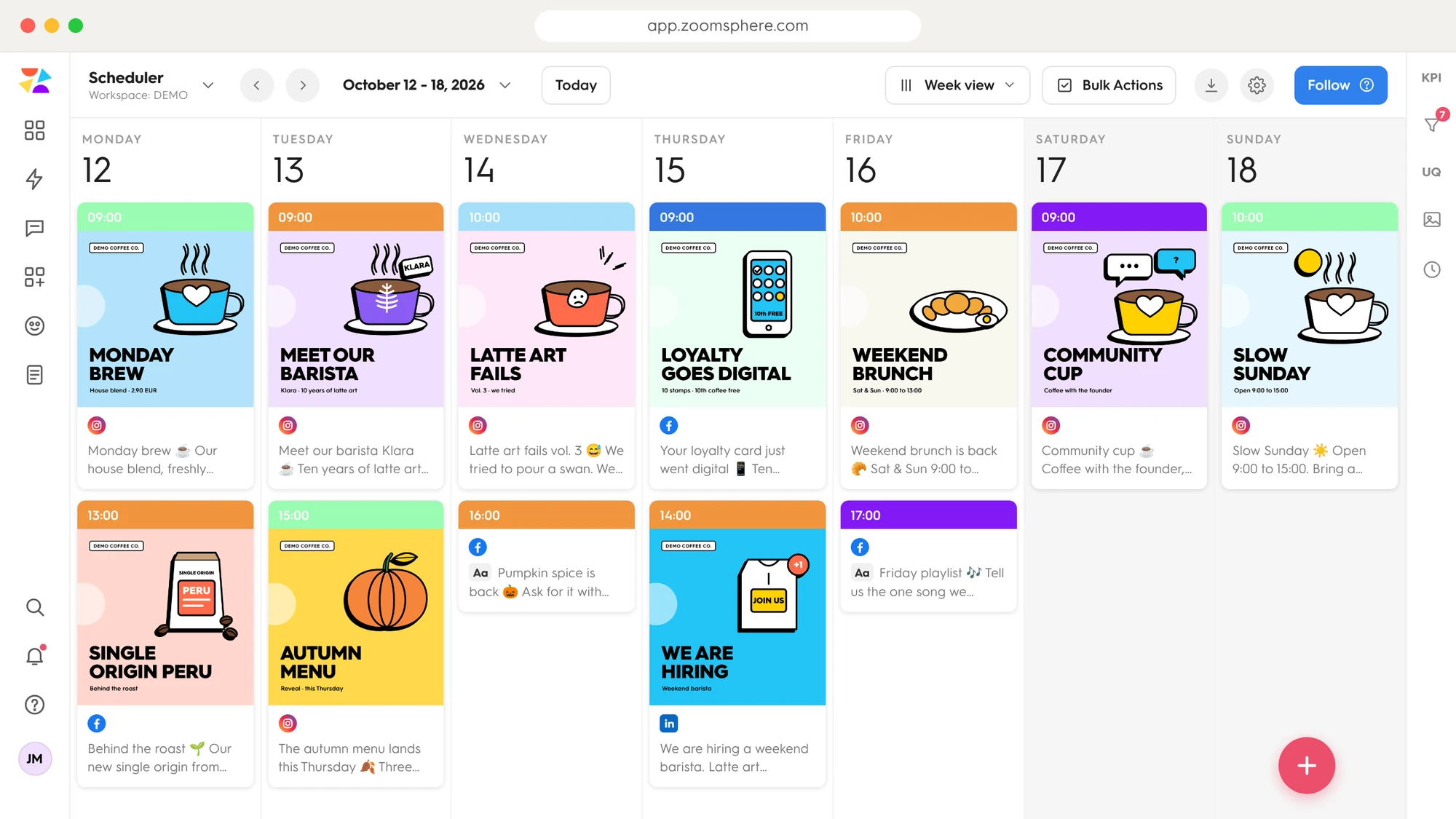
Most social media tools send a separate email for every single post that needs approval. Here is what that looks like with a monthly content plan.
Individual approval emails per month. Each one means a separate click, a separate login and a separate decision. Your client's inbox is buried.
One email with every post previewed. Your client reviews the whole month at once and clicks through to approve. Done in minutes.
The fastest way to get client sign-off. Select posts, compose one email, and your client sees the whole batch in one beautiful preview, then approves it inside ZoomSphere, where every decision is logged.
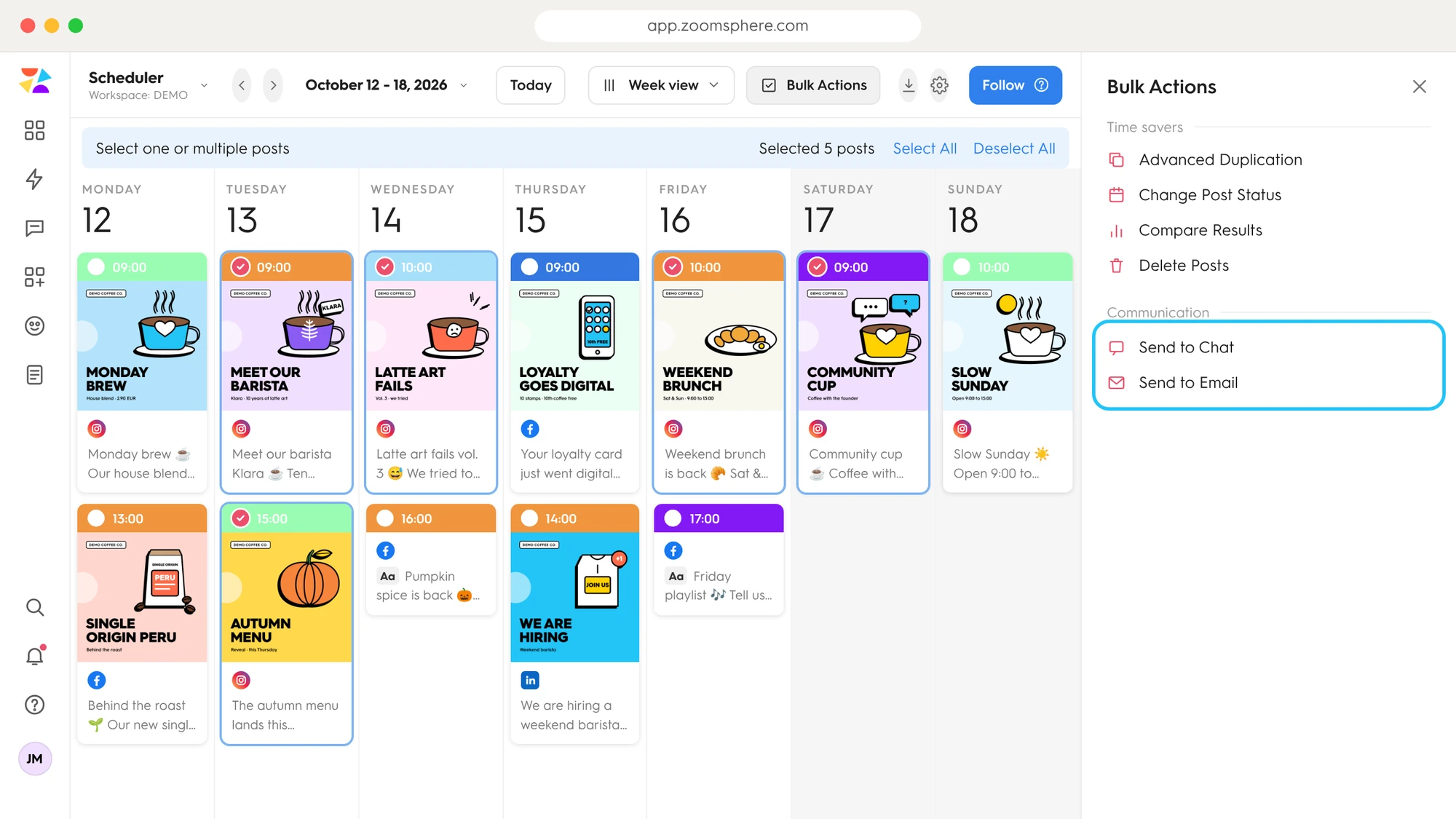
Bulk Actions in the real Scheduler: 5 posts selected, Send to Email one click away.
Use Bulk Actions to select up to 100 posts at once
Add recipients & a message via Send to Email
Previews of every post arrive in one email, not 47 separate ones
Client clicks through to approve, comment, or request changes
Statuses update automatically. Ready to publish
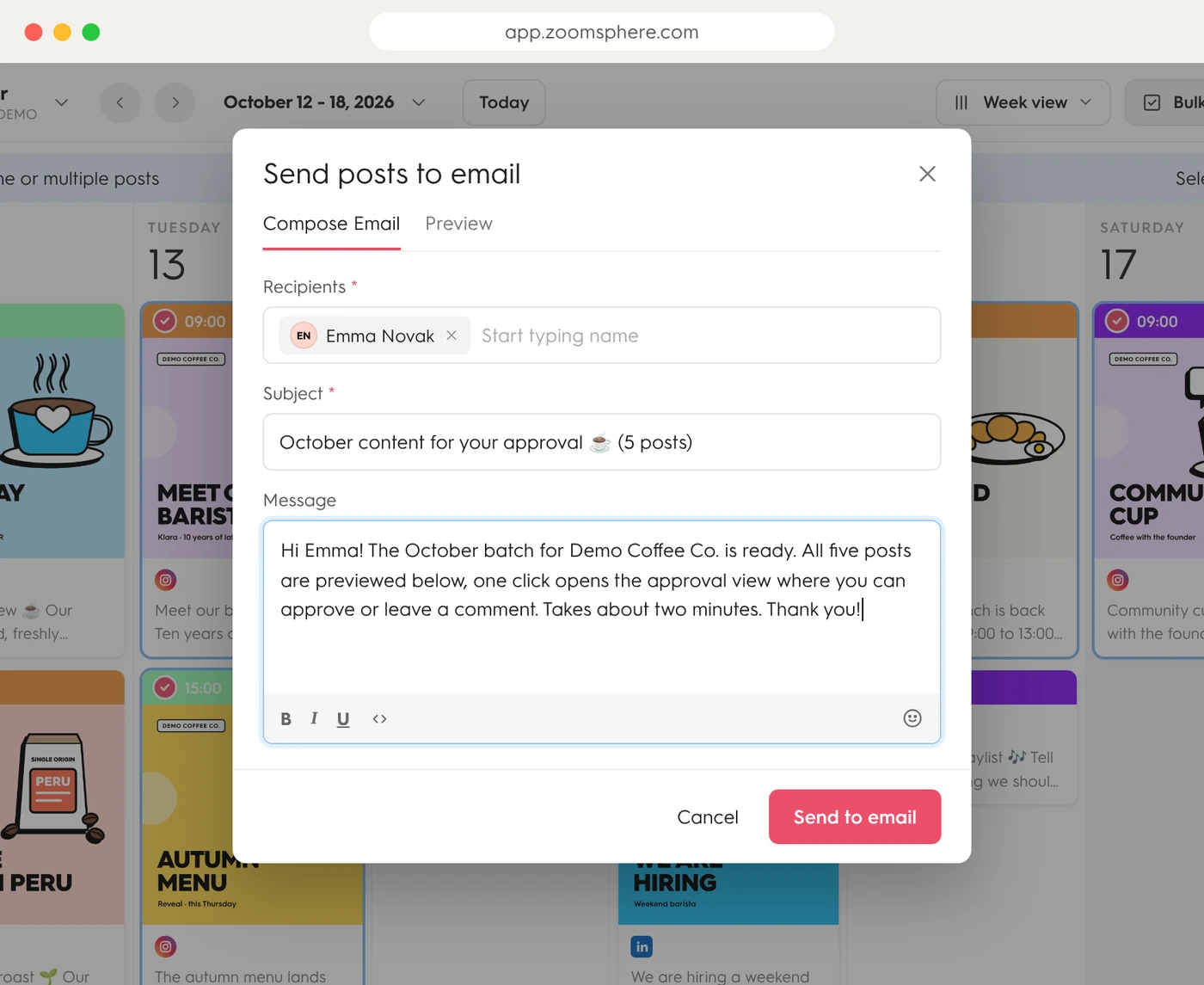
Steps 1 and 2: one compose window for the whole batch.
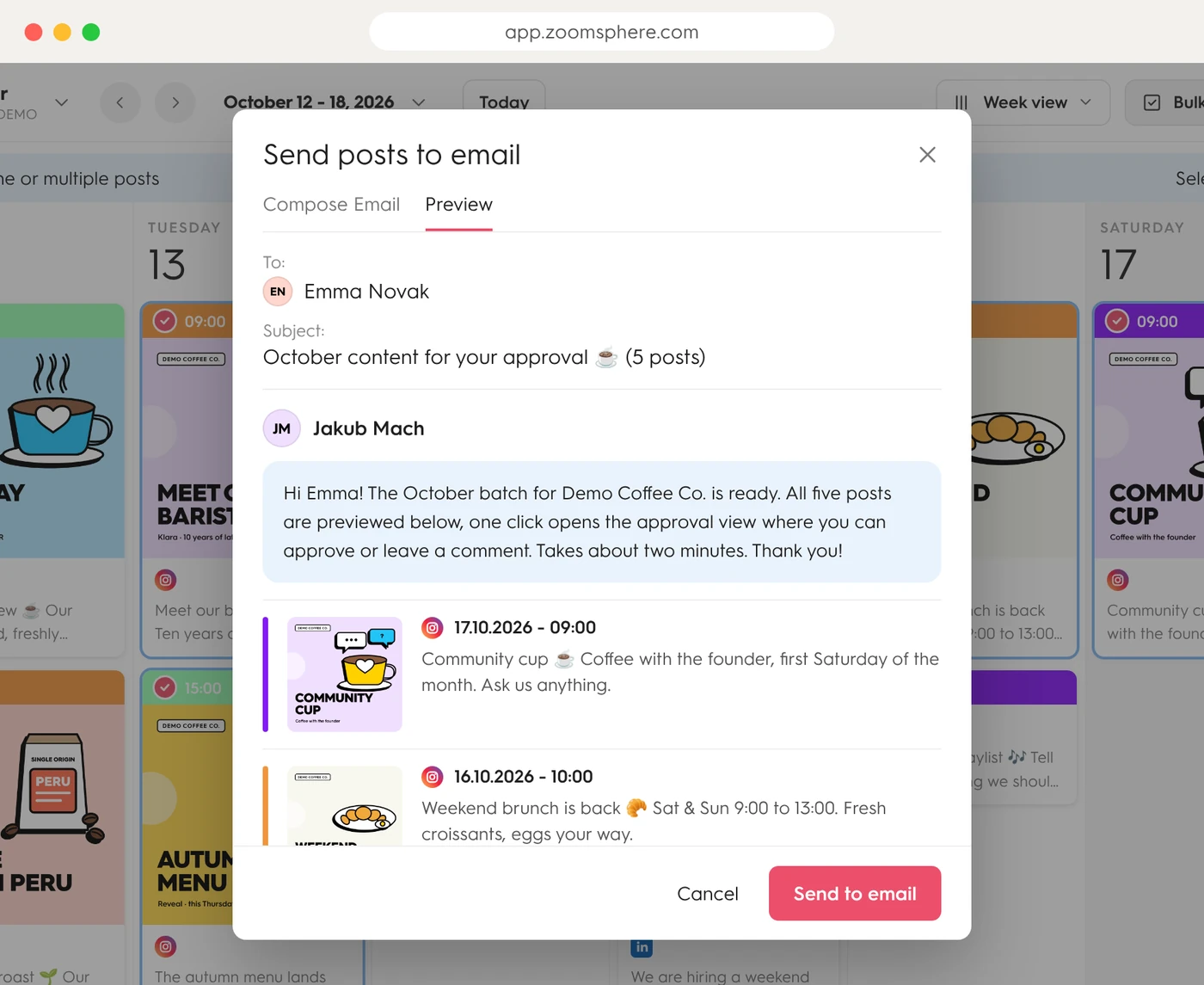
Step 3: the preview tab shows exactly what lands in the client inbox.
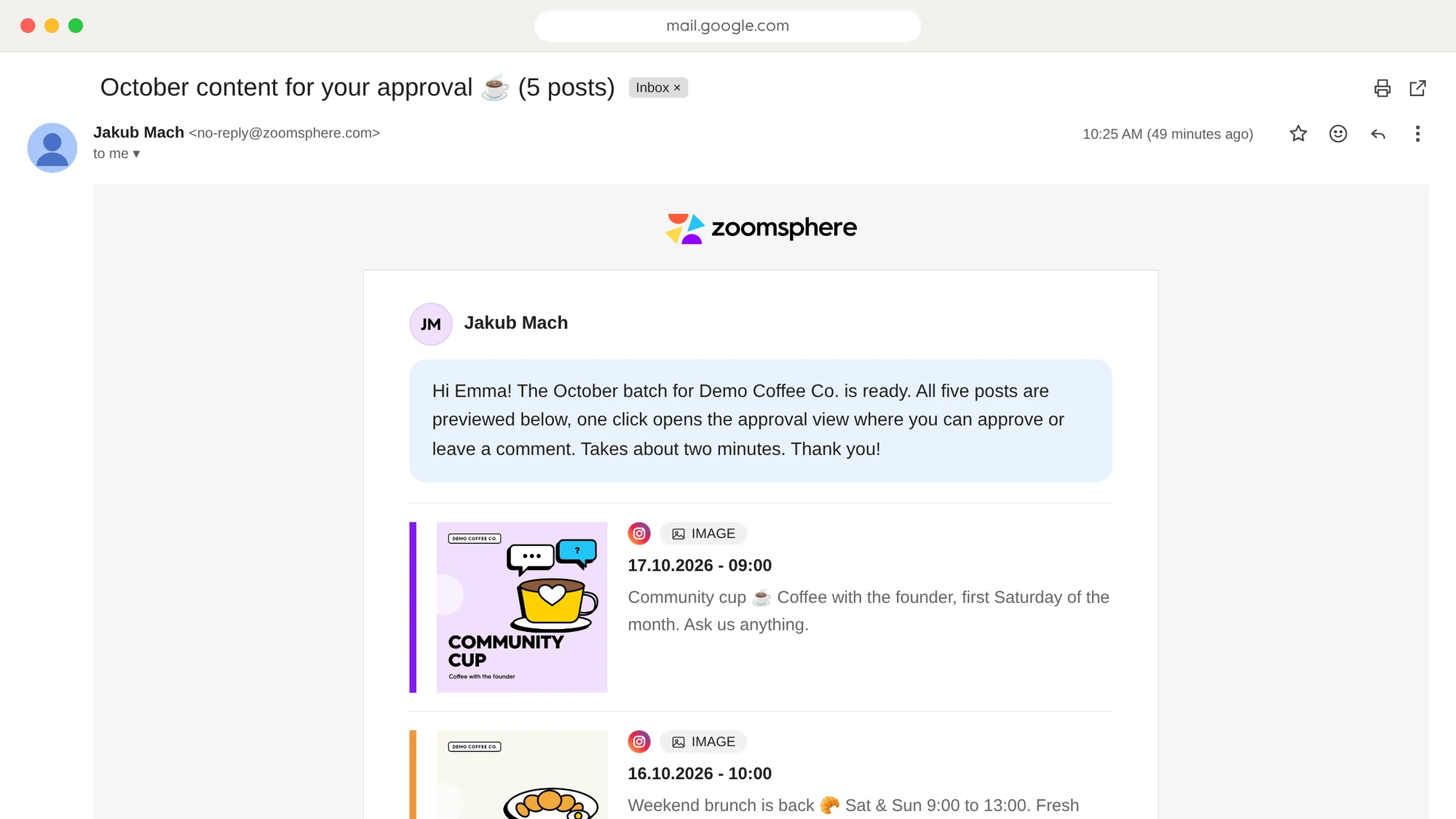
And the real thing: the exact email in the client's Gmail. Five posts, one email, one click to open them in ZoomSphere and approve.
Posts in a single approval email
Email for the whole batch, not one per post
Of approvals recorded in the activity log
Prefer real-time collaboration? Send posts directly to ZoomSphere built-in chat for instant team feedback and approvals.
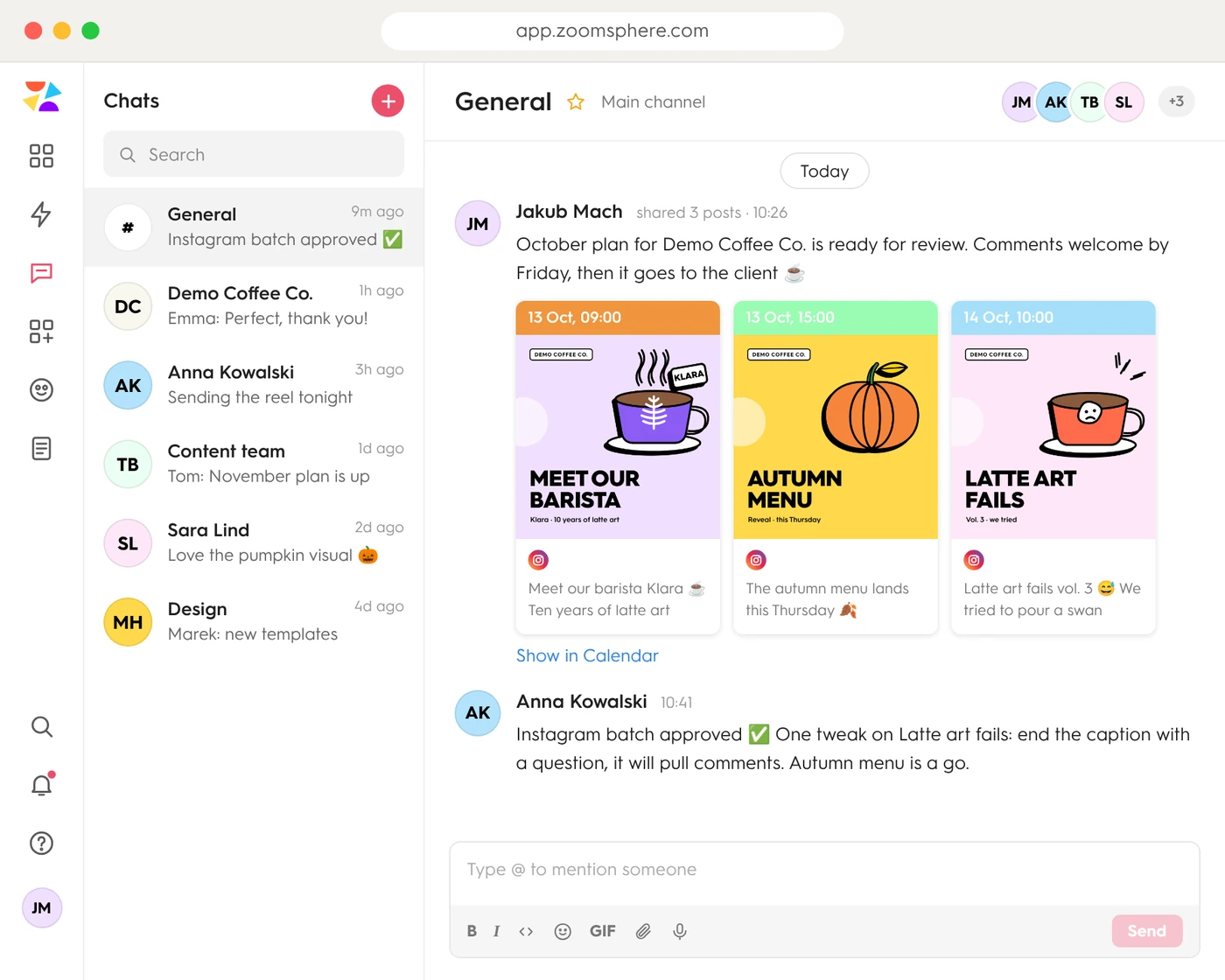
A real thread: content plan shared to chat, approved in the same conversation.
ZoomSphere gives you more approval flexibility than any other tool. Choose the method that fits your workflow.
Select up to 100 posts, send one email with previews. Client reviews the batch and clicks through to approve.
Up to 100 postsShare posts to ZoomSphere internal chat. Real-time discussion, instant feedback, and approvals in one place.
Real-timeTag team members or clients directly under posts in the calendar. Mention triggers a notification, so no post gets overlooked.
Notification-linkedMove posts through stages: Private Draft → In Progress → To Approve → Approved. Need changes? To Rework sends it back. Everyone sees where content stands.
Visual pipelineAutomatically notify stakeholders when a post reaches a specific status. No manual follow-ups needed.
AutomatedExport your content plan as a polished PDF or Excel file. Perfect for clients who prefer offline review and sign-off.
Offline-friendly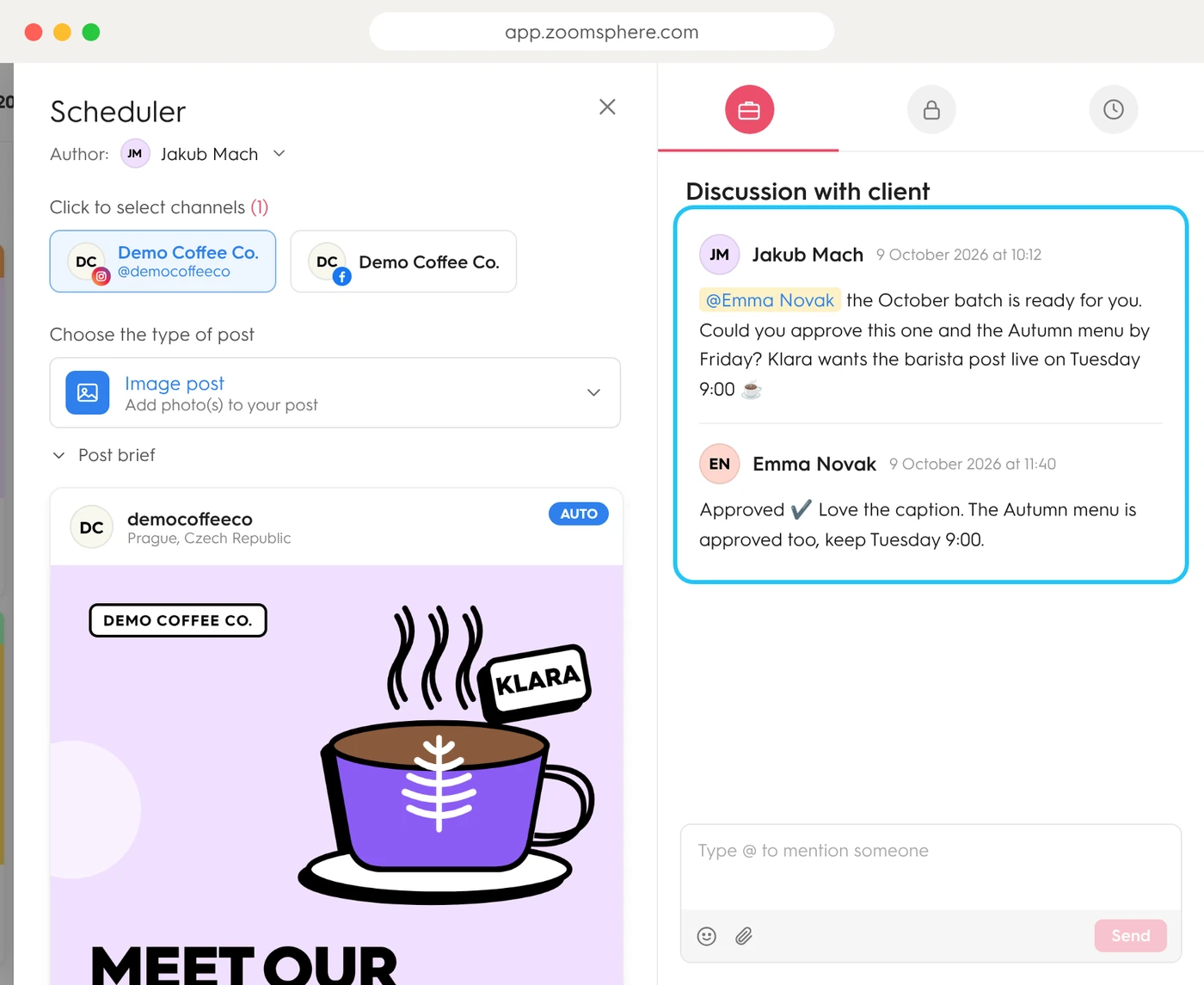
Client discussion lives on the post: one @mention, one Approved reply.
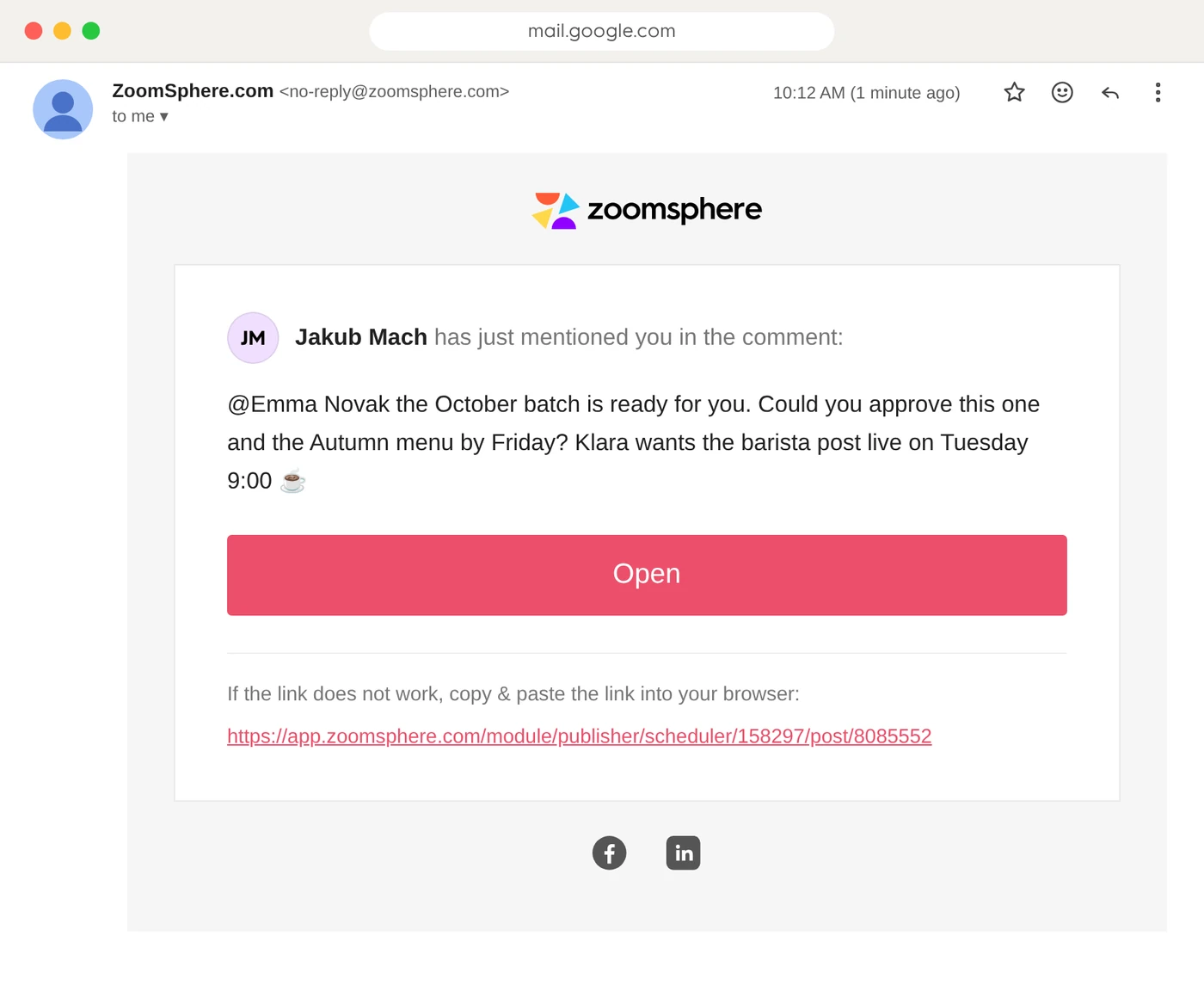
The @mention lands as a real email. Open takes the client straight to the post.
Every post moves through a clear pipeline. Your whole team knows exactly where each piece of content stands.
Team eyes only
Being written
Waiting for the client
Ready to publish
Live!
Need changes? To Rework sends the post back to the team, with the client's comments attached.
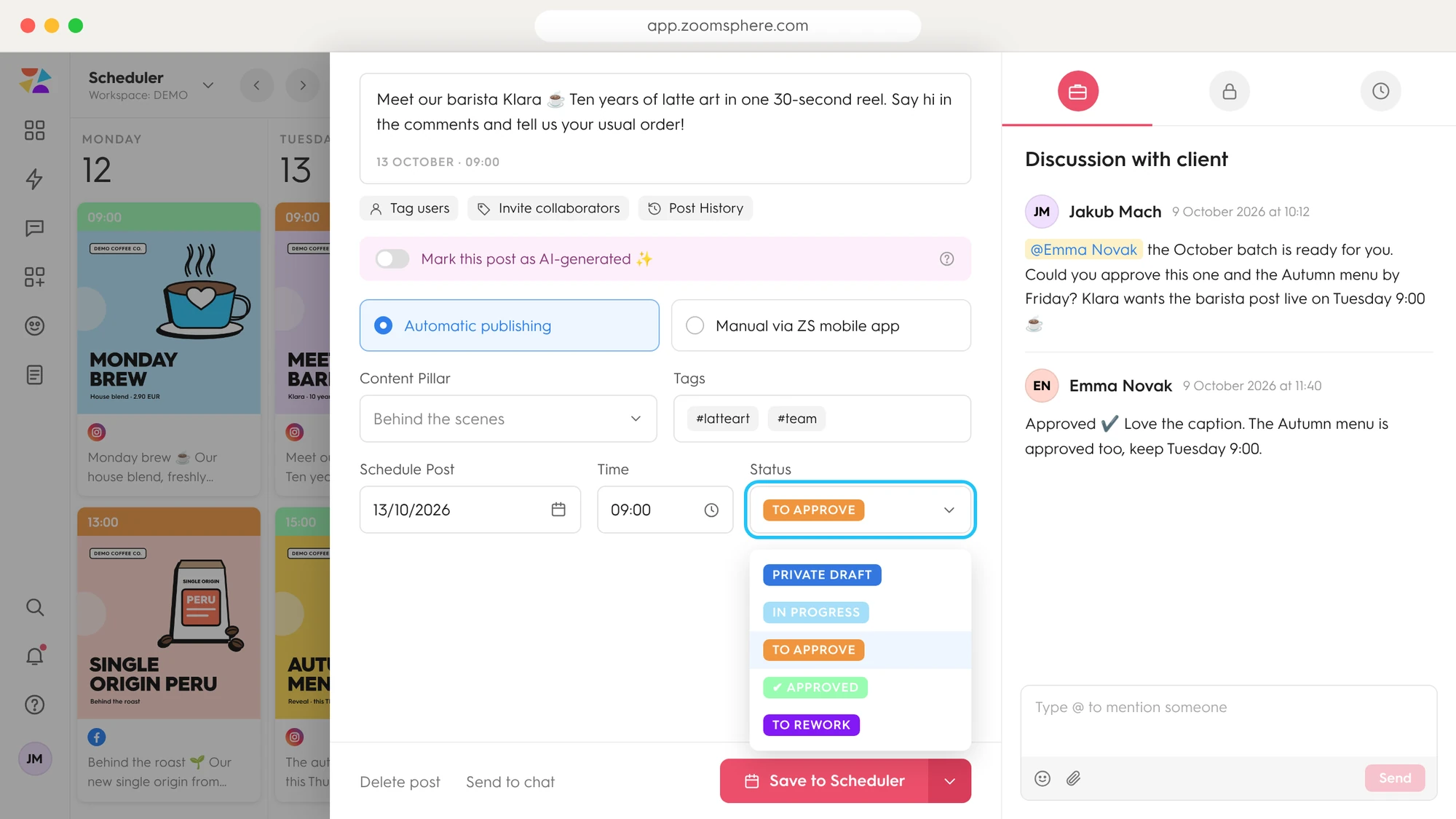
Statuses are one dropdown on the post, and every color shows in the calendar.
Not all approval workflows are created equal. See how ZoomSphere stacks up against the competition.
| Feature | Built for agenciesZoomSphere | Hootsuite | Buffer | Sprout Social |
|---|---|---|---|---|
| Bulk email approvalUp to 100 posts in one email | Digest, no bulk approve | |||
| Clients approve inside the toolInvite clients to review, comment and approve | Max 3, Advanced plan | |||
| Built-in team chatShare posts and plans to any channel | ||||
| @Mentions with notificationsTag teammates and clients on the post | Basic | |||
| Custom status workflowPrivate Draft to Approved, your way | Limited | |||
| Status-triggered emailClients notified automatically | ||||
| PDF & Excel exportOffline review and sign-off | PDF & CSV | PDF only |
Based on official vendor help centers and pricing pages, checked October 2026. Sprout Social approval workflows start on the Professional plan ($299 per seat/month), external approvers need Advanced ($399 per seat/month) and posts cannot be bulk-approved. Buffer approvals require the Team plan and only full-access users can approve. Hootsuite approvals sit on Advanced and Enterprise plans.
Stop sending 47 emails for one content plan. Start approving content the way it should be: fast, organized, and in bulk.
Start a 14-day free trial

