Describe a report, an alert, a deep analysis or even a game. Your AI agent builds it from live ZoomSphere data and saves it as a module right in your workspace. Your team opens it next to the Scheduler, your client gets a link.
An AI App is a small web app that lives in your workspace and reads your ZoomSphere data. If you can describe it, your agent can build it. A few we use every day:
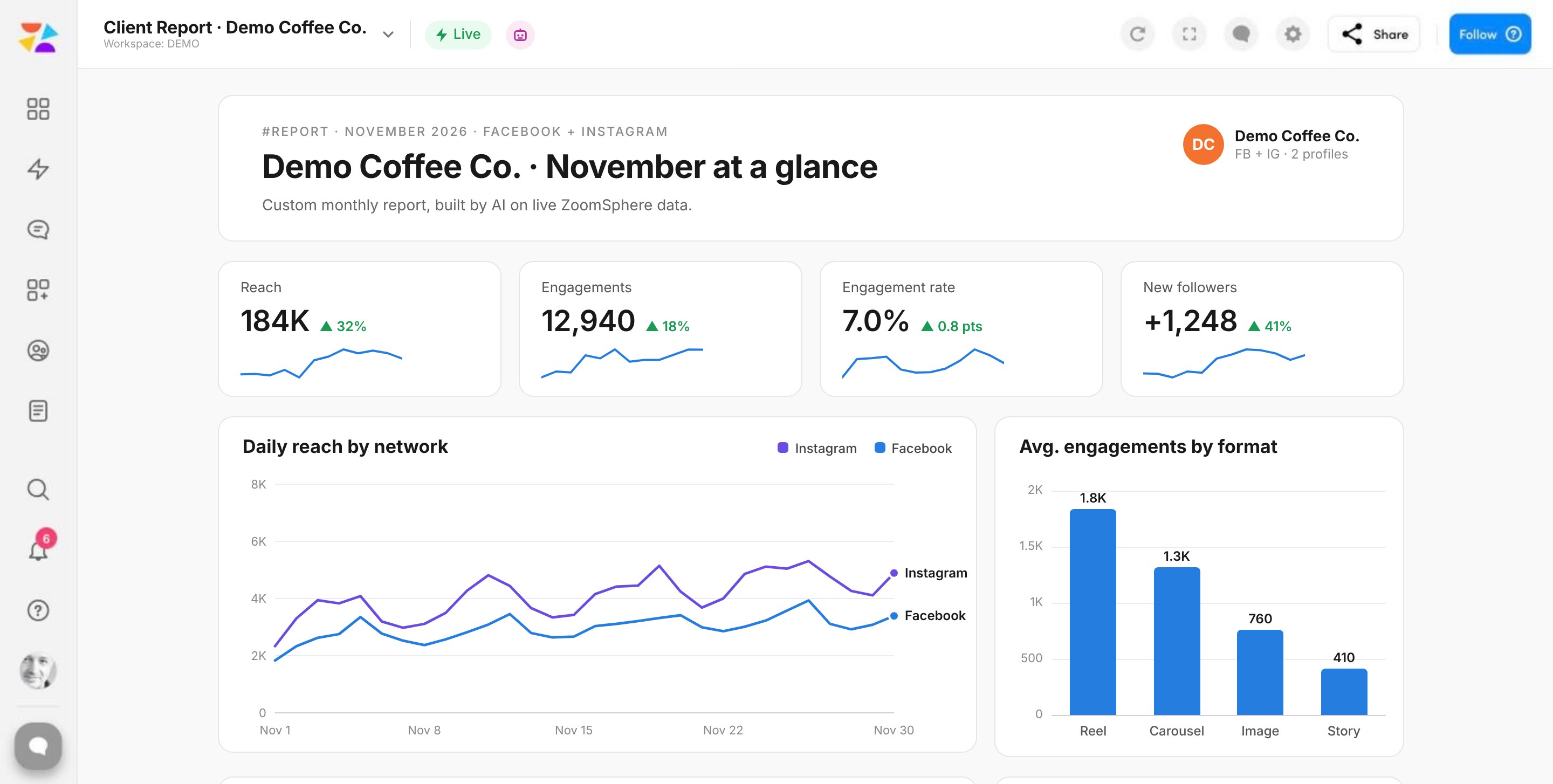
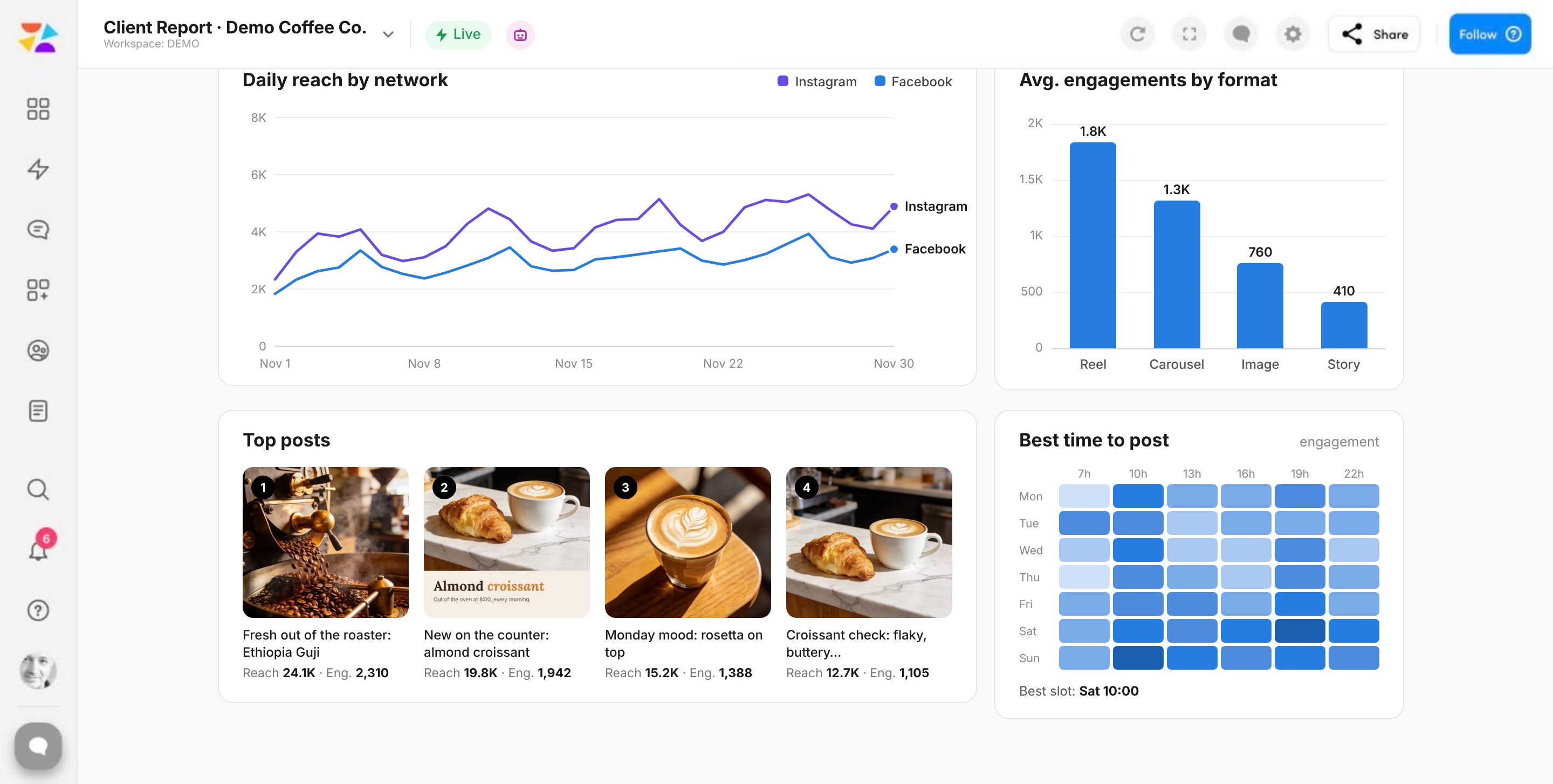
KPI tiles with sparklines, reach per network, engagement by format, top posts and the best time to post. Ready to send at the end of the month.
Build last month's report for the client in this workspace, with charts I'd be proud to send. KPI tiles for reach, engagements, engagement rate and new followers, each with a sparkline and the change vs. the month before. A daily reach line chart per network, average engagement by format as a bar chart, the top 4 posts with thumbnails and numbers, a best-time-to-post heatmap and three takeaways in plain language. Put it in my "AI App" module in ZoomSphere.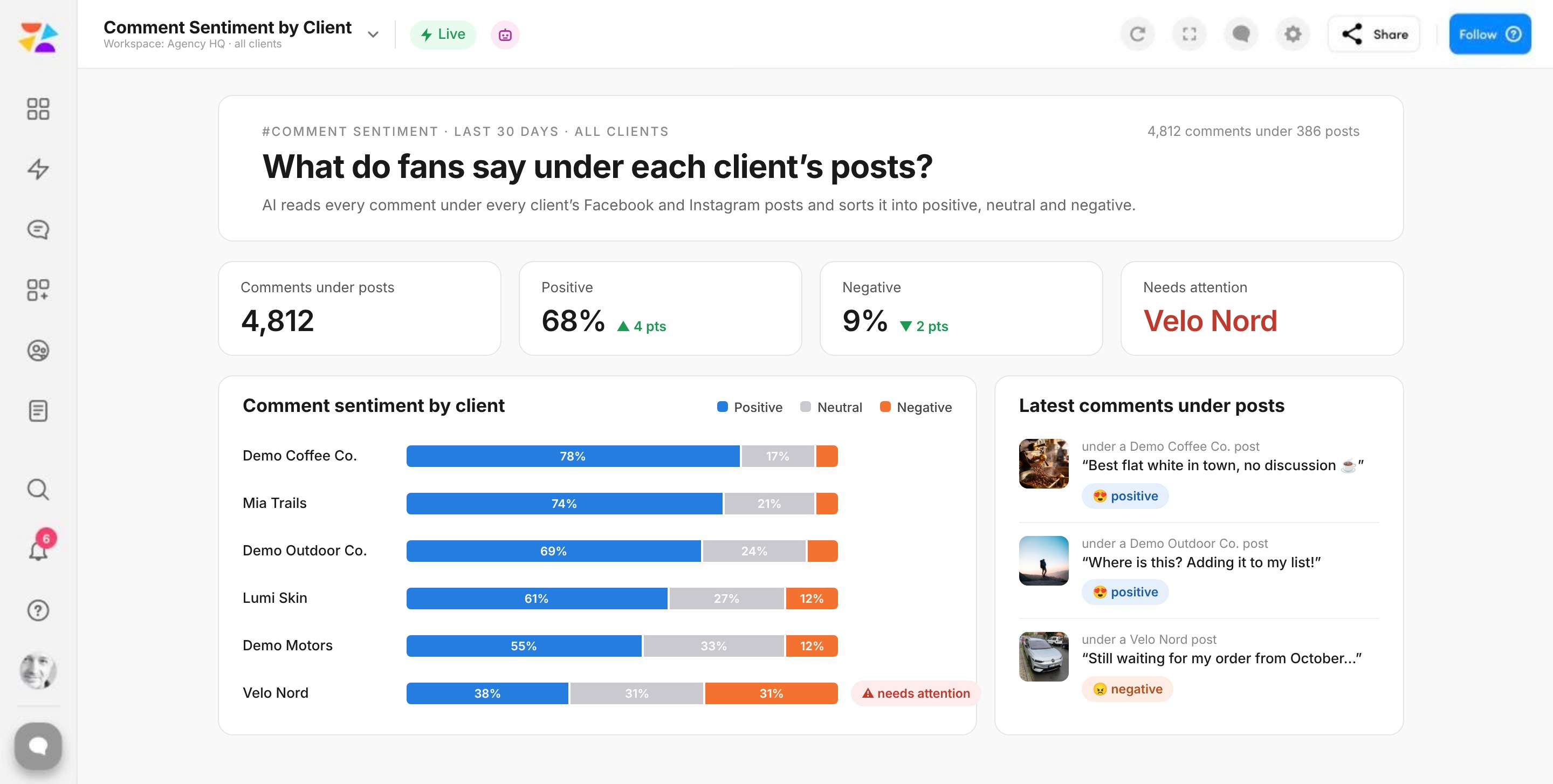
Reads every comment under your clients' posts and sorts it into positive, neutral and negative. You see whose audience is turning before the client calls.
Build an app that reads every comment under the Facebook and Instagram posts of all my clients from the last 30 days and sorts them into positive, neutral and negative. At the top, KPI tiles: comments analysed, positive share, negative share and the client that needs attention. Below, a stacked sentiment bar per client and the latest comments under posts with a sentiment label, each linking to its post. Put it in my "AI App" module in ZoomSphere.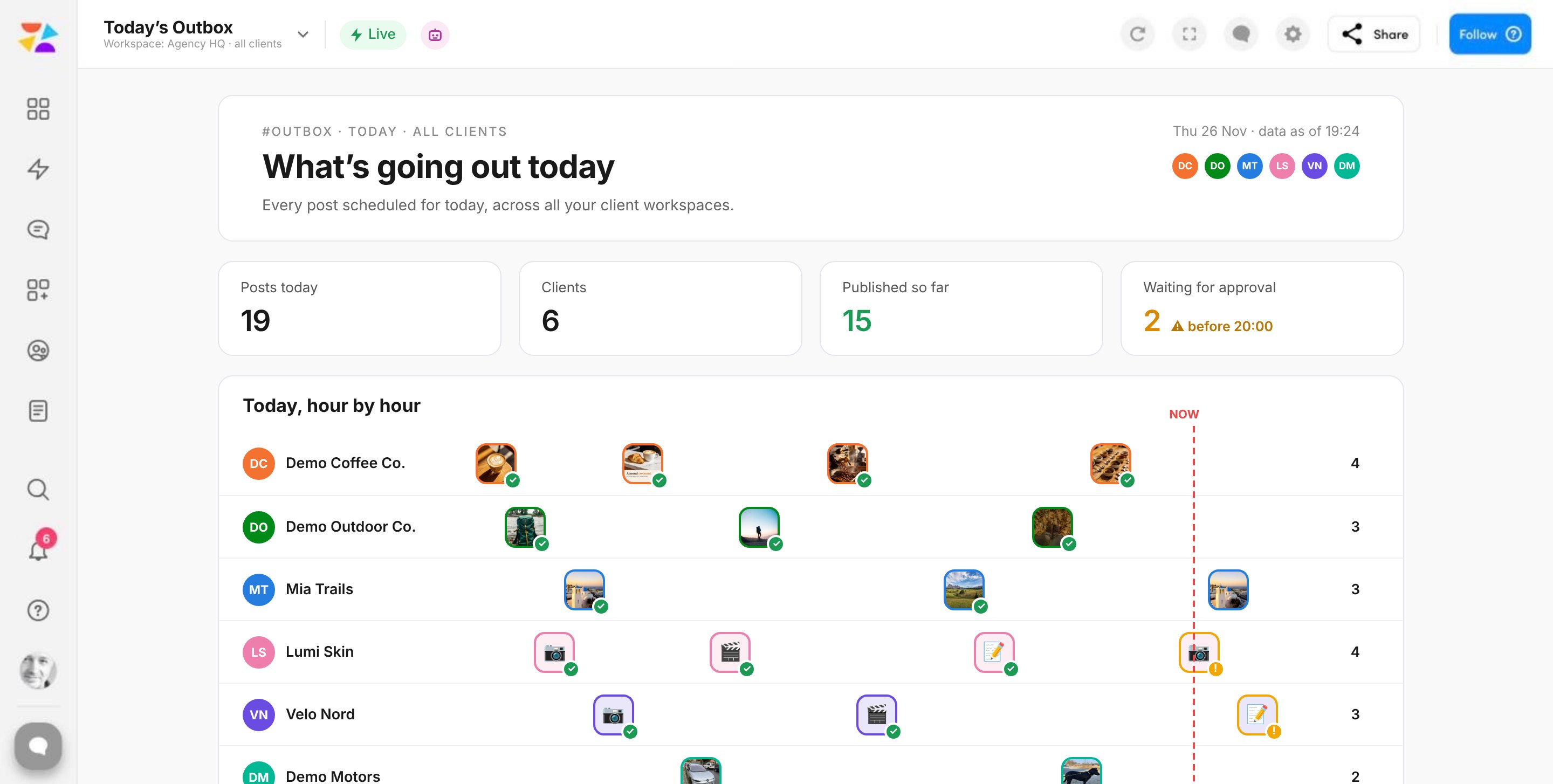
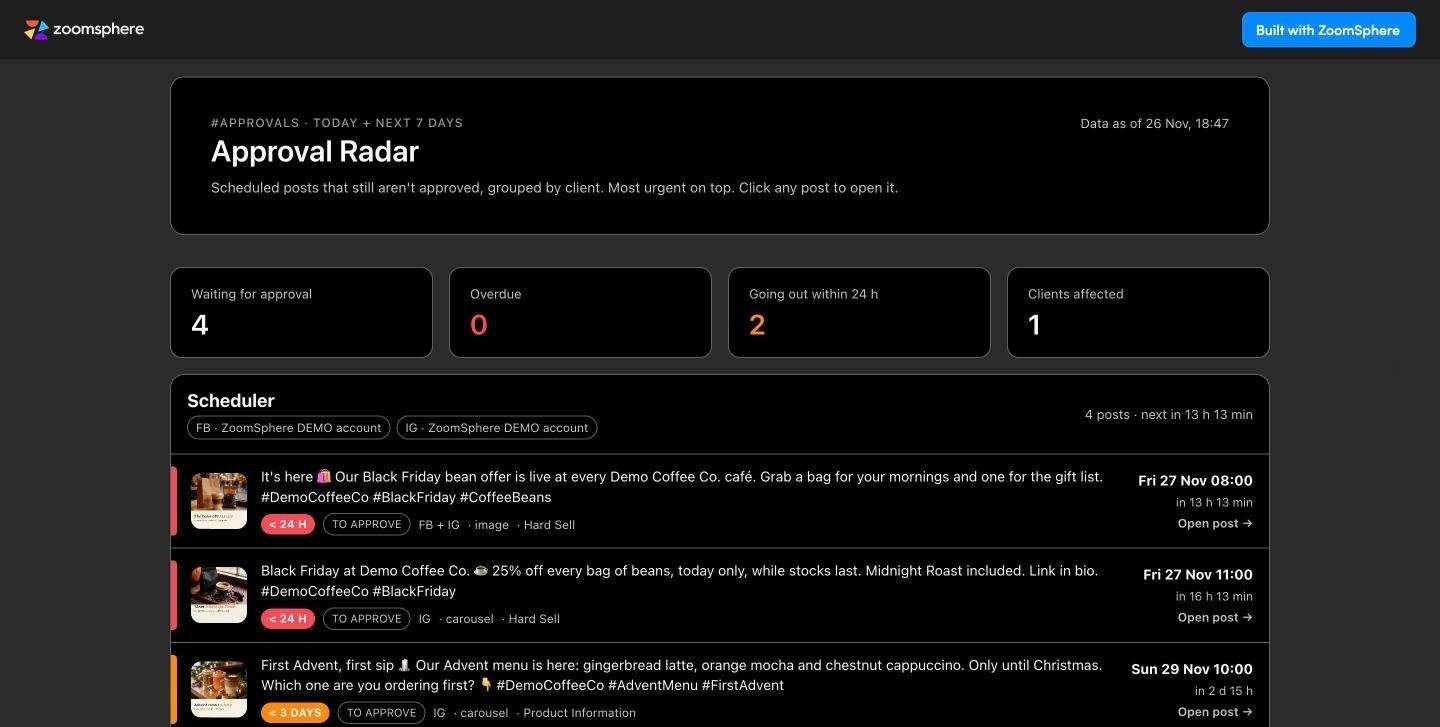
Every post going out today across every workspace, hour by hour, with what is published, what is waiting and what needs approval before 8 pm.
Build "Today's outbox" across all my client workspaces. KPI tiles: posts today, clients, published so far and waiting for approval, with a warning if anything still needs approval before 20:00. Below, a timeline from 7:00 to 21:00 with one row per client and every post as a thumbnail at its publish time, marked published, scheduled or waiting for approval, plus a red "now" line. Put it in my "AI App" module in ZoomSphere.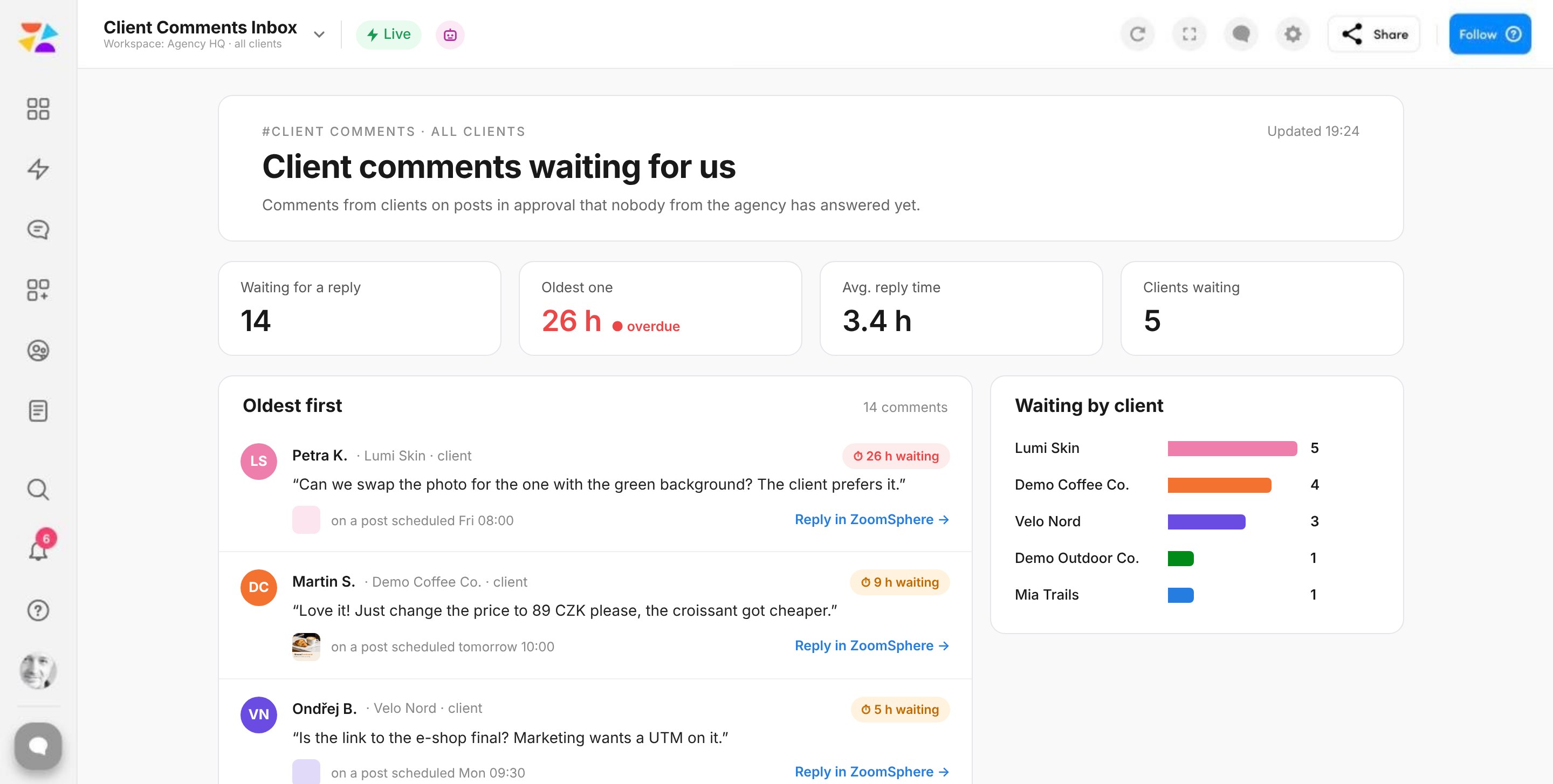
Every comment a client left on a post in approval that nobody from your team answered yet, oldest first, with one click to reply.
Build an app that lists every comment my clients left on posts in approval that nobody from our team has answered yet, across all client workspaces. KPI tiles: comments waiting for a reply, the oldest one, average reply time and clients waiting. Below, the comments oldest first with client, author, the comment, how long it has been waiting and a "Reply in ZoomSphere" link, and next to it a bar chart of waiting comments by client. Put it in my "AI App" module in ZoomSphere.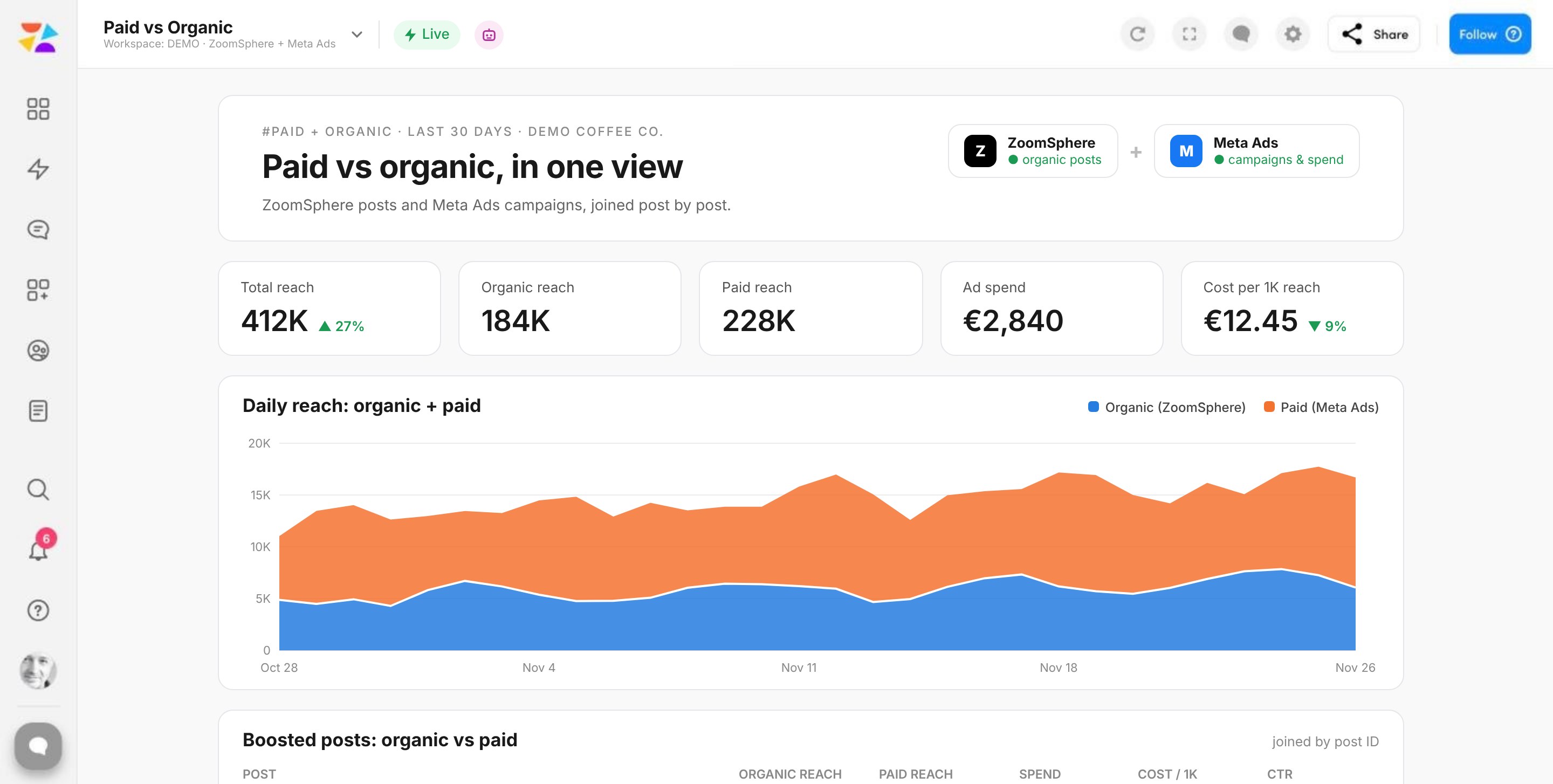
ZoomSphere posts joined with Meta Ads campaigns post by post: total reach, paid reach, ad spend and cost per 1,000 reached. Two MCPs, one app.
Combine our ZoomSphere posts with Meta Ads results for [client] over the last 30 days. KPI tiles: total reach, organic reach, paid reach, ad spend and cost per 1,000 reached. A stacked area chart of daily organic and paid reach, and a table of boosted posts with organic and paid results side by side. Put it in my "AI App" module in ZoomSphere.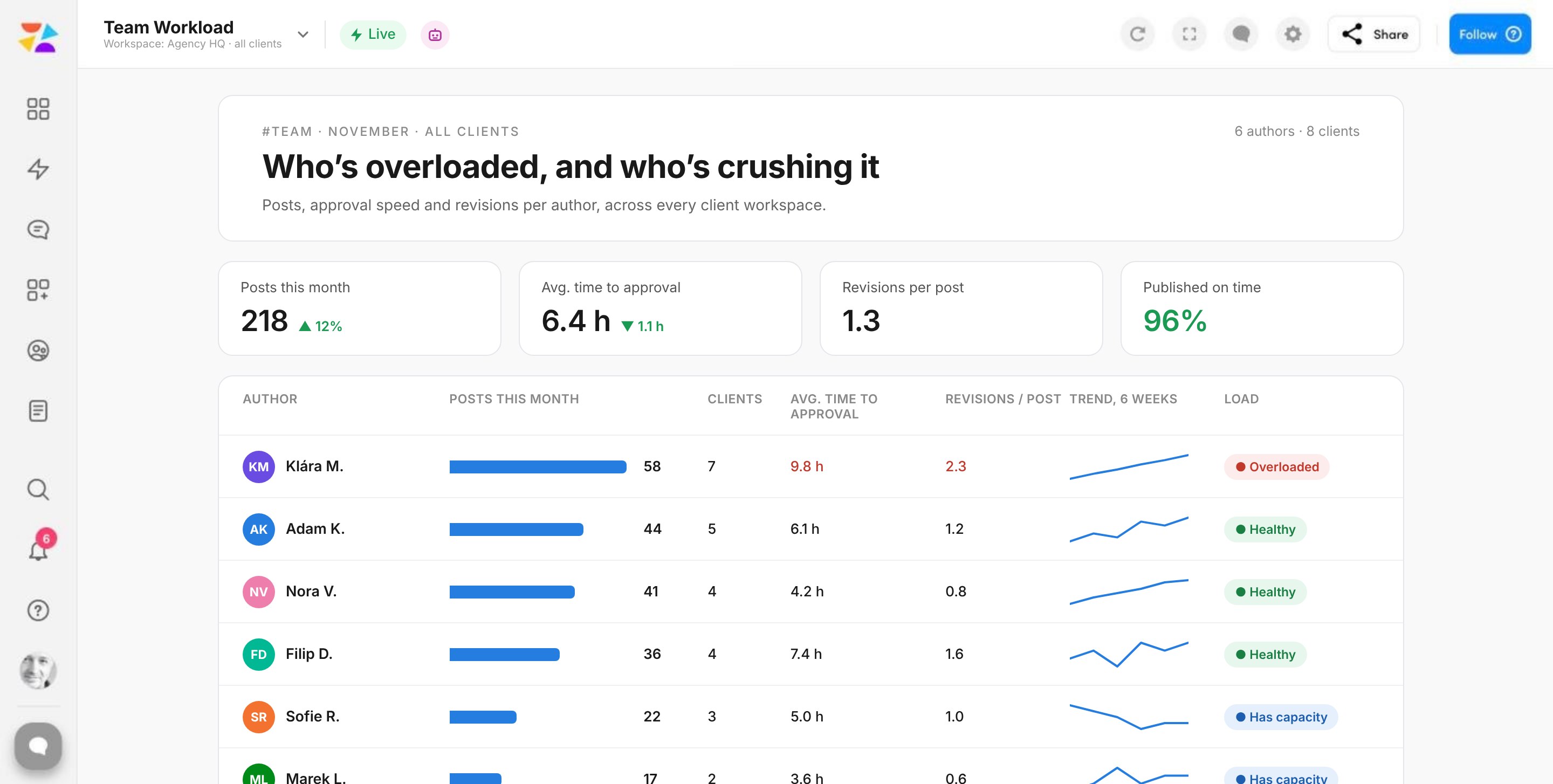
Posts per author, average time to approval and revisions per post, with a load badge that tells you who is overloaded and who has capacity.
Build a team workload app across all client workspaces for this month. KPI tiles: posts this month, average time to approval, revisions per post and published on time. Below, a table with one row per author: posts created, clients covered, average time to approval, revisions per post, a 6-week trend sparkline and a load badge (overloaded, healthy, has capacity). Sort by load, busiest first. Put it in my "AI App" module in ZoomSphere.
A bubble chart of posts, engagement and reach per pillar with "do more of this" and "post less of this" zones and clear next steps.
Analyze our content pillars for the last 90 days as a bubble chart: posts published on the x-axis, engagement rate on the y-axis, bubble size = reach, one color per pillar, with "do more of this" and "post less of this" zones. Next to it, the best and the weakest post of each pillar with thumbnails, one headline insight in a single sentence and three recommendations for next month. Put it in my "AI App" module in ZoomSphere.
Published posts feed it, posts stuck in approval make it messy, likes make it happy. Proof that an AI App can be anything, and the team suddenly cares about an empty queue.
Turn our posts into a Tamagotchi: a cute animated creature inside a glossy toy device, with Food, Clean and Joy meters. Published posts feed it, posts stuck in approval make it messy and likes make it happy. When it's hungry it looks sad and asks for a post; when a new post goes out, it eats it, hops around and shows hearts. Add a short log of today's posts and gentle sounds. Put it in my "AI App" module in ZoomSphere.Every prompt above is ready to paste into your AI agent. More ideas in the AI Apps section of the ZoomSphere MCP Prompt Library.
An AI App can work with the data of one client workspace, or pull from every workspace you can access in one view.
When a ZoomSphere metric appears in an AI App, ZoomSphere keeps it up to date for you. The data refreshes every time someone opens the app, so nobody looks at last week's export again.
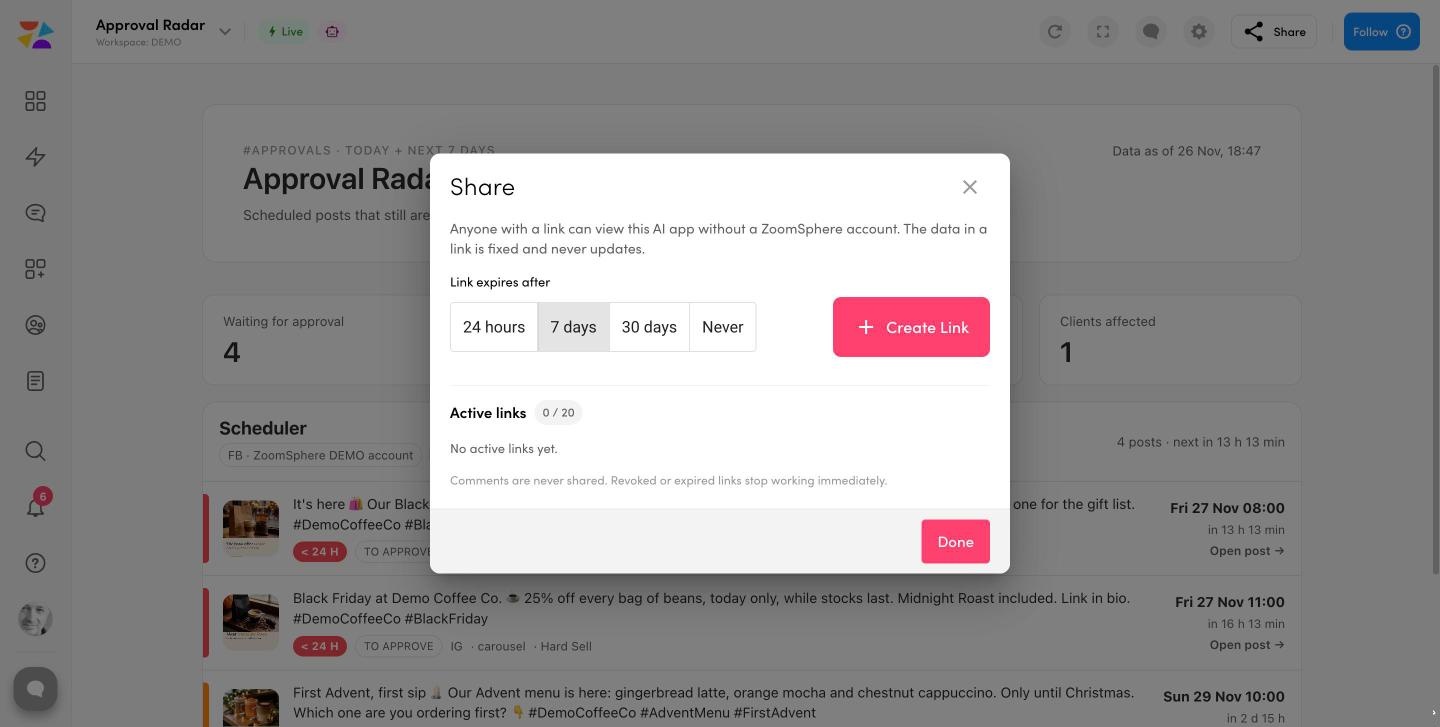
Hit Share, pick how long the link should work and send it to your client by e-mail or on WhatsApp. They open it at zoomsphere.page without a ZoomSphere account.
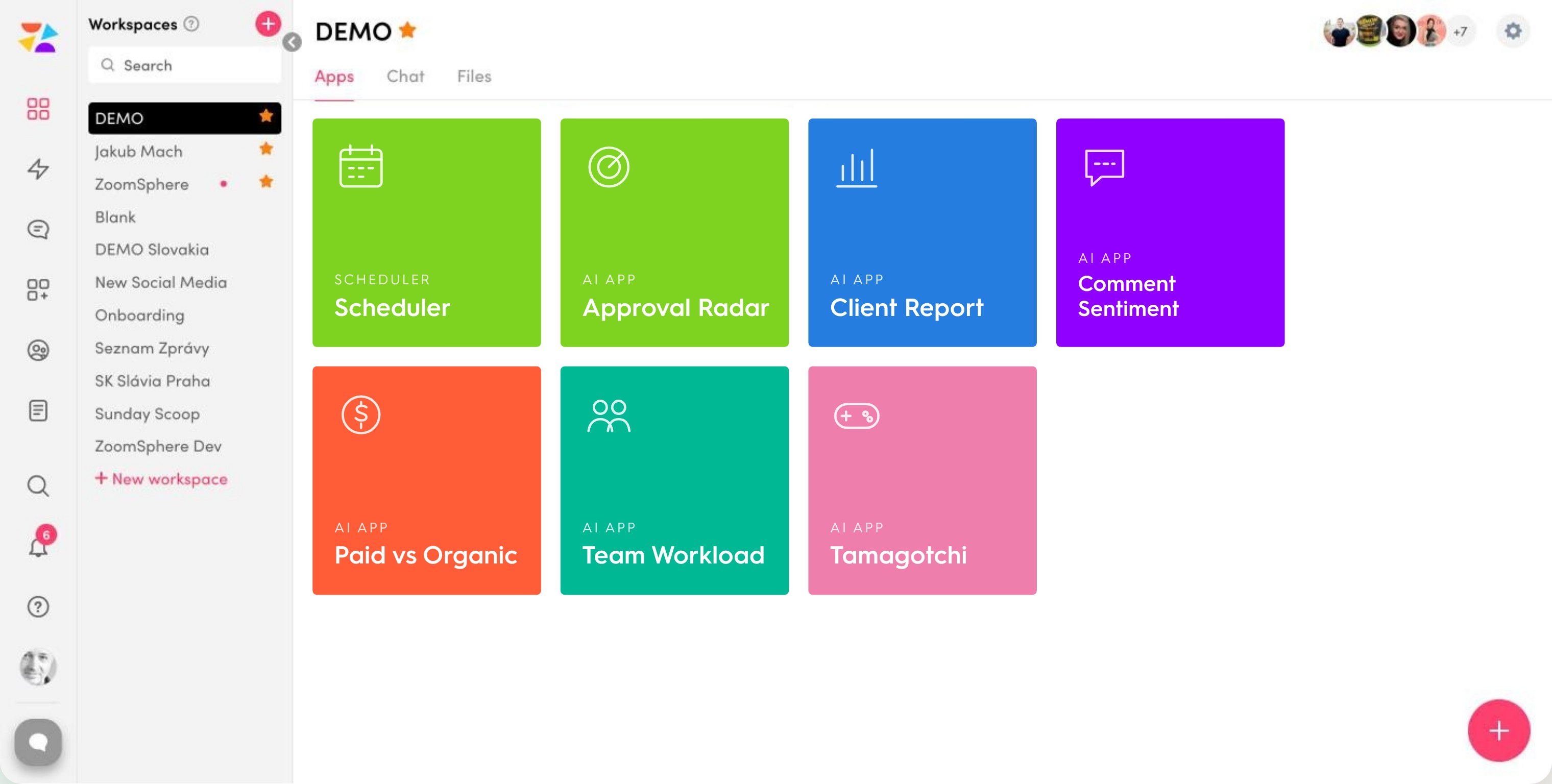
AI Apps live as tiles in your workspace, right next to the Scheduler. Add the tile yourself or let your AI agent do everything through the ZoomSphere MCP.
Pick AI App in the app menu.
Choose an icon and a tile color, then Save.
Ask your AI agent to build the content into the new tile.

In Claude, ChatGPT, Grok, Cursor or any MCP client. How to connect.
What it should show, for which clients and how it should look.
The agent builds it and saves it as a new AI App tile.

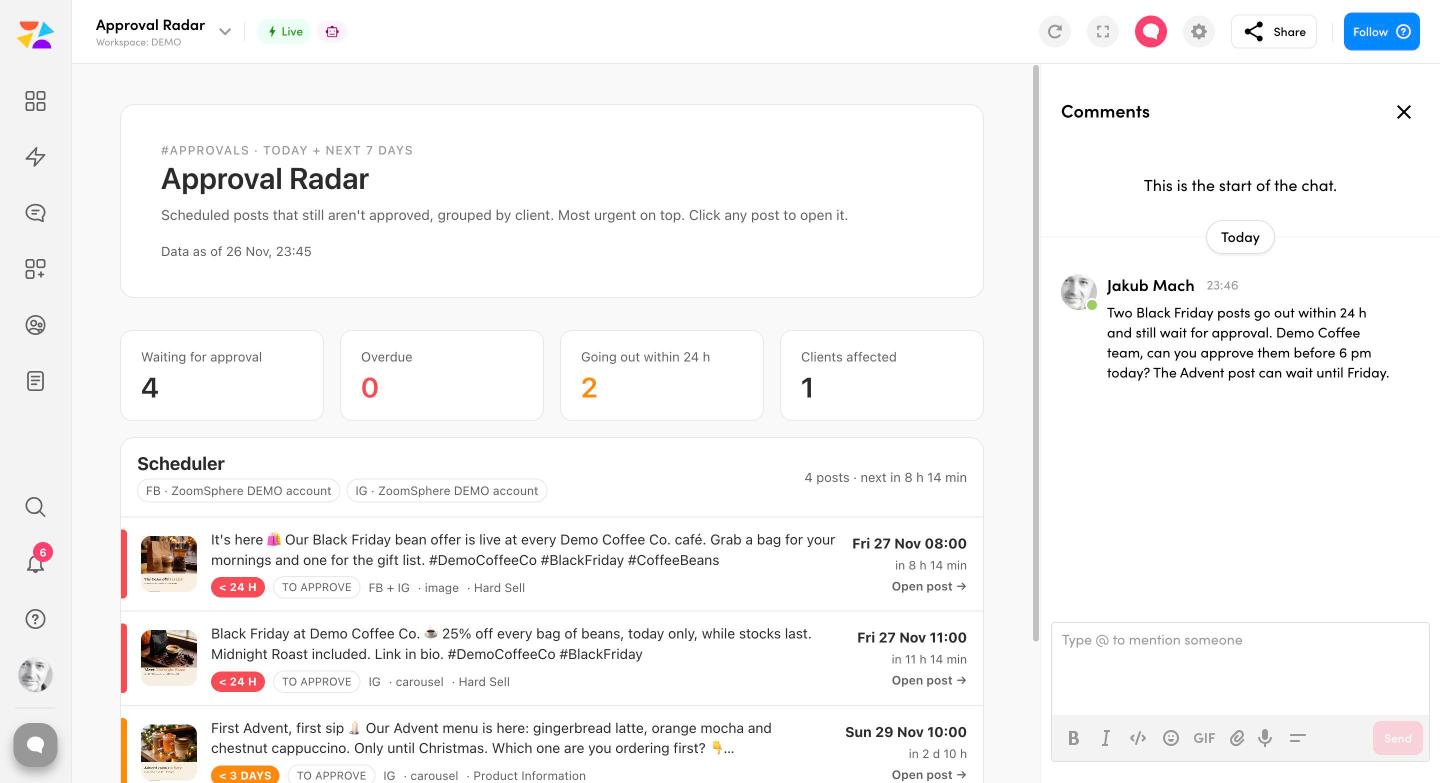
Every AI App has the same comments panel you know from posts. Your team and your clients discuss the numbers right next to them, instead of in a separate e-mail thread.
More about client approvals in ZoomSphere
A module in your workspace that shows whatever you describe: a report, an alert, an analysis, a dashboard or a game. It is built by your AI agent and reads your ZoomSphere data.
No. You describe the app in plain language and your AI agent writes it. To change it, just ask the agent again.
Any MCP client connected to the ZoomSphere MCP: Claude, ChatGPT, Grok, Cursor and others. You can also add an empty AI App tile in ZoomSphere and let the agent fill it.
Yes. ZoomSphere metrics in an AI App refresh every time someone opens it. A public link is the exception: it shows a snapshot from the moment you created it.
Yes. Share it as a public zoomsphere.page link that expires after 24 hours, 7 days, 30 days or never. You can revoke it any time.
Yes. An AI App can use the data of one workspace or of every workspace you have access to, and combine it with other MCPs your agent uses.
Connect your AI agent, describe what you need and watch it appear in your workspace.


