How Social Media Agencies Manage Content for Multiple Clients (Without Losing Their Mind)


Managing multiple social media clients in a single agency environment gets complicated fast. You have just taken on your fourth client. The work is solid, the team is capable, and the retainer makes sense. But something starts feeling off. A caption you wrote for the law firm client sounds like it was drafted for the streetwear brand. You are not sure which version of that asset is the approved one. A deadline that used to be easy to track now requires a second look.
Nobody made a mistake. The system just ran out of room.
Most agencies misdiagnose this moment. They reach for better time management, more check-ins, or a new tool. The actual problem is structural: all your clients live in the same space, which means every switch between them costs more than it looks.
{{form-component}}
How social media agencies manage multiple clients without chaos
Social media agencies that manage large client portfolios without consistent errors share one structural decision: each client gets its own isolated workspace containing all their content, files, communication, and workflow status, completely separated from every other client.
This is the core of a working social media agency workflow at scale. When clients share an environment, every switch between them carries context overhead. When each client has a dedicated workspace, switching from one to another is a full context transition. Client A's workflow cannot depend on the state of Client B.
How many clients can one account manager handle?
When agencies are asked how many clients one account manager handles, the answer usually falls between four and eight. That range comes from documented benchmarks.
A Databox survey of 48 agencies found that almost 70% of respondents said their account managers handle fewer than ten clients each. Karl Sakas, an agency consultant who has advised hundreds of firms, states in his published guidance: "Typically 4–8 accounts per person." He adds that neediness matters more than raw count: "an AM might be able to handle 6–8 easy-going clients... or just 2–3 needy clients."
But the range counts clients. What an account manager actually manages is accounts.
Six clients sounds reasonable. If each runs Facebook, Instagram, LinkedIn, and X, you are managing 24 accounts simultaneously. Add one client with a primary brand and three regional locations, and you have 28. One client on paper can mean eight active accounts in practice.
The headcount question matters, but the harder question is: what does switching between all of those clients actually cost you?
Why the system breaks when all clients share one workspace
You are writing Instagram captions for your restaurant chain client: warm, food-first, a little playful. A message comes in about the B2B software client: a LinkedIn post needs a tweak before tomorrow. You switch over, handle it, come back.
The next three captions are technically correct. But the rhythm is slightly off. A faint corporate edge has crept in that does not belong. You will not notice today. The client might notice next week.
Meanwhile, the approved photo for Client A is in the same shared folder as Client B's brand assets. Is the draft scheduled for Thursday the one approved last week or the revision from yesterday? Close enough to require a 15-minute search.
When a new team member joins to work on Client C, the first question is: which folders, which channels, which version of the brief?
None of these are catastrophic on their own. Together, they explain why managing eight clients feels like managing twelve.
This pattern has a name: context switching. The American Psychological Association, summarizing research by Rubinstein, Meyer, and Evans, states that brief mental blocks created by shifting between tasks can cost as much as 40% of someone's productive time. A study by Gloria Mark and colleagues at UC Irvine found something equally important: after only 20 minutes of interrupted work, people reported significantly higher stress, frustration, workload, effort, and time pressure compared to uninterrupted work.
For knowledge workers switching between spreadsheets, those findings are significant. For social media managers switching between brand voices, they describe a daily reality. Switching from Client A to Client B is not just changing tabs. You are leaving behind a complete cognitive context and picking up a different one: a different tone, different audience, different content principles, different things that client's followers care about this week. And then, an hour later, reversing the process.
The 2025 Sprout Social Index found that 94% of social practitioners feel pressure to be "chronically online," permanently responsive across every client's accounts simultaneously. That pressure, layered on top of constant context switching, is where quality erodes and burnout builds.
What the workspace-per-client model actually looks like
Most agencies do not decide to put all their clients in a shared space. It happens gradually.
One content calendar. One shared drive. One project board. It works fine at two clients. It mostly works at three. By the time you have five or six, the shared space is a liability that is hard to name and expensive to fix.
The one decision that separates an agency workflow that scales from one that struggles is this: does each client have its own environment, or do they all share yours?
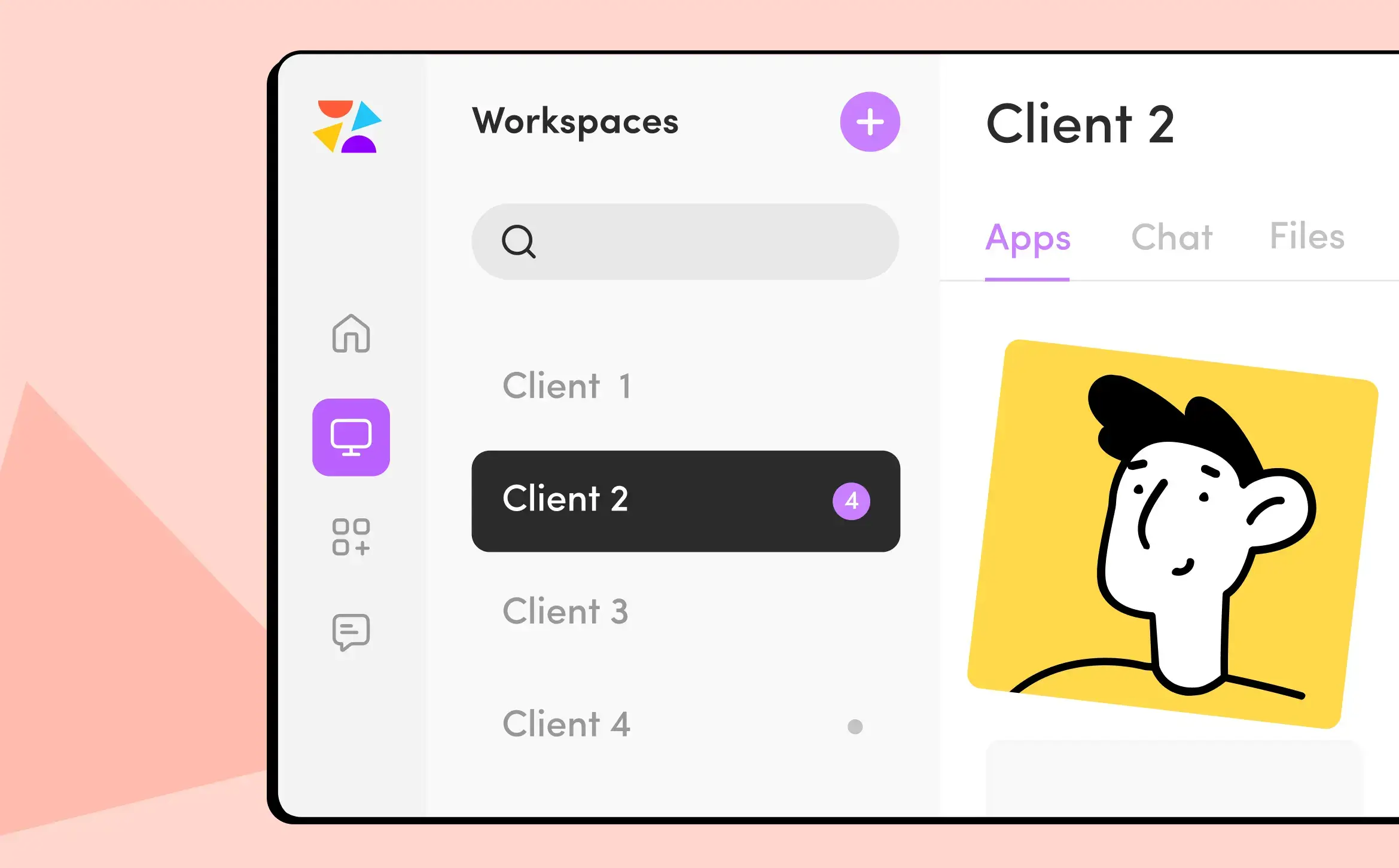
A workspace-per-client model means every piece of context, content, and communication for one client lives in one dedicated place, isolated from every other client. The Scheduler you are looking at contains only that client's posts. The Files section holds only their brand assets. The Chat is only about them. When you finish with Client A and open Client B, everything you see belongs to Client B. The previous client's context has no presence there.
This is the architecture. The specific tool matters less than the decision itself.
How three real social media agencies run this at scale
Tricky Communications is a full-service creative agency in Budapest managing 15 brands including ALDI, Nikon, Zwack, and British American Tobacco. They build a separate workspace for each brand and go one step further: within each workspace, they run two distinct workflow structures: one internal for the team and one client-facing. Designers, strategists, and account managers work in the internal workflow; clients access only what is relevant to them. The result is 15 fully separated environments, each operating independently.
Zaraguza, a creative agency in Bratislava, has used this model since 2016. Their clients include Slovenská sporiteľňa, Metro, DHL, Lidl, and BMW Motorrad. They run 76 workspace apps across their client portfolio. Each client's content, communication, reporting, and brand context lives in its own dedicated space. Team members are assigned only to the workspaces relevant to them.

Positive Adamsky, based in Budapest, manages over 330 social media channels for 100+ brands with 213 users across their system. In December 2024, they published 2,955 posts in a single month, with 92% scheduled and auto-published. Each brand lives in its own workspace, shared only with the relevant team members and the client directly. Dorina Mercz, Social Media Manager at Positive Adamsky, on what that looks like day-to-day:
"The color-coded statuses in Scheduler give us complete peace of mind. The moment all of our created posts turn green, we know everything is approved, and we can confidently move on to the next project."
Three agencies, three different sizes, three different portfolio profiles. The same underlying architecture.
How ZoomSphere Workspaces make this concrete
If the workspace-per-client model is the architectural decision, you need a tool built for it from the ground up, not a scheduler that was retrofitted for agencies. That is what ZoomSphere is.
Each Workspace contains its own Scheduler, Chat, Files, Notes, and Workflow Manager for one client, with nothing crossing into another client's space by default.
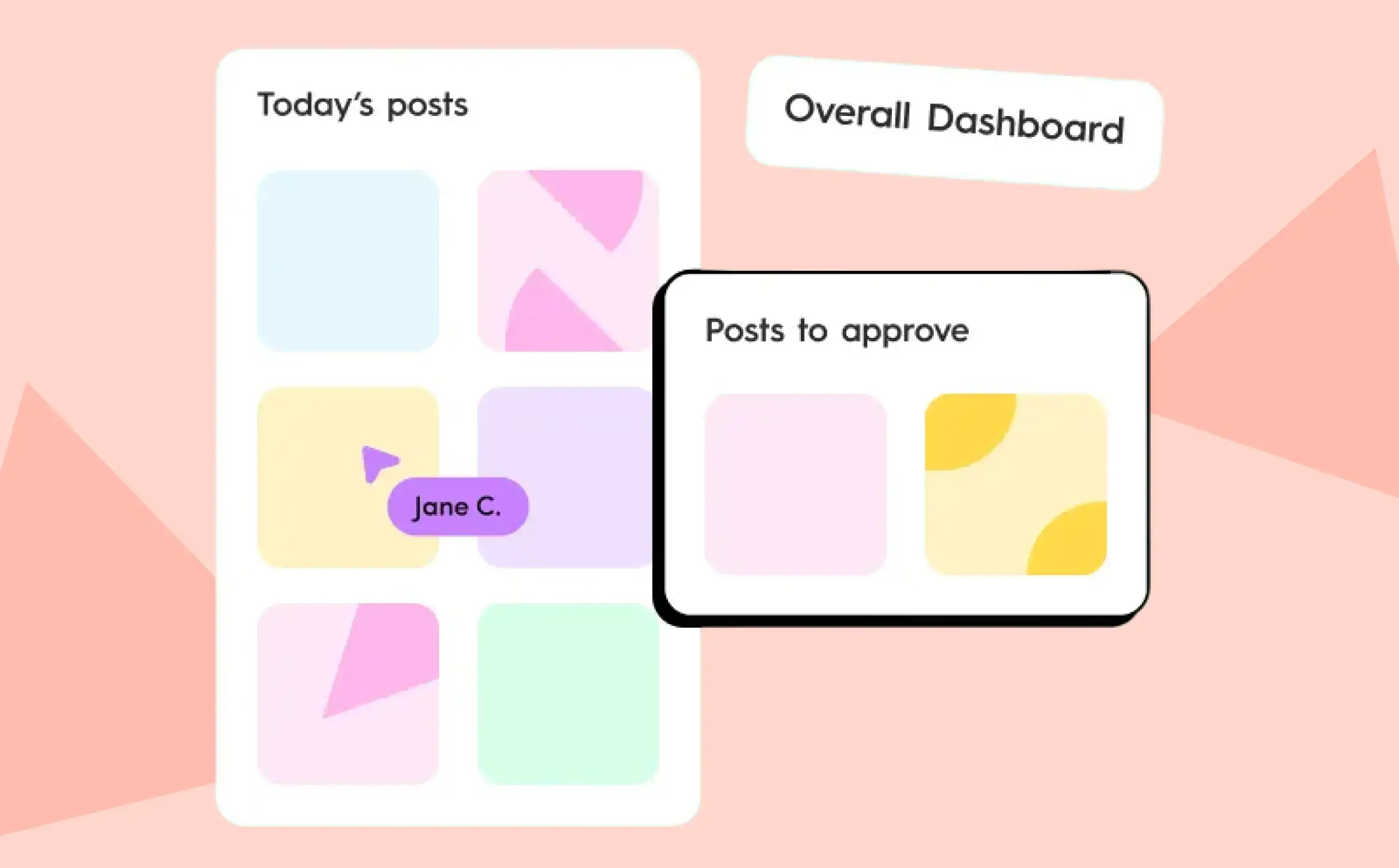
The overall dashboard gives you a cross-workspace view of what is scheduled today, what needs attention, and which tasks are on your plate, without collapsing the separation between clients. Bird's-eye view when you need it; clean isolation when you are in a workspace.
Clients can be invited directly into their own workspace to see content, leave comments, and approve posts. They see only their content.
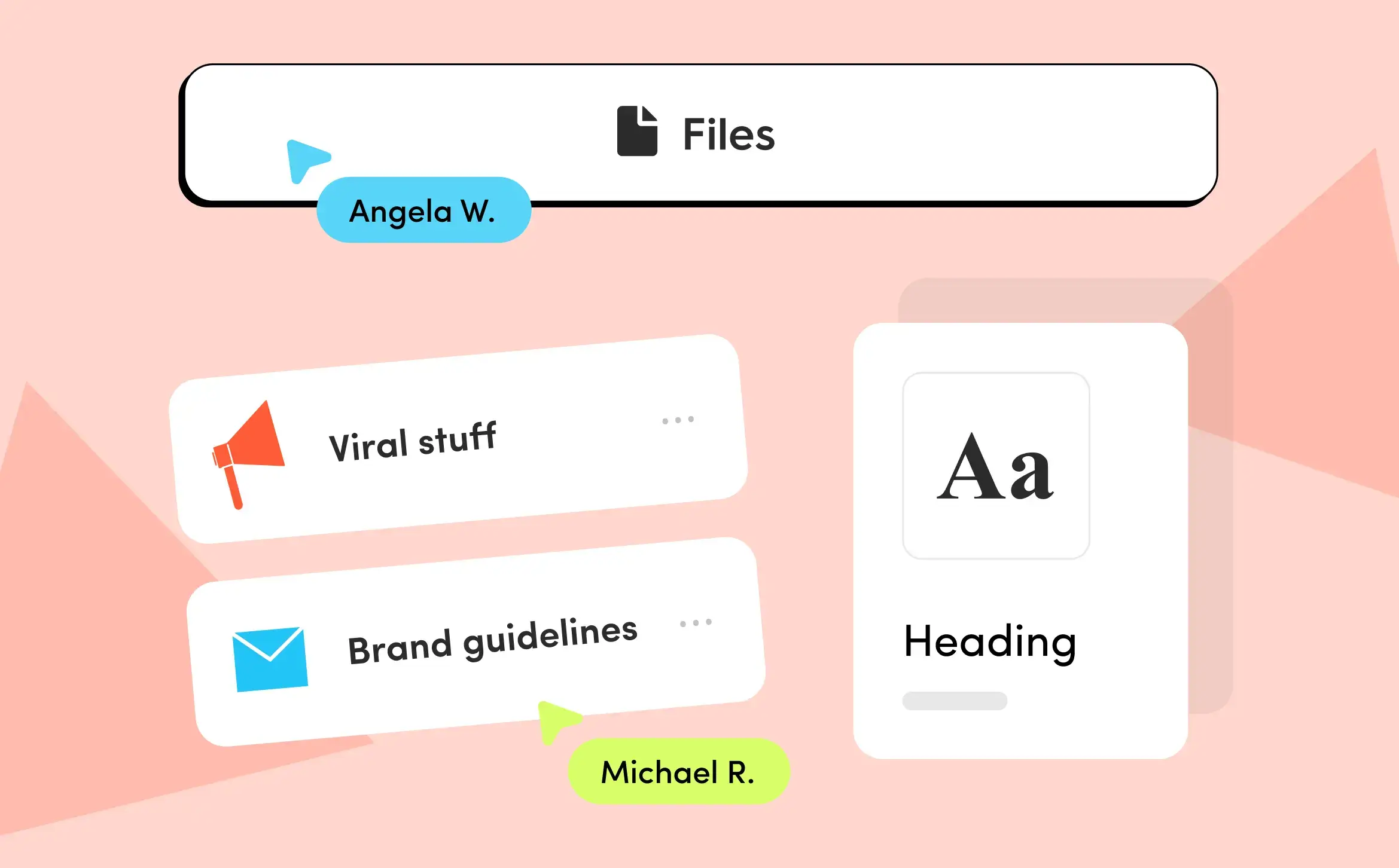
Brand assets, files, and guidelines for each client are stored inside that client's workspace. The right logo is one click away in the right place, not three folders deep in a shared drive.
You can see how the full agency setup works here.
{{cta-component}}
Signs your social media agency workflow is at its limit
The signals appear gradually:
You double-check which client account is open before publishing. Content approved for one client nearly goes live on another. A new team member cannot start on a client independently because the context for that client is scattered across different places. You know something is scheduled for next week but have to search for it.
These are not signs of a team that is not good enough. They are signs that the structure no longer supports the work. The fix is not to work harder, it is to rebuild how your clients are organized.
Most agencies hit this wall somewhere between their third and fifth client, not because they were careless, but because the shared-space approach works fine early and fails slowly. By the time it fails visibly, it has already been costing capacity for weeks.
The question worth asking is not "how many clients can my team handle?" It is: "if we doubled our client count tomorrow, would our current setup hold, or would it break at week two?"
{{form-component}}
Frequently Asked Questions
How do social media agencies manage multiple clients without mixing up content?
The most reliable approach is a workspace-per-client model: each client gets a fully isolated environment containing their content, files, brand context, communication, and workflow status. When each client lives in a separate workspace, there is no shared calendar where Client A's posts and Client B's posts appear side by side. Publishing to the wrong account becomes structurally harder, and tone contamination between clients becomes less likely.
How do agencies maintain consistent brand voice across multiple clients?
Workspace isolation is the structural foundation: when each client's tone guidelines, briefs, and content history live in a dedicated space, the manager opening it is immediately in that client's context. Beyond structure, agencies with consistent brand voice store tone documentation inside the client's workspace Notes, not in a shared guidelines folder checked once during onboarding and then forgotten. Isolated environment plus immediately visible brand context reduces the tone bleed that happens when multiple brand realities compete in the same cognitive space.
How many social media clients can one account manager handle?
Benchmarks point to four to eight clients as the typical range per account manager. A Databox survey of 48 agencies found almost 70% keep account managers under ten clients each. The more meaningful number is accounts: a manager with six clients on four platforms each is managing 24 active accounts simultaneously, switching between six different brand realities every working day.
What is a workspace-per-client model in social media management?
With ZoomSphere, each client gets a fully dedicated environment with its own content scheduler, file storage, brand notes, team communication, and workflow status, completely separated from every other client. Switching from one client workspace to another is a full context transition, not a navigation change inside a shared system. All the context you need for that client is in one place; nothing from other clients is visible within it.
Why does managing multiple social media clients feel chaotic even with a good scheduling tool?
Because scheduling tools solve the publishing problem, not the organization problem. When all clients share the same calendar, folder structure, and communication channels, every switch between them carries context overhead that no scheduler eliminates. The issue is not whether you can schedule posts. It is whether the environment keeps each client's world genuinely separate.
When should a social media agency restructure into a workspace-per-client model?
Before you feel the need to. Problems from shared workspaces (tone contamination, difficult onboarding, unclear asset ownership, near-miss publishing errors) are easier to prevent than fix. If you are onboarding your third client, now is the right time. If you already have six clients in a shared setup, restructuring takes one afternoon. Not restructuring costs months of accumulated friction.
How do you prevent accidental cross-posting to the wrong client account?
The most effective safeguard is structural: if each client's content exists only inside their dedicated workspace, the wrong account is simply not visible when you are working on the right client. Color-coded status systems add a secondary layer of clarity, but workspace separation is the primary protection, not checklists.








Heading 1
Heading 2
Heading 3
Heading 4
Heading 5
Heading 6
Lorem ipsum dolor sit amet, consectetur adipiscing elit, sed do eiusmod tempor incididunt ut labore et dolore magna aliqua. Ut enim ad minim veniam, quis nostrud exercitation ullamco laboris nisi ut aliquip ex ea commodo consequat. Duis aute irure dolor in reprehenderit in voluptate velit esse cillum dolore eu fugiat nulla pariatur.
Block quote
Ordered list

- Item 1
- Item 2
- Item 3
Unordered list
- Item A
- Item B
- Item C
Bold text
Emphasis
Superscript
Subscript


Recommended for you
%20(1).webp)